


























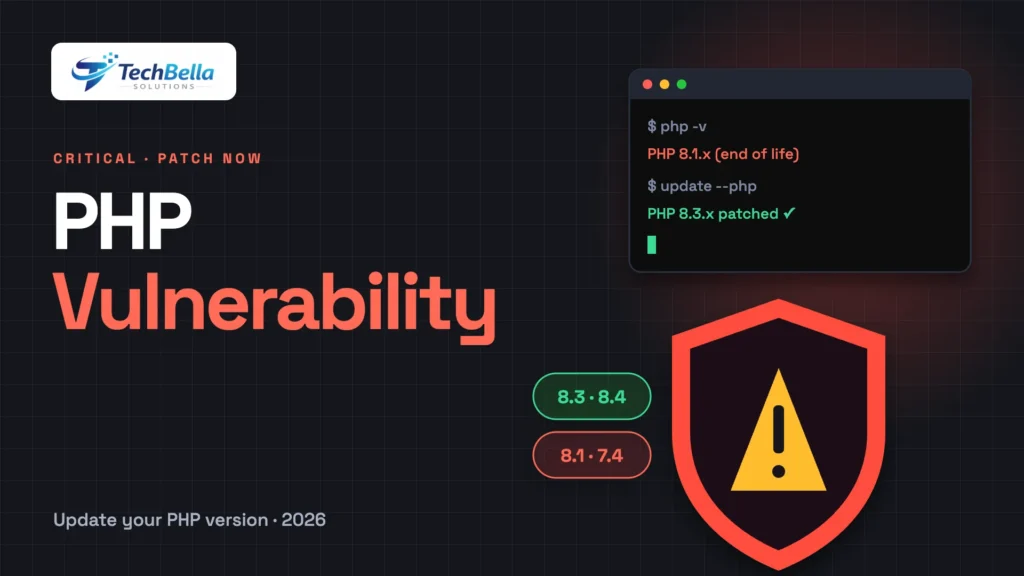
On 21 October 2026 the PHP project released emergency updates for two critical flaws that can let an attacker run code on a web server without logging in. If your WordPress or WooCommerce store runs on PHP, and almost every one does, this PHP vulnerability affects the server underneath your site, not just a plugin you can switch off. The flaws are tracked as CVE-2026-109618 and CVE-2026-109619, and security vendors have nicknamed the pair PHP2Shell.
This guide explains in plain language what the PHP vulnerability is, which PHP versions are patched, which are not, and what a store owner should do this week. Facts come from the official PHP security announcement and other named sources, and we say where a claim is vendor-reported. It is not a substitute for advice from your host.
| Patched by PHP | No regular upstream fix |
|---|---|
| PHP 8.5.12 | PHP 8.1 and older |
| PHP 8.4.27 | Source backports only |
| PHP 8.3.36 | Ask your host or vendor |
| PHP 8.2.35 | Plan an upgrade |
What the PHP vulnerability is
According to the PHP announcement, the two flaws are both rated critical and can allow unauthenticated remote code execution:
- CVE-2026-109618 is caused by out-of-memory handling. PHP can be interrupted while internal request data is only partly set up, and cleanup may then treat that invalid data as valid.
- CVE-2026-109619 involves stale global state. Request-owned data can survive after its memory is freed, and a later request handled by the same worker may use it.
The PHP Foundation gives a CVSS score of 9.2. It also says a leak shortened the planned embargo, and that the security team had not identified functional exploits at release. Since then, Help Net Security reports a working exploit and an Amazon-observed attempt on 17 October, and Qualys reports public proof-of-concept code. Treat exploitation as likely.
Who is affected
PHP says all installations serving web requests are at risk, including PHP-FPM, Apache with mod_php, php-cgi, FrankenPHP and LiteSpeed. The risk is highest for mod_php, where an unauthenticated request can trigger the attack before any application code runs. Researchers also showed that memory from a PHP worker can be disclosed, which could expose passwords, tokens and API keys (Qualys).
Updating WordPress, your theme or your plugins does not fix this. The flaw is in PHP itself, so the fix is a PHP update on your server.
How the PHP2Shell disclosure unfolded
It helps to see the order of events in this PHP vulnerability, because it explains why the advice is “patch now” and not “patch when convenient”. The sources we cite give these points:
- A security researcher write-up and vendor notes appeared before the official release, and the PHP Foundation says a leak shortened the planned embargo.
- Qualys published its advisory on 20 October 2026, and the PHP project announced the fixed versions on 21 October 2026.
- Help Net Security reports an exploitation attempt observed by Amazon on 17 October, which would be before the public release.
- Public proof-of-concept code has been reported since, so an attacker no longer needs deep skills to try it.
None of this means your store has been hit. It means the gap between “patch published” and “attack attempted” is now very small, and the safe habit is to treat a critical PHP release like an emergency repair on a shop door, not a cosmetic update.
Which PHP versions are supported now
| PHP branch | Security support ends | Fixed version for this flaw |
|---|---|---|
| 8.5 | 31 Dec 2029 | 8.5.12 |
| 8.4 | 31 Dec 2028 | 8.4.27 |
| 8.3 | 31 Dec 2027 | 8.3.36 |
| 8.2 | 31 Dec 2026 | 8.2.35 |
| 8.1 and older | Already ended | No regular upstream fix |
Dates come from the php.net supported versions page. PHP 8.2 gets security fixes only until the end of 2026, so it is a short-term stop.
PHP 7.4, 8.0 and 8.1 no longer receive updates from the project. Because of the severity, the security team published minimal source backports for those three, but only for people who build PHP from source. Some Linux distributions and long-term-support vendors backport fixes, so a patched package may still show an older version number.
What it means for WordPress and WooCommerce
WordPress recommends PHP 8.3 or greater and says it also works with 7.4+, but that older versions may expose a site to security vulnerabilities. Fixing this flaw is therefore a server task, usually done in your hosting panel or by your host.
WooCommerce has announced that version 11.6, planned for February 2027, will require PHP 8.1 or newer. Its opt-in data shows about 7% of tracked stores on PHP 7.4 and 2% on 8.0. Stores on those versions can keep updating WooCommerce up to 11.5, but that is temporary, and they are running a version with no upstream security fixes.
Qualys telemetry puts the wider problem in numbers: of installations with a known version, about 71% were on end-of-life branches (5.4 to 8.1) when the flaws were announced.
The 5-step fix
Step 1: Find the PHP version you really run
In WordPress, open Tools > Site Health > Info > Server. In WooCommerce, open WooCommerce > Status and read the server environment. Do not trust php -v over SSH alone: Qualys warns the command may report a different install from the one that serves requests. Check parallel versions, containers and bundled copies too.
Step 2: Update PHP through your host
Ask your host to move you to a patched build, or switch the PHP version in your control panel, preferably to 8.3 or newer. Shared and managed hosts often update centrally, so ask whether the server already has the October fix and which build number it uses. On your own server, update the package from your vendor or distribution.
Step 3: Test before you switch
Clone the store to a staging copy and run a test order. Old plugins, themes and custom code can break on newer PHP, so check your payment gateway, checkout and forms. Our guide to speeding up WordPress and WooCommerce covers safe staging habits.
Step 4: Restart and verify
Workers must restart to load the patched runtime. Confirm the new version in Site Health or WooCommerce Status, then browse the store, log in, add to cart and test a payment in sandbox mode.
Step 5: Look for signs of trouble
Because memory disclosure is possible, consider the cost of rotating secrets on a site that stayed unpatched: database password, API keys, payment gateway credentials and admin passwords. Review unfamiliar admin users, recently changed files and unexpected scheduled tasks. This is our precaution, not a PHP requirement.
What to ask your hosting provider
Most store owners do not manage PHP themselves, so the quickest action is a clear message to your host. You do not need technical language; you need specific answers. Ask these questions and keep the replies:
- Which exact PHP build does my account run, for example 8.3.36 and not just “8.3”?
- Does that build include the fix for CVE-2026-109618 and CVE-2026-109619, or a vendor backport of it?
- Have the PHP workers been restarted since the update?
- If my plan is on PHP 8.1 or older, what is the supported upgrade path and the date?
- Are web application firewall rules active for this issue, and who monitors them?
A good host answers within a day and names the build number. A vague answer such as “we keep everything updated” is not enough on a week like this, so ask again for the number.
Shared hosting, a managed WordPress host and your own virtual server behave differently. On shared and managed plans the host usually patches the platform and you only choose the version. On a virtual server you or your agency own the update, so schedule it now and test it on a staging copy first.
If you cannot update today
PHP says only an update fully solves this, but its announcement lists measures that reduce exposure to specific attack paths. They are for administrators who control the server:
- Set
session.upload_progress.enabled=0inphp.inior the pool configuration, and restart workers. - On PHP 8.5, set
fatal_error_backtraces=0. - Set a low
post_max_size(PHP suggests 8M without uploads, 32M with uploads). - Remove invalid or deprecated per-request settings that emit warnings.
Cloudflare says it has deployed initial WAF rules for known exploit vectors, which can help while you patch but does not replace the update. The UK NCSC advises considering taking offline any system that cannot be fixed right away.
What a PHP update can break
Fixing a PHP vulnerability by moving to a newer PHP release is safe for most current sites, but “most” is not “all”. The usual problems are small and fixable when you test first:
- Old plugins and themes. Code written years ago may call functions that newer PHP versions have removed or changed. These usually show up as a white screen or a fatal error on one page.
- Deprecation notices. Newer versions print warnings for habits that will stop working later. They are not outages, but they fill logs and can leak into pages if error display is on.
- Memory and time limits. A heavier import or report may behave differently after an update, so retest the slow jobs.
- Custom code. Small snippets in a child theme or a custom plugin are the most common surprise because nobody has touched them for a long time.
The cure is the same every time: copy the live store to staging, switch the staging copy to the new PHP version, place a test order and read the error log. If something fails, you learn it on a copy and not in front of customers.
Staying on old PHP is the bigger risk
This week shows why running an unsupported version is costly. When a critical flaw appears, supported branches got official fixes on release day, while 8.1 and older depend on your host or vendor. Plan the move to 8.3 or 8.4 now, while it is calm.
Keep PHP updates routine
- Subscribe to the PHP and host security notices.
- Keep a staging site and a tested backup before every PHP change.
- Check plugin and theme compatibility notes before upgrading.
- Review PHP versions every quarter against the php.net support dates.
- Remove plugins you no longer use.
Our team handles PHP upgrades, compatibility testing and monitoring for stores through website maintenance, and builds on WordPress and WooCommerce. Your host remains responsible for the server patch itself.
A 30-minute check after the update
When your host says the build that fixes the PHP vulnerability is live, spend half an hour confirming it from your side. Open Site Health and WooCommerce Status and read the PHP version. Visit the home page, a product page, the cart and checkout while logged out. Log in as an admin and open the orders screen. Place one sandbox payment if your gateway has a test mode, and check that the confirmation email arrives.
Then look at the error log for new fatal errors, and ask your agency whether any scheduled jobs, such as backups or feed exports, ran after the change. If everything looks normal, write the date and the PHP build in your maintenance notes. Next quarter you will be glad to have it.
Not sure which PHP version your store runs?
TechBella Solutions can check your PHP version, test your store on a newer one in staging and keep your WordPress or WooCommerce site on a supported release.
Frequently Asked Questions
Do I need to update WordPress because of this PHP vulnerability?
No. The flaws are in PHP, not in WordPress core, themes or plugins. The fix is to move your server to PHP 8.5.12, 8.4.27, 8.3.36 or 8.2.35, or to a vendor build that includes the backport.
Is PHP 8.1 safe to keep using?
No. PHP 8.1 reached the end of security support at the end of 2025 and gets no regular fix. Only source backports or vendor-supplied patches exist, so plan an upgrade to 8.3 or newer.
What PHP version should my WooCommerce store use?
WooCommerce and WordPress both recommend PHP 8.3 or greater. WooCommerce 11.6, planned for February 2027, will require at least PHP 8.1. Test on staging before you switch.