



























If you are planning an online store in the UAE, you have probably narrowed the platform choice to two names: Shopify and WooCommerce. Both are mature, both power very large stores and both have loyal defenders who will tell you the other one is a mistake. The honest answer is that neither is better for everyone. The right choice depends on your products, your team, your budget, the markets you sell in and, in the UAE especially, the payment options you can actually get approved for.
This Shopify vs WooCommerce guide compares both platforms for UAE stores in practical terms: how they differ in cost and control, what to check about payments and currency, how each handles Arabic and English, VAT and invoicing, speed and growth, and when each is the better fit. We build on both platforms, so we have no reason to push one. Where a fact depends on current Shopify terms or on your merchant account, we say so and tell you what to verify.
Shopify vs WooCommerce in the UAE: the short version
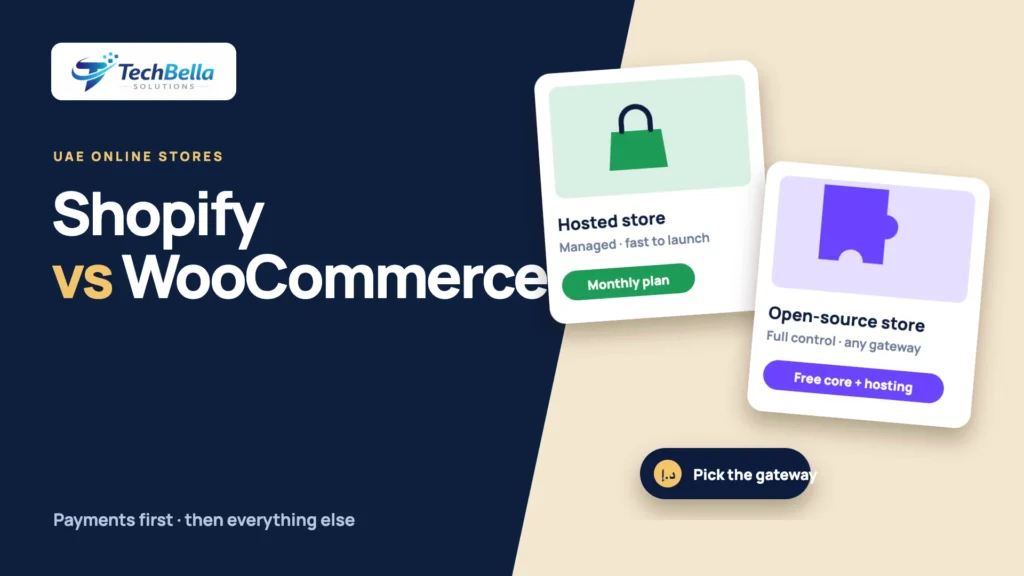
- Shopify is a hosted platform. You pay a subscription, and Shopify runs the hosting, security updates and checkout infrastructure. It is quick to launch and has less to maintain, but you work within its structure, and some features depend on your plan and on apps.
- WooCommerce is a free plugin for WordPress that you host yourself, or with a host that manages it. You control the code, hosting, data and checkout, and you choose from a very wide range of payment gateways. In return, you or your agency take responsibility for hosting, updates and security.
- In the UAE, payments often decide the choice. The best platform is the one that works with the payment provider you are approved for, in AED, with the methods your customers use.
Start with payments, not features
Many platform comparisons begin with themes and apps. For a UAE store, start with the question that can block your launch: how will you take payments?
What to check on Shopify
- Is Shopify Payments available to your business? Availability of Shopify’s own payment service varies by country and plan, and older discussions and newer reports about the UAE conflict, with some indicating limited availability on certain plans. Check Shopify’s current supported-countries information and your admin settings before assuming.
- Which third-party gateways can you connect? Shopify supports a range of external payment providers, but each has its own eligibility rules, and some features, such as certain subscription tools, depend on which gateways are supported.
- Are there extra transaction fees when you use a payment provider other than Shopify Payments? Shopify has charged additional fees in some cases, so check its current terms for your plan.
- Can the gateway handle AED, local cards and the methods your customers expect?
What to check on WooCommerce
- Which gateway plugin will you use, and is it maintained? WooCommerce does not limit you to a short list. Many providers publish plugins, and agencies build custom integrations.
- Does the plugin support the block checkout and HPOS? We explain why this matters in our guide to the checkout block payment gateway.
- Have you been approved for a merchant account with the provider? The platform cannot fix a lack of approval.
For stores that use CCAvenue in the UAE, our TechBella Payment Gateway Pro plugin connects WooCommerce to your own CCAvenue merchant account with a UAE region setting, WooCommerce Blocks support, redirect and iFrame checkout and sandbox testing. It is an independent plugin, not an official CCAvenue product, and you need your own approved account first (see our CCAvenue UAE merchant account checklist).
If you are still choosing a provider, our guide to the best payment gateways for WooCommerce in the UAE compares the main options. Many of those providers also integrate with Shopify, so the principle holds on both platforms (see Shopify’s documentation on payments and checkout for what its platform supports, and WooCommerce’s server requirements for hosting needs): pick the provider first, then confirm the platform supports it well.
Cost: look beyond the monthly fee
| Cost area | Shopify | WooCommerce |
|---|---|---|
| Software | Monthly subscription by plan | Free plugin |
| Hosting | Included | Paid separately; quality varies |
| Theme | Free or paid themes | Free or paid themes, or custom |
| Extra features | Apps, often monthly | Plugins, often yearly, or custom code |
| Payments | Provider fees, and possibly extra platform fees depending on gateway and plan | Provider fees; gateway plugin license if paid |
| Maintenance | Mostly handled by Shopify; apps need review | Updates, backups, security and monitoring are your responsibility |
| Developer cost | Lower for standard stores; custom apps can be costly | Flexible; depends on custom needs |
The cheapest platform is the one with the lowest total cost over three years for your specific needs, including your time. A store with few products and simple needs often costs less on Shopify. A store with unusual requirements, many integrations or content-heavy pages can cost less on WooCommerce, particularly if you already have WordPress skills.
Arabic, English and multi-currency
Many UAE stores serve customers in both Arabic and English, and some sell in several currencies. On either platform, check these in a real demo, not just a feature list:
- Right-to-left layout. Does the theme support Arabic properly, including menus, forms, product pages and the checkout?
- Translations. How will you translate products, pages and emails, and keep them updated?
- Currencies. Can customers see prices in AED and other currencies, and what currency does your gateway settle?
- Fonts and typography. Arabic type needs careful choices for readability.
- Search and URLs. How will search engines see each language version?
Both platforms have solutions, and the quality depends heavily on the theme and tools you choose. Test the checkout in Arabic with a real payment in sandbox mode.
VAT, invoices and compliance
UAE stores need to handle VAT correctly. WooCommerce gives you direct control of tax settings, and we explain the setup in our guide to WooCommerce VAT in the UAE. Shopify has tax settings too, and the details depend on your plan and apps. On either platform, confirm with your accountant how VAT should be calculated and shown, whether you can issue compliant tax invoices with your TRN, and how refunds and credit notes are handled. Do not assume the default invoice email is a tax invoice.
When Shopify is usually the better fit
- You want to launch quickly with a small team and minimal technical upkeep.
- Your catalogue and needs are standard.
- Your payment provider and settlement arrangements work well with Shopify.
- You prefer a managed platform where hosting and security are handled for you.
- You plan to scale with apps rather than custom development.
When WooCommerce is usually the better fit
- You need a specific payment gateway or local provider that works best through WooCommerce.
- You want full control of data, code and hosting.
- Content and SEO are central, and you already use WordPress.
- You have unusual product types, pricing rules or integrations.
- You have, or will hire, a team to maintain the site.
- You want to avoid recurring platform fees and app subscriptions.
Three realistic scenarios
A boutique launching in Dubai. A small team, a few hundred products, a need to launch in weeks and no developer on staff. If the owner’s payment provider works smoothly with Shopify, a managed platform is attractive. If the preferred provider has a well-maintained WooCommerce plugin and not a Shopify one, WooCommerce with a managed host may be easier to run.
A wholesaler with custom pricing. Customer-specific prices, quotes, minimum order rules and invoicing integrations. WooCommerce’s flexibility and the ability to write custom code often fit better, although Shopify’s Functions and apps can also handle tiered pricing on the right plan.
A subscription brand selling across the Gulf. Recurring payments matter most. Check which gateways support recurring billing in your market and for your merchant account on each platform before you decide, because support differs and is often the deciding factor.
Hidden costs to include in your comparison
- Apps and plugins. Several small monthly fees add up. Count them.
- Transaction fees. Provider fees are unavoidable, but platform-level fees depend on your plan and gateway choice. Check current terms.
- Theme and design. Premium themes and customisation work cost money on both platforms.
- Translation and Arabic design. Professional translation and right-to-left design work take time and budget.
- Maintenance and support. On WooCommerce, someone must update, back up and secure the site. On Shopify, apps and themes still need review.
- Your own time. A platform that needs constant attention has a real cost even if no invoice arrives.
Migrating later
You can move from one platform to the other, but it is a project, not a button. Products, customers and orders can usually be exported and imported, but themes, apps, URLs, redirects and integrations need rebuilding, and SEO needs careful handling. If you expect to switch, keep your product data clean, document your integrations and plan redirects from day one. If you are weighing a move now, our ecommerce development, Shopify development and WooCommerce development teams can compare both options against your real requirements.
One more practical suggestion: build a small proof of concept on each platform before you commit. Set up one product, connect your intended payment provider in test mode, add Arabic and English, apply VAT and place a test order. A day or two of hands-on testing will surface problems that no comparison article can predict, and it costs far less than discovering them after launch.
Running WooCommerce in the UAE with CCAvenue?
TechBella Payment Gateway Pro connects WooCommerce to your own CCAvenue merchant account with UAE region support, WooCommerce Blocks checkout, redirect and iFrame flows and sandbox testing. Independent plugin, not an official CCAvenue product.
Frequently Asked Questions
Is Shopify or WooCommerce better for a UAE store?
Neither is better for everyone. Shopify suits quick launches and managed hosting with standard needs. WooCommerce suits stores that need control, a specific payment gateway, strong content or unusual requirements. Start by confirming which payment provider you can be approved for and which platform supports it well.
Is Shopify Payments available in the UAE?
Reports differ and availability varies by plan and over time, so check Shopify’s current supported-countries information and your admin settings. Do not plan a launch around it until you confirm.
Can WooCommerce use CCAvenue in the UAE?
Yes, if you have an approved CCAvenue merchant account. TechBella Payment Gateway Pro connects WooCommerce to your own CCAvenue account with a UAE region setting. It is an independent plugin, not an official CCAvenue product.
Which is cheaper, Shopify or WooCommerce?
It depends. Shopify has a predictable subscription plus apps. WooCommerce has a free core but needs hosting, maintenance and often paid plugins. Compare the three-year total for your actual needs.