New Product Attachments for WooCommerce
EaseAttach Pro – Product Attachment for WooCommerce
Attach manuals, spec sheets and files to WooCommerce products from one shared library. Set who can download, protect files, add order attachments and let customers upload files.
- Shared library
- Access rules
- Protected downloads
- Customer uploads

Why upgrade to Pro
Control Who Can Get Your Files, Across Your Whole Catalog
The free plugin attaches files to one product at a time. Pro adds a shared library, access rules, protected downloads, order attachments and customer uploads, so your files work for the whole store.
- Shared attachment library, add a file once and reuse it
- Assign by product, category, tag, attribute, variation or globally
- Access rules by login, role, purchase or order status
- Protected file storage with secure download links
- Order attachments and customer uploads with approval
- Bulk assign, CSV import with a dry run, and reports
-
1Install Install WooCommerce, the free EaseAttach plugin and then EaseAttach Pro.
-
2Add to the library Create a shared attachment under EaseAttach Woo, then Attachment Library.
-
3Assign and set rules Choose the products and who can get the file.
Pro adds its tabs to the same EaseAttach Woo settings page.
Who it is for
- Stores with manuals and spec sheets
- Shops with customer-only documents
- Made-to-order shops that need customer files
- B2B and wholesale stores
- Agency client sites
Pro needs the free EaseAttach plugin and a license key. The free plugin keeps working without Pro.
Features
Everything You Need to Manage Product Files
From a simple Attachments tab to a shared library with access rules, here is what EaseAttach adds to your WooCommerce store.
Attachments Tab
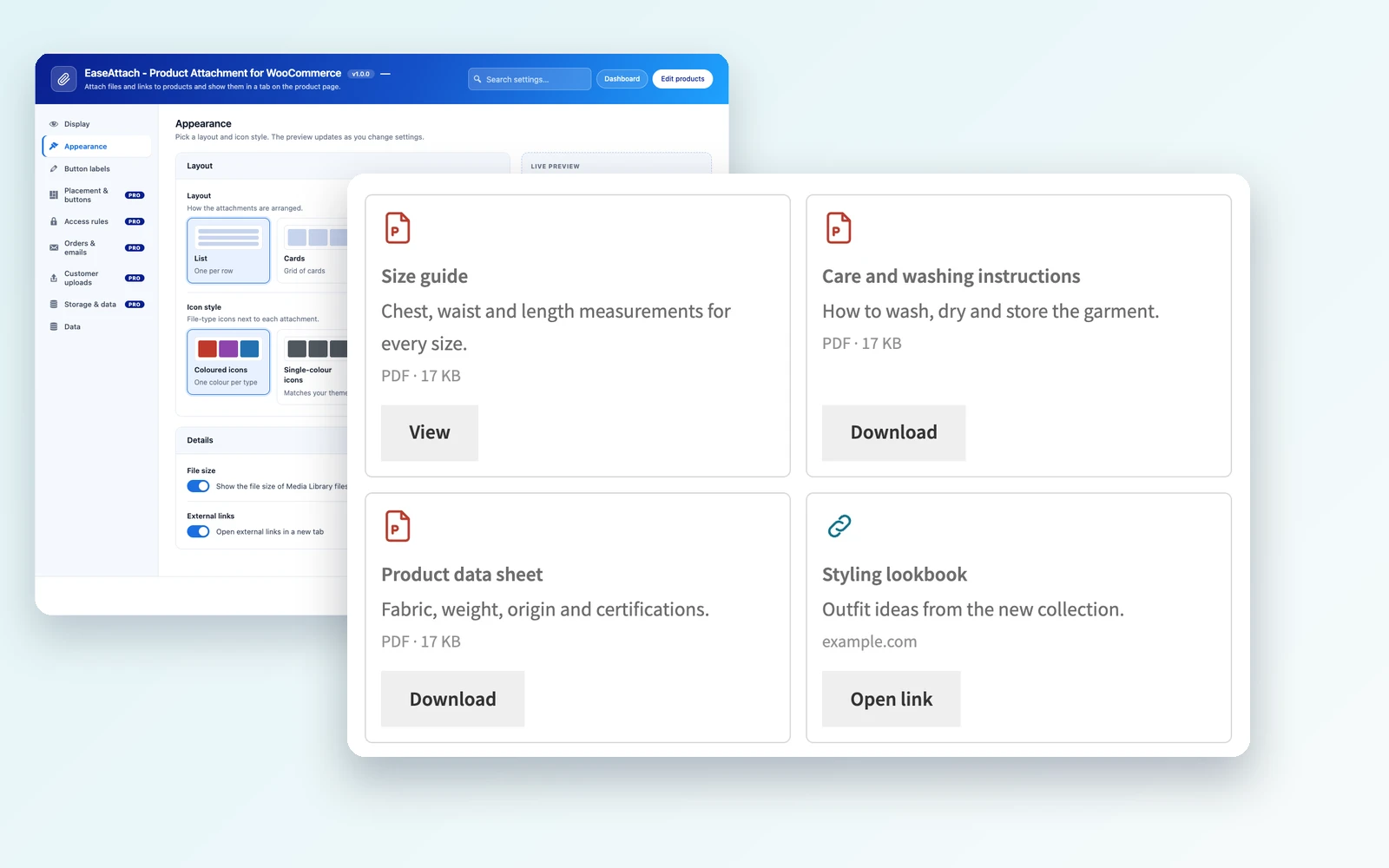
Add PDFs, manuals, spec sheets, images and links to any product. Customers find them in a clear tab on the product page.
Shared Attachment Library
Create an attachment once and use it on many products. Replace the file later and keep every assignment and download count.
Flexible Assignment
Assign by product, category, tag, attribute, variation or to all products, with exclusions for the ones that should not show it.
Access Rules
Allow everyone, logged-in users, selected roles, buyers of the product or customers with a chosen order status, with dates and download limits.
Protected Downloads
Protected files live in their own folder and are delivered through a link that checks the rules on every request.
Order Attachments
Attach files to an order and show links on the order page, My Account, the Thank You page and the emails you select.
Customer Uploads
Up to five upload fields on the order page. Approve, reject or remove each file, with every action saved as an order note.
Bulk Assign and CSV
Assign one attachment to many products or import assignments from CSV. Every import is a dry run until you apply it.
Shortcode and Block
Place attachments anywhere with the shortcode or the Product attachments block, plus four extra product page locations.
Layouts and Button Styling
Show attachments as a list, table or cards and set the button colours and corner radius to match your store.
Download Reports
See downloads over a date range by attachment. The log stores no IP address or browser information.
Responsive and Accessible
Keyboard-friendly output with visible focus states and screen-reader text, and compatible with HPOS and block checkout.
Why it matters
Product Files Should Be Easy to Manage and Easy to Control
With EaseAttach Pro
-
One library for every file
Add a manual once, assign it to hundreds of products and update it in one place.
-
The right people get the right files
Limit downloads to buyers, roles or order statuses, and stop links when you need to.
-
Orders carry their own documents
Show invoices, guides and certificates on the order, and collect customer files there too.
With Product-by-Product Attachments
-
The same file uploaded again and again
In the free plugin attachments belong to one product, so a change means editing every product.
-
Public links anyone can share
Files from the Media Library are public. Anyone with the link can open them.
-
No place for customer files
Without uploads on the order page, artwork and documents have to be collected by email or chat.
Comparison
Free vs Pro: EaseAttach Product Attachments
Pricing
Choose Your Plan
Pick the number of sites and the billing period. Every plan includes the same Pro features, only the number of sites changes. Yearly licenses renew every year and lifetime licenses are paid once. EaseAttach Pro needs the free EaseAttach plugin.
Starter
AnnualBest for a single store
- Use on 1 site
- Shared attachment library
- Assignment by product, category, tag, attribute and variation
- Access rules, dates and download limits
- Protected file storage with secure links
- Order attachments and customer uploads
- Bulk assign and CSV import with dry run
- Shortcode, block and extra locations
- Download reports and log
- HPOS and block checkout compatible
Starter
LifetimeBest for a single store
- Use on 1 site
- Shared attachment library
- Assignment by product, category, tag, attribute and variation
- Access rules, dates and download limits
- Protected file storage with secure links
- Order attachments and customer uploads
- Bulk assign and CSV import with dry run
- Shortcode, block and extra locations
- Download reports and log
- HPOS and block checkout compatible
Plus
AnnualBest for freelancers
- Use on 3 sites
- Shared attachment library
- Assignment by product, category, tag, attribute and variation
- Access rules, dates and download limits
- Protected file storage with secure links
- Order attachments and customer uploads
- Bulk assign and CSV import with dry run
- Shortcode, block and extra locations
- Download reports and log
- HPOS and block checkout compatible
Plus
LifetimeBest for freelancers
- Use on 3 sites
- Shared attachment library
- Assignment by product, category, tag, attribute and variation
- Access rules, dates and download limits
- Protected file storage with secure links
- Order attachments and customer uploads
- Bulk assign and CSV import with dry run
- Shortcode, block and extra locations
- Download reports and log
- HPOS and block checkout compatible
Pro
AnnualBest for agencies
- Use on 10 sites
- Shared attachment library
- Assignment by product, category, tag, attribute and variation
- Access rules, dates and download limits
- Protected file storage with secure links
- Order attachments and customer uploads
- Bulk assign and CSV import with dry run
- Shortcode, block and extra locations
- Download reports and log
- HPOS and block checkout compatible
Pro
LifetimeBest for agencies
- Use on 10 sites
- Shared attachment library
- Assignment by product, category, tag, attribute and variation
- Access rules, dates and download limits
- Protected file storage with secure links
- Order attachments and customer uploads
- Bulk assign and CSV import with dry run
- Shortcode, block and extra locations
- Download reports and log
- HPOS and block checkout compatible
Prices are in USD or INR and exclude tax, billed annually. You can cancel anytime.

100% Money Back Guarantee
You can request a refund within 7 days of your purchase if the plugin does not work as described on this page and our support team is unable to fix the problem. Please contact support first, because most issues are solved quickly.
A refund is not available if you changed your mind, or if the plugin works as described but does not suit your needs. When a refund is approved, the license is deactivated.
We offer 7 days Money Back Guarantee based on Refund Policy.
Got Questions?
Frequently Asked Questions
Yes. EaseAttach Pro adds to the free EaseAttach plugin and cannot run without it. If the free plugin is missing, Pro shows a notice and turns itself off without changing your data.
In the free plugin attachments belong to one product. With Pro you create an attachment once in a central library and assign it to many products, categories, tags, attributes or variations, so one update changes it everywhere.
Yes. Choose customers who bought the product, or customers whose order has a status such as Completed. You can also limit by user role or require login, and add start and end dates or a download limit.
Files uploaded as protected files are, when your server blocks direct access to the protected folder. The Settings page has a storage check and shows the rule to add on Nginx. Media Library files and external links stay public, although Pro can hide their link from visitors who do not qualify.
Yes. Create up to five upload fields with their own file types, size limit, required setting and order statuses. Customers upload on their order page, and you approve or reject each file.
No. Emails contain secure links, never the files. A link only works while the customer still qualifies when they click it.
Yes. You can assign a library attachment to specific variations. It is added to the product tab once that variation is selected.
Exclude product pages that show restricted attachments from full-page caching. Otherwise a cached page could show a restricted item to the wrong visitor.
Yes. Order attachments and customer uploads work with High-Performance Order Storage, and the plugin declares compatibility with the block checkout.
The free plugin keeps working. Pro data such as the library, settings and download records stays in the database unless you switch on the delete option under Storage and data before deleting the plugin. Uploaded files are never deleted.
The Starter plan covers 1 site, Plus covers 3 sites and Pro covers 20 sites. All plans have the same features.
Get Started
Give Every Product the Files Customers Ask For
Start with the free plugin, or choose a Pro plan for the shared library, access rules and customer uploads.
Need Help Deciding?
Questions about the plugin or your license?
Our team can help with setup, licensing or a custom quote before you buy. Contact us and tell us about your store.