



























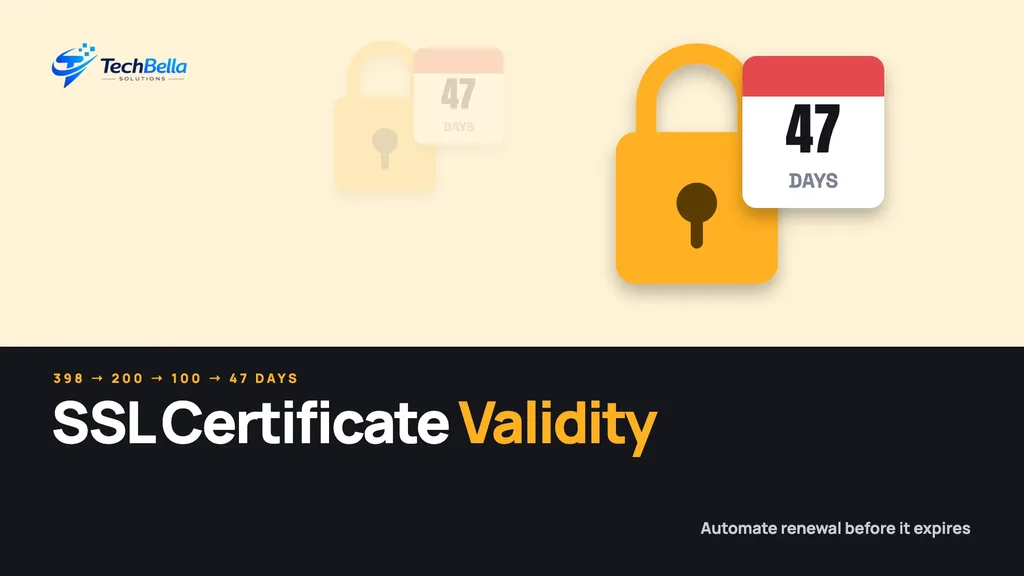
Your website’s padlock depends on a certificate, and certificates are about to live much shorter lives. Since 15 March 2026 the maximum validity of a public SSL certificate, more precisely a TLS certificate, has been 200 days, down from 398. Further cuts follow in 2027 and 2029, ending at 47 days.
For a business owner this is an SSL certificate validity change with one practical meaning: renewing by hand once a year will stop being realistic. This guide explains the schedule, what it means for WordPress, WooCommerce and Shopify stores, and the steps that stop an expired certificate from taking your checkout offline.
| Date | Maximum public TLS certificate validity |
|---|---|
| Before 15 Mar 2026 | 398 days |
| From 15 Mar 2026 | 200 days (DigiCert issues 199) |
| From 15 Mar 2027 | 100 days |
| From 15 Mar 2029 | 47 days (marked subject to change by DigiCert) |
The new SSL certificate validity schedule
The CA/Browser Forum, the group that sets the rules for public certificates, agreed a stepped reduction. DigiCert’s rule-change page lays out the dates:
- 15 March 2026: maximum validity 200 days, with domain validation reuse also cut. DigiCert applies its own limit of 199 days.
- 15 March 2027: maximum validity 100 days.
- 15 March 2029: maximum validity 47 days, and domain validation reuse down to 10 days. DigiCert marks the 2029 changes as subject to change.
Certificates issued before each date keep the longer validity that applied when they were issued, so the effect arrives gradually as certificates are renewed.
Why this matters to a store
A browser shows a full-page warning when a certificate expires, and customers rarely continue. Payment gateways and other services that call your site over HTTPS may also fail when the certificate is invalid. An expired certificate is therefore not just a cosmetic problem. It can stop sales and break integrations until someone renews it.
Shorter lifetimes mean more renewals. A site that renewed once a year will need to renew at least twice from now, then four times, then many more by 2029. Anything done by hand will eventually be missed.
Who is affected
Everyone who uses a public certificate. On most managed hosts, the certificate is issued and renewed for you, often through automated services such as Let’s Encrypt, so your risk is small, but you should still check. The risk is highest where certificates are bought and installed manually: on a VPS, behind a custom load balancer, on a separate admin domain, or on email and API servers.
How automatic renewal works
Most automatic renewal uses ACME, a standard protocol that lets a server prove it controls a domain and receive a fresh certificate without a person in the loop. A small program on your server, or your host’s control panel, asks the certificate authority for a new certificate shortly before the old one expires. The authority checks control of the domain, usually with a small file placed on your site or a record added to your DNS, and then issues the certificate.
When this runs quietly in the background, nobody notices. That is the goal. The sections below explain what goes wrong when it does not, so you can spot the warning signs early.
Five checks to make this month
Check 1: Find every certificate you rely on
List every domain and subdomain: the main site, www, checkout or API subdomains, staging, and mail. Note the issuer, expiry date and who renews each one.
Check 2: Find out who renews it
Ask your host whether renewal is automatic. If someone on your team buys certificates and installs them by hand, that person is now a single point of failure.
Check 3: Move to automatic renewal
Automation usually means the ACME protocol, which tools such as Certbot use, or a host-managed certificate. DigiCert’s page points the same way: with shorter lifetimes, manual renewal and domain validation become impractical, so plan for automated issuance and renewal.
Check 4: Monitor expiry
Set alerts at 30, 14 and 7 days before expiry, sent to more than one person. Free uptime monitors can check certificates from the outside.
Check 5: Test after every change
When you change hosts, add a CDN or move DNS, check that the certificate is still valid on every domain, and test a checkout. Our guides to website maintenance and accepting AED payments on WooCommerce cover testing a live checkout.
Why automatic renewal sometimes fails
Automation removes most mistakes, but not all. These are the usual reasons a renewal fails, and each one is worth checking once:
- A change in DNS or hosting. Moving the domain, adding a CDN or changing name servers can break the check the authority performs.
- A firewall or redirect rule. If a security plugin or server rule blocks the validation request, the authority cannot confirm control.
- A stopped scheduled job. Renewal normally runs on a timer. If the timer stops after a server update, nothing renews.
- Wildcard certificates. These typically need DNS access for validation, so the credentials must keep working.
- A lapsed account. A hosting or certificate account that expires or loses its payment method can stop renewals.
The simple defence is monitoring from the outside. A free external checker that alerts you when the certificate has fewer than 14 days left will catch every cause on this list.
A worked example
Imagine a WooCommerce store on a VPS. The owner bought a one-year certificate, a developer installed it by hand and the reminder email goes to a former employee. Under the old 398-day limit, nobody noticed because the cycle was long. With a 200-day limit, the certificate must now be replaced about twice a year, and by 2027 about four times. The first time the reminder is missed, checkout shows a browser warning on the busiest day of the month.
The fix is small and boring: switch to a certificate that renews automatically, send expiry alerts to a shared mailbox, and write down who owns it. That takes an afternoon and removes a whole class of outage.
Questions to ask your host or developer
- Which certificates cover our domains, and who issued them?
- Is renewal automatic, and what happens if it fails?
- Who receives expiry alerts, and are they monitored?
- Do staging, API and mail subdomains have separate certificates?
- How do we test a renewal without waiting for the expiry date?
Certificates beyond the main website
Your padlock is not the only certificate in the system. Check the ones that are easy to forget:
- Staging and test sites, which clients and payment gateways sometimes use for sandbox testing.
- API and webhook endpoints, which payment providers call. If these fail, orders may not be confirmed.
- Mail servers, where expired certificates can cause delivery warnings.
- Admin, support and customer portals on subdomains.
- Third-party services that serve content under your own domain, such as a help centre or a booking tool.
Each one has its own expiry date and sometimes its own owner. Put them on the same list as your main site, with the same alerts, so a forgotten subdomain does not become your next outage.
DV, OV and EV: do they matter now?
Certificates come in three validation levels. Domain validation (DV) confirms control of the domain and is the most common, issued quickly and often automatically. Organisation validation (OV) also checks details of the company. Extended validation (EV) involves the most checks.
All three encrypt traffic in the same way, and browsers treat them similarly for the padlock. The shorter validity limits apply to public certificates generally, so changing the type does not avoid the schedule. For most small and medium stores, a DV certificate with automatic renewal is the practical choice. If you need a higher validation level for business reasons, ask the provider how renewals are automated, since you will be renewing more often.
What this does not change
Shorter lifetimes do not make your site less secure, and they do not mean you must buy more expensive certificates. They reduce the window in which a mis-issued or stolen certificate can be abused. For most WordPress owners the right answer is a host that renews automatically, plus a monitor that tells you when it does not.
A short certificate checklist
- Domains and subdomains listed with expiry dates.
- Renewal is automatic, or there is a named owner and a calendar reminder.
- Alerts go to two or more people.
- Staging and API subdomains are included.
- Checkout is tested after hosting, CDN or DNS changes.
If you want someone to own this, our website maintenance service includes monitoring, and we can set up automatic renewal on your server.
What to do if a certificate has already expired
If customers see a warning right now, treat it as an incident and work through it in order:
- Confirm which domain and which certificate is affected, using the details in the browser warning.
- Ask your host to renew or reissue it, or run your renewal tool manually.
- Reload the site from a different network to confirm the new certificate is served.
- Test checkout and any payment callbacks, since integrations may have failed in the meantime.
- Find out why renewal failed, and fix that cause before closing the incident.
Write the date and cause in your maintenance notes. A short record helps the next person, and it shows patterns, such as renewals failing after every hosting change.
A calendar you can copy
Put four dates in a shared calendar: the expiry date of each certificate, an alert 30 days before it, a second alert 14 days before it and a yearly review each March, when the rules change. In March 2027 the limit falls to 100 days, so renewals will happen more often, and in March 2029 it falls again to 47 days. If automation is working, these dates are only a safety net, but a safety net is exactly what a store needs on the day a renewal quietly fails.
Never miss a certificate renewal again
We can set up automatic renewal, add expiry monitoring and test your checkout after every change to hosting, CDN or DNS.
Frequently Asked Questions
What is the maximum SSL certificate validity in 2026?
Since 15 March 2026 the CA/Browser Forum limit for public TLS certificates is 200 days. DigiCert, for example, issues 199-day certificates. It drops to 100 days from 15 March 2027.
Will my website show errors if my certificate expires?
Yes. Browsers display a security warning, and services that connect to your site over HTTPS may fail. That is why automatic renewal and expiry alerts matter.
Do I need to buy a new certificate now?
Not necessarily. If your host renews certificates automatically you may not need to do anything. Check who renews each certificate and make sure it is automated.