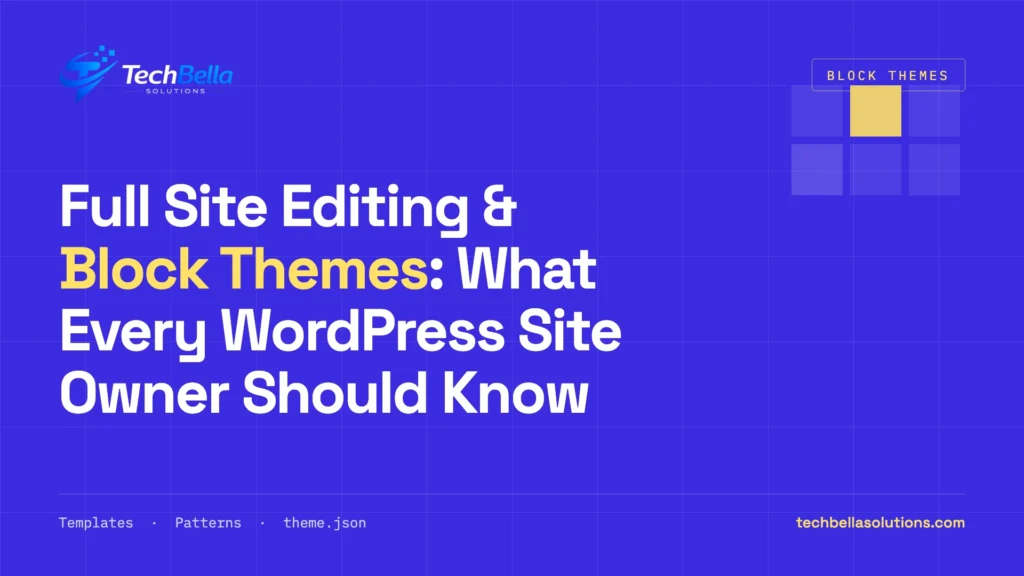
WordPress website development has changed significantly in recent years. One of the biggest changes is the move from traditional theme customisation toward Full Site Editing (FSE) and block themes.
Instead of relying heavily on customizer settings, page builders, and theme-specific options, modern WordPress allows site owners to manage much more of their website visually using blocks.
For businesses planning a new WordPress website—or considering redesigning an existing one—understanding Full Site Editing and block themes can help you make better decisions about your website’s design, maintenance, performance, and long-term flexibility.
In this guide, we’ll explain what Full Site Editing is, how block themes work, their advantages and limitations, and whether they are suitable for your WordPress website.
What Is Full Site Editing in WordPress?
Full Site Editing, commonly referred to as FSE, is a collection of WordPress features that allows users to edit more areas of a website using the WordPress block editor.
With traditional WordPress themes, website owners often use:
- The WordPress Customizer
- Theme-specific settings
- Widgets
- Custom theme templates
- Page builders
- Custom PHP development
Full Site Editing changes this approach by allowing many website elements to be managed through blocks.
Depending on the theme and WordPress setup, you can visually edit areas such as:
- Header
- Footer
- Navigation
- Templates
- Blog layouts
- Archive pages
- Single post layouts
- Pages
- Sidebars and other template areas
This makes WordPress more visual and gives site owners greater control over the overall website structure.
What Are WordPress Block Themes?
A block theme is a WordPress theme designed to work with the Site Editor and WordPress blocks.
Traditional themes are generally built around PHP template files and theme-specific customisation systems. Block themes use WordPress’s block-based approach for many parts of the website structure.
Instead of editing a header through a theme’s PHP file, for example, a block theme can allow you to open the Site Editor and modify the header visually.
This can include adding:
- Site logo
- Navigation menu
- Search
- Social icons
- Buttons
- Images
- Text
- Other blocks
The result is a more visual website management experience.
Full Site Editing vs Traditional WordPress Themes
The biggest difference is how much control you have over the website structure through the WordPress interface.
| Feature | Traditional Themes | Block Themes |
|---|---|---|
| Site Editor | Limited/No | Yes |
| Header editing | Theme settings/code | Block editor |
| Footer editing | Theme settings/code | Block editor |
| Templates | Primarily theme files | Visual template editing |
| Global styles | Theme-dependent | Built into Site Editor |
| Navigation | Widgets/theme options | Navigation block |
| Layout control | Theme/page builder dependent | Block-based |
| Customisation | Can require code | More visual |
| Theme dependency | Often higher | Generally more block-based |
This does not mean traditional themes are outdated or unusable. Many excellent WordPress websites still use traditional themes.
The right choice depends on the website’s requirements.
How Does Full Site Editing Work?
Full Site Editing brings several WordPress features together.
1. Site Editor
The Site Editor is the central interface for managing a block theme.
From the Site Editor, you can work with areas such as:
- Navigation
- Styles
- Pages
- Templates
- Patterns
This gives you a single place to manage much of the website’s visual structure.
2. Global Styles
One of the most useful features of the Site Editor is Global Styles.
Global Styles allows you to define consistent design settings across your website.
These can include:
- Typography
- Colours
- Spacing
- Layout
- Button styles
- Link styles
- Block-specific settings
For example, if your business website uses a specific brand font and colour palette, global styling can help maintain consistency across different pages.
3. Templates
Templates define how different types of content are displayed.
A block theme can provide templates for:
- Single posts
- Pages
- Categories
- Tags
- Search results
- Archives
- 404 pages
You can customise these templates using blocks rather than relying entirely on PHP template files.
4. Template Parts
Template parts are reusable sections of a website.
Common examples include:
- Header
- Footer
- Sidebar
If you update a reusable header, the change can be reflected wherever that template part is used.
5. Patterns
Patterns are reusable collections of blocks.
For example, you could create a reusable:
- Hero section
- Call-to-action section
- Testimonial layout
- Pricing section
- Feature section
- Contact section
Patterns can speed up website creation while maintaining consistent design.
What Are the Benefits of Block Themes?
Block themes offer several advantages for modern WordPress websites.
Easier Visual Customisation
One of the biggest benefits is that many design changes can be made visually.
A site owner may be able to change a header layout, adjust spacing, or modify typography without editing theme files.
This can reduce dependence on developers for routine design changes.
More Control Over Website Layout
Traditional themes often determine how certain areas of a website look.
Block themes provide more flexibility because templates themselves can be edited using blocks.
This can be particularly useful for businesses that want custom layouts without relying entirely on a page builder.
Consistent Design
Global Styles and reusable patterns make it easier to maintain a consistent visual identity.
For example, you can establish:
- Brand colours
- Typography
- Button styles
- Spacing rules
- Content widths
This helps prevent different pages from developing inconsistent designs over time.
Reduced Dependence on Page Builders
For some websites, the WordPress block editor and Site Editor can replace functionality that would previously have required a page builder.
This can potentially simplify the technology stack.
However, this does not mean every website should remove its existing page builder. Complex websites may still benefit from specialised tools.
Better Control for Content Teams
Marketing teams and website administrators can often make more changes directly through WordPress.
For example, updating a footer link or changing a page layout may not require a developer for every small adjustment.
Modern WordPress Development
Block themes align with the direction of WordPress development.
WordPress continues to expand its block-based editing experience, making it increasingly important for developers and site owners to understand blocks, patterns, templates, and global styles — a shift that also intersects with how AI is changing WordPress workflows.
Are Block Themes Better for Website Performance?
This is one of the most common questions.
The answer is: not automatically.
A block theme does not guarantee a fast website.
Website performance depends on many factors, including:
- Hosting
- Plugins
- Images
- JavaScript
- CSS
- Fonts
- Caching
- Database performance
- Third-party scripts
- Theme implementation
- Website architecture
A well-developed block theme can provide a clean foundation, but poor implementation can still result in a slow website.
For WooCommerce websites, performance becomes even more important because product pages, cart functionality, checkout, payment gateways, analytics, and other functionality can introduce additional resources — see our guide to WordPress and WooCommerce speed optimisation.
Do Block Themes Work With Plugins?
Yes.
Block themes can work with many WordPress plugins.
However, compatibility should be checked before changing a production website.
This is particularly important for websites using:
- WooCommerce
- Membership plugins
- LMS plugins
- Multilingual plugins
- Custom post types
- Advanced custom fields
- Booking systems
- Subscription systems
- Custom plugins
A plugin may technically work with a block theme while still requiring additional styling or template adjustments.
For business websites, compatibility testing should therefore be part of the migration or redesign process.
What About WooCommerce and Block Themes?
WooCommerce has increasingly adopted block-based functionality.
Modern WooCommerce stores can use blocks for different parts of the shopping experience, depending on the WooCommerce version and configuration.
Block-based WooCommerce functionality can provide more flexibility for store owners who want to customise layouts without completely rebuilding templates.
However, WooCommerce websites are usually more complex than standard business websites.
Before switching an existing store to a block theme, check:
- Product templates
- Shop layouts
- Cart
- Checkout
- My Account
- Product archives
- Payment gateways
- Shipping functionality
- Subscription functionality
- Custom WooCommerce extensions
A complete staging test is recommended before making major theme changes on a live store — this is core work for a WooCommerce development team.
Are Block Themes Good for SEO?
Block themes themselves do not automatically make a website rank higher in Google.
SEO depends on many factors, including:
- Helpful content
- Search intent
- Website structure
- Technical SEO
- Internal linking
- Page speed
- Mobile usability
- Structured data
- Metadata
- Backlinks
- Overall website quality
However, a well-built block theme can support a clean website structure and responsive design — a helpful foundation for the tactics in our WooCommerce SEO strategies guide.
The important factor is how the theme is developed and configured—not simply whether it is a block theme.
What Are the Limitations of Block Themes?
Despite their advantages, block themes are not perfect for every project.
Learning Curve
Users familiar with traditional themes may need time to understand:
- Site Editor
- Templates
- Template parts
- Patterns
- Global Styles
- Block settings
The interface is visual, but there is still a learning curve.
Existing Customisations May Need Work
A website with extensive custom theme code may require significant development work before moving to a block theme.
Custom functionality should be reviewed rather than assuming that everything will transfer automatically.
Plugin Compatibility
Some older plugins may rely on traditional theme structures or styling assumptions.
Testing is important, particularly for large WooCommerce websites.
Advanced Designs May Still Require Development
The Site Editor provides significant flexibility, but highly customised websites may still require:
- Custom blocks
- Custom CSS
- PHP development
- JavaScript
- Custom patterns
- Plugin development
Block themes reduce the need for code in many situations, but they do not eliminate the need for professional WordPress development.
Should You Convert an Existing WordPress Website to a Block Theme?
Not necessarily.
If your existing website is:
- Fast
- Secure
- Mobile-friendly
- Easy to maintain
- SEO-friendly
- Compatible with your plugins
- Meeting your business goals
there may be no urgent reason to change the theme simply because block themes are becoming more popular.
A migration makes more sense when you are already planning a redesign or when the existing theme creates maintenance or customisation problems.
Before migrating, review:
- Current theme architecture
- Custom code
- Plugin compatibility
- WooCommerce functionality
- SEO structure
- Page templates
- Performance
- Mobile responsiveness
- Existing URLs
- Business-critical functionality
When Should a Business Choose a Block Theme?
A block theme can be a strong option when you want:
- Modern WordPress editing
- Visual control over templates
- Flexible page layouts
- Consistent global styling
- Reusable design patterns
- Less dependence on page builders
- Easier routine content and design changes
It can be especially suitable for new websites where the architecture can be planned around WordPress’s modern block system from the beginning.
When Might a Traditional Theme Be Better?
A traditional theme may still be the better choice when:
- The website already works well
- You have extensive custom theme development
- Your plugins depend heavily on traditional templates
- Your website requires a specialised architecture
- Your development workflow is already built around a custom theme
- A specific theme provides functionality your project requires
There is no universal rule that every WordPress website should use a block theme.
How Developers Can Use Block Themes Effectively
Professional WordPress development is still important even when using Full Site Editing.
Developers can create:
- Custom blocks
- Custom patterns
- Custom block styles
- Theme.json configurations
- Custom templates
- Dynamic blocks
- Plugin integrations
- WooCommerce customisations
The goal is not simply to avoid code.
The goal is to use the right combination of visual editing and custom development.
For example, a business could use block patterns for common marketing sections while using custom development for advanced functionality.
This creates a more manageable development workflow without sacrificing flexibility.
Full Site Editing vs Page Builders
Full Site Editing is sometimes compared directly with tools such as Elementor and other page builders.
However, they are not exactly the same thing.
WordPress’s block editor is part of WordPress itself, while third-party page builders add their own editing systems and functionality.
A block-based approach can reduce the number of external dependencies, while a page builder may provide specialised design controls that some businesses need.
The best choice depends on:
- Design requirements
- Existing website architecture
- Developer expertise
- Plugin compatibility
- Performance requirements
- Content management needs
- Long-term maintenance plans
How to Prepare Your Website for the Future
Whether you use a traditional theme or a block theme, good WordPress architecture matters.
Follow these practices:
Keep Content Separate From Presentation
Do not put important business content inside theme code when it should be manageable through WordPress.
Use a Child or Custom Theme Strategy Where Appropriate
If custom development is required, use a maintainable architecture instead of making changes that can be lost during updates.
Avoid Unnecessary Plugins
Every plugin adds another dependency. Install plugins based on actual business requirements.
Build Reusable Patterns
For block-based websites, reusable patterns can help standardise common layouts.
Test Before Major Changes
Use a staging environment before changing themes, templates, or major WooCommerce components.
Keep WordPress Updated
WordPress, themes, plugins, and PHP should be maintained regularly to improve security, compatibility, and reliability.
Planning a block-theme build or migration?
TechBella plans block-first WordPress architectures and migrates existing sites — theme.json and Global Styles, custom blocks and patterns, WooCommerce template testing on staging, and performance checks — so the switch doesn’t break anything.
Frequently Asked Questions
Is Full Site Editing the same as the WordPress block editor?
Not exactly. The block editor is primarily used for creating content, while Full Site Editing extends block-based editing to areas such as templates, headers, footers, navigation, and global styles when using a compatible block theme.
Are block themes faster than traditional themes?
Not automatically. Performance depends on the theme’s implementation, hosting, plugins, assets, images, scripts, caching, and overall website architecture.
Can I use WooCommerce with a block theme?
Yes. WooCommerce supports block-based functionality, but compatibility should be tested carefully, especially when a store uses custom templates or third-party WooCommerce extensions.
Do block themes eliminate the need for developers?
No. Developers are still needed for custom functionality, integrations, advanced designs, performance optimisation, troubleshooting, and complex WordPress websites.
Should I switch my existing website to a block theme?
Not necessarily. If your current website is performing well, there may be no reason to migrate immediately. Consider switching when a redesign, improved editing workflow, or architectural change justifies the migration.
Are block themes good for business websites?
Yes. They can be a strong choice for business websites that want flexible templates, reusable patterns, global styling, and easier visual management.
Final Thoughts
Full Site Editing and block themes represent an important evolution in WordPress website development.
They give site owners more visual control over templates, navigation, headers, footers, styles, and layouts while reducing the need for theme-specific customisation systems.
However, block themes are not automatically the best choice for every website.
The right solution depends on your website’s functionality, design requirements, plugins, performance goals, SEO strategy, and long-term maintenance needs.
For a new WordPress website, considering a block-first architecture can be a smart way to build a flexible and maintainable foundation. For an existing website, a careful technical review should come before deciding whether migration is worthwhile.
If you are planning a new WordPress website, redesigning an existing site, or considering a migration to a modern block-based architecture, professional planning can help you avoid compatibility and performance problems later.
Need help with your WordPress website? Explore professional WordPress development services to discuss your website requirements, custom development, redesign, performance, and WooCommerce needs.