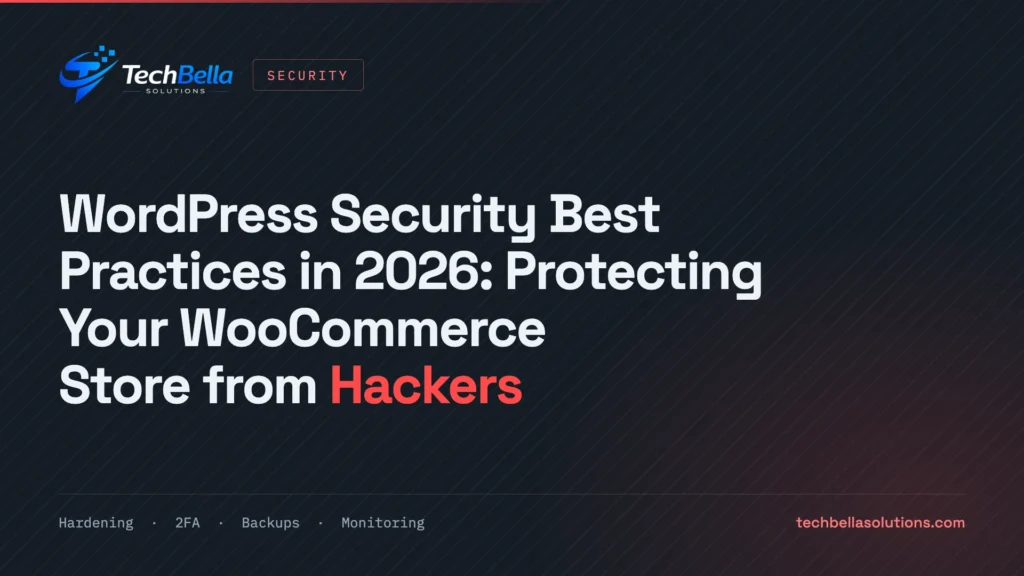
A WooCommerce store is more than just a website. It handles customer accounts, orders, payments, product information and business data. That makes website security an essential part of running an online business.
In 2026, protecting a WordPress website requires more than installing a security plugin. A secure WooCommerce store needs regular updates, strong authentication, reliable backups, secure hosting, careful plugin management, monitoring and a recovery plan.
For UAE businesses, this is particularly important as eCommerce continues to grow and businesses are responsible for maintaining secure technology infrastructure and protecting customer information.
Whether you operate a small online shop or a growing eCommerce business, following the right WordPress security best practices in 2026 can significantly reduce common security risks.
Why WordPress Security Matters for WooCommerce Stores
A compromised WordPress website can cause problems far beyond a temporary website outage.
Hackers may attempt to:
- Steal administrator login credentials
- Install malware
- Inject malicious code
- Create unauthorised administrator accounts
- Redirect visitors to malicious websites
- Modify products or prices
- Access customer information
- Disrupt checkout
- Inject malicious scripts
- Send spam emails from the website
- Damage search engine rankings
- Take the website offline
For an eCommerce business, even a short security incident can affect sales and customer trust — a malware infection or spam injection can also quietly undo months of WooCommerce SEO work before you notice.
WooCommerce recommends keeping WordPress, WooCommerce, extensions and themes updated, using secure plugins and themes, implementing strong authentication, protecting customer data, monitoring the website and maintaining regular backups.
1. Keep WordPress, WooCommerce and Plugins Updated
One of the simplest and most important WordPress security practices is keeping your software updated.
Security vulnerabilities can be discovered in WordPress core, plugins, themes and other website components. Developers release updates to fix these vulnerabilities and improve compatibility and performance.
Your update checklist should include:
- WordPress core
- WooCommerce
- WooCommerce extensions
- WordPress plugins
- Themes
- PHP
- Payment gateway integrations
- Third-party libraries
- Server software where applicable
However, you should not blindly update everything directly on a live WooCommerce store.
For important eCommerce websites, create a backup and test major updates on a staging environment first. This helps identify compatibility problems before they affect customers — the kind of routine covered by ongoing website maintenance and support.
Why outdated plugins are risky
An outdated plugin may contain a vulnerability that has already been publicly documented.
Attackers actively look for websites running vulnerable software. Removing unused plugins and keeping essential plugins updated can therefore reduce your attack surface.
2. Use Strong Passwords and Two-Factor Authentication
Weak administrator passwords remain an easy target for automated attacks.
Avoid passwords based on:
- Your company name
- Website name
- Employee names
- Birth dates
- Simple dictionary words
- Common password combinations
- Passwords reused on other websites
Instead, use unique and long passwords for every important account.
You should also enable two-factor authentication (2FA) for administrator and other privileged accounts whenever possible.
With 2FA, a password alone is not enough to access the account. The user must provide an additional verification method.
This provides another layer of protection if a password is exposed through phishing, credential theft or another attack.
3. Remove Unused Plugins and Themes
Every installed plugin or theme adds another component to your website.
That does not mean plugins are inherently unsafe. The problem is keeping unnecessary, outdated or abandoned software installed.
Regularly review your WordPress installation and remove:
- Unused plugins
- Unused themes
- Abandoned plugins
- Plugins that are no longer maintained
- Duplicate functionality
- Pirated or nulled software
Never use pirated WordPress plugins or themes simply because they are free.
Nulled software may contain modified or malicious code and can create serious security and legal risks.
Choose plugins carefully
Before installing a plugin, consider:
- Who developed it?
- Is it actively maintained?
- When was it last updated?
- Is it compatible with your WordPress version?
- Does the developer provide security updates?
- Is support available?
- Is it necessary for your website?
A smaller number of well-maintained plugins is generally easier to manage than a website filled with unnecessary extensions.
4. Choose Secure and Reliable Hosting
WordPress security does not stop inside the WordPress dashboard.
Your hosting environment also matters.
A reliable hosting provider should offer appropriate security controls such as:
- SSL/TLS certificates
- Server-level firewall protection
- Malware monitoring
- Automated backups
- Secure file access
- Supported PHP versions
- Server monitoring
- Account isolation where appropriate
- Reliable infrastructure
For WooCommerce stores, hosting performance and security are particularly important because the website continuously handles customer activity, orders and transactions.
Cheap hosting may look attractive initially, but limited security controls or poorly isolated websites can create additional risks.
When choosing hosting, consider security, reliability, performance, backup policies and technical support rather than focusing only on monthly price.
5. Keep PHP Updated
PHP is the programming language that WordPress runs on.
Running an outdated PHP version can create security, compatibility and performance problems.
Before upgrading PHP on a production WooCommerce website:
- Create a complete backup.
- Check plugin compatibility.
- Check theme compatibility.
- Test the new PHP version on staging.
- Test product pages.
- Test cart and checkout.
- Test payment gateways.
- Test shipping and tax functionality.
- Test customer accounts.
- Monitor the website after deployment.
This is especially important for WooCommerce websites using custom plugins, themes or older third-party integrations.
6. Secure the WordPress Login Area
The WordPress login page is frequently targeted by automated attacks.
You can reduce unnecessary exposure by implementing:
- Strong passwords
- Two-factor authentication
- Login attempt protection
- Rate limiting
- CAPTCHA where appropriate
- Suspicious login monitoring
- Account activity monitoring
You should also regularly review administrator accounts.
Do not give every employee administrator access simply because they need to manage content.
For example, a content editor may only need an Editor role rather than full administrator permissions.
Follow the principle of least privilege
Users should have only the permissions they actually need to perform their work.
This limits the potential damage if an individual account becomes compromised.
7. Protect WooCommerce Customer Data
WooCommerce stores can contain valuable customer and business information.
Depending on your configuration, this may include:
- Customer names
- Email addresses
- Billing information
- Shipping information
- Customer accounts
- Order history
- Product purchases
- Business records
Your website should use HTTPS so information transferred between customers and your website is encrypted.
You should also limit access to customer information and ensure administrative access is provided only to authorised users.
For UAE businesses, customer data protection should be considered as part of the wider responsibilities associated with operating an online business.
Make sure your website processes and stores customer information appropriately and that your business understands the applicable UAE privacy and eCommerce requirements.
8. Use a Web Application Firewall and Security Monitoring
A Web Application Firewall (WAF) helps filter and block certain malicious web requests before they reach your website.
Security tools can also provide features such as:
- Firewall protection
- Malware scanning
- Login protection
- File integrity monitoring
- Suspicious activity detection
- Security notifications
- IP blocking
- Brute-force protection
However, a security plugin or firewall should not be considered a complete security strategy.
Think of website security as multiple layers:
Secure hosting → Firewall → Secure configuration → Updated software → Strong authentication → Monitoring → Backups
If one layer fails, the other layers can still help reduce the impact.
9. Create Reliable Off-Site Backups
Backups are your recovery mechanism when something goes wrong.
If your website is hacked, a clean backup may allow you to restore the store rather than rebuild it from scratch.
A WooCommerce backup should include both:
- Database: Products, orders, customers, settings and other structured information
- Files: Plugins, themes, uploads and other WordPress files
Do not keep your only backup on the same server as your website.
If the server is compromised or becomes unavailable, you could lose both the website and its backup.
A practical backup strategy
For an active WooCommerce store, consider:
- Automated backups
- Frequent database backups
- Complete website backups
- Off-site storage
- Multiple backup versions
- Regular restore testing
Most importantly, test your backups.
A backup that cannot be restored when needed is not a reliable recovery plan.
10. Use Staging Before Major Changes
A staging website is a separate copy of your production website where you can test updates and changes.
Staging is especially useful for WooCommerce stores using:
- Custom themes
- Custom plugins
- Payment gateways
- Subscription systems
- Shipping integrations
- Tax configurations
- Third-party APIs
- Custom checkout functionality
Before making a major change, test it on staging.
Check:
- Login
- Product pages
- Add to cart
- Cart
- Checkout
- Payment
- Shipping
- Taxes
- Emails
- Customer accounts
- Order processing
Once everything works correctly, the change can be deployed to the live website.
11. Secure Custom WordPress Development
Security is particularly important when your website uses custom development.
Custom plugins, themes and integrations should follow secure development practices.
Developers should:
- Validate user input
- Sanitize data
- Escape output
- Use WordPress APIs correctly
- Use prepared database queries
- Protect sensitive endpoints
- Check user capabilities
- Use nonces where appropriate
- Avoid exposing sensitive information
- Keep third-party libraries updated
Common vulnerabilities such as SQL injection and cross-site scripting can often be reduced through proper coding practices and secure handling of user input.
This is why choosing an experienced WordPress development partner is important when building custom functionality.
12. Be Careful With Emails and Security Alerts
Not every security email is legitimate.
Attackers may send phishing emails pretending to come from:
- WordPress
- WooCommerce
- Hosting companies
- Plugin developers
- Payment providers
- Domain registrars
A fake message may ask you to download a supposed security update or install an urgent plugin.
Before installing anything from an email:
- Check the sender.
- Do not blindly click download links.
- Open your WordPress dashboard directly.
- Check the official plugin or developer website.
- Verify whether an update actually exists.
- Never install unknown software sent through email.
When in doubt, verify the message independently.
13. Monitor Your Store Regularly
Security is not a one-time setup task.
A secure WooCommerce store needs ongoing monitoring.
Watch for unusual activity such as:
- Unexpected administrator accounts
- Unknown plugin installations
- Changes to website files
- Suspicious login attempts
- Unexpected redirects
- New JavaScript code
- Unusual outgoing emails
- Changes to product information
- Unexpected payment behaviour
- Sudden traffic changes
Regular security checks can help identify problems before they become major incidents.
14. Review Your WooCommerce Payment Security
Payment functionality deserves additional attention because it directly affects transactions and customer trust.
Review your payment gateway configuration regularly.
Check that:
- Payment plugins are updated.
- API credentials are protected.
- Test credentials are not used on production.
- Webhook endpoints are properly configured.
- SSL is working correctly.
- Failed payment behaviour is monitored.
- Payment-related logs are reviewed when necessary.
Never store sensitive payment information unnecessarily on your WordPress website.
Where possible, use established payment providers and follow their security requirements and recommended integration methods. If you use CCAvenue, our guide to common CCAvenue integration errors covers credential handling, callback verification and order-status issues.
15. Create a WordPress Security Checklist
A simple recurring checklist makes website security easier to manage.
Monthly WordPress Security Checklist
Software
- Update WordPress.
- Update WooCommerce.
- Update plugins and themes.
- Review outdated software.
- Check PHP support.
- Remove unnecessary plugins.
Accounts
- Review administrator accounts.
- Remove inactive users.
- Check user permissions.
- Enforce strong passwords.
- Verify 2FA.
Website
- Scan for malware.
- Review security logs.
- Check SSL.
- Review suspicious files.
- Test backups.
- Check unexpected redirects.
WooCommerce
- Test checkout.
- Test payment gateways.
- Check customer account functionality.
- Verify order processing.
- Check transactional emails.
- Test important integrations.
Hosting
- Review server alerts.
- Verify backups.
- Check server health.
- Review access logs where available.
- Confirm security tools are active.
What Should You Do If Your WooCommerce Store Is Hacked?
If you suspect your WooCommerce store has been compromised, avoid immediately deleting files or reinstalling plugins without first understanding what happened.
Start by:
- Restricting access to the affected website where appropriate.
- Preserving relevant logs and evidence.
- Changing potentially compromised credentials.
- Checking administrator accounts.
- Identifying the likely entry point.
- Scanning the website for malicious files.
- Reviewing recent plugin, theme and core changes.
- Restoring from a known-clean backup where appropriate.
- Updating vulnerable software.
- Reviewing the website after restoration.
- Monitoring the store for recurring suspicious activity.
If the store processes significant customer or business data, consider involving a qualified security professional.
The goal should not only be to remove the malware but also to identify and fix the vulnerability that allowed the attacker to enter.
Frequently Asked Questions About WordPress Security
How can I secure my WordPress website in 2026?
Start by keeping WordPress, WooCommerce, plugins, themes and PHP updated. Use strong passwords and two-factor authentication, remove unused software, use secure hosting, enable appropriate firewall and malware protection, maintain off-site backups and monitor the website regularly.
Is WooCommerce safe for an online store?
Yes. WooCommerce can be used securely when it is properly configured and maintained. Security depends on factors such as hosting, WordPress configuration, plugins, themes, authentication, updates, backups and ongoing monitoring.
What is the most important WordPress security practice?
There is no single security measure that protects every website. Keeping software updated, using strong authentication, maintaining reliable backups and monitoring the website are all important parts of a layered security strategy.
Do I need a security plugin for WooCommerce?
A security plugin can provide useful features such as firewall protection, malware scanning, login protection and security monitoring. However, it should be considered one layer of your overall security strategy rather than a complete solution.
How often should I back up my WooCommerce website?
The appropriate frequency depends on how often your store changes. An active WooCommerce store should generally use automated backups with frequent database backups and complete website backups. Keep backups in a separate location and periodically test that they can be restored.
What should I do if my WordPress website gets hacked?
Restrict access where appropriate, investigate the compromise, change potentially compromised credentials, check administrator accounts, identify the entry point and scan for malicious files. If a known-clean backup is available, restoration may be appropriate after addressing the vulnerability that caused the compromise.
Is two-factor authentication necessary for WordPress administrators?
Two-factor authentication is strongly recommended for administrator and other privileged accounts. It adds another verification step, making it harder for attackers to access an account even if the password has been compromised.
Can outdated WordPress plugins make my WooCommerce store vulnerable?
Yes. Outdated plugins can contain known security vulnerabilities. Use plugins from reputable sources, keep them updated and remove plugins that are unused, abandoned or no longer maintained.
How can I protect customer data on my WooCommerce store?
Use HTTPS, secure hosting, strong authentication and properly maintained software. Limit access to customer information according to user roles and keep WordPress, WooCommerce and third-party integrations updated. Businesses should also understand and follow applicable UAE data protection and eCommerce requirements.
Should I test WooCommerce updates before installing them?
Yes. For stores with important revenue, custom development or multiple integrations, testing major updates on a staging environment first can help identify compatibility problems before they affect the live website.
Final Thoughts
WordPress security in 2026 is about layers, not a single plugin or setting.
Keeping WordPress and WooCommerce updated, using strong authentication, choosing reputable plugins, securing hosting, protecting customer information, maintaining off-site backups and monitoring your website can significantly improve your store’s security.
For UAE eCommerce businesses, security should also be considered alongside broader responsibilities around customer data, secure technology infrastructure and applicable regulations.
Most importantly, don’t wait until your WooCommerce store has been hacked to think about security.
A proactive security strategy is usually easier, safer and less disruptive than recovering from a serious website compromise.
Keep your WooCommerce store secure — without the guesswork
TechBella handles the ongoing work behind a secure store: updates on staging, backups, monitoring, hardening and recovery. We also build secure custom WordPress and WooCommerce functionality from the ground up.
If you need help with secure WordPress development, WooCommerce development, website maintenance or custom web development, explore the services offered by TechBella Solutions and choose an approach that fits your website’s requirements.