WordPress has evolved far beyond the traditional blog platform. Today, businesses use it to power corporate websites, content platforms, WooCommerce stores, membership websites, and custom digital experiences.
One architecture gaining attention in 2026 is Headless WordPress.
Instead of using WordPress to manage both the website’s content and its frontend, a headless setup uses WordPress primarily as a content management system (CMS), while a separate frontend application handles what visitors see. This frontend might be built with technologies such as React, Next.js, or another JavaScript framework.
The result can be a highly flexible and fast digital experience. However, headless WordPress also introduces additional development complexity, maintenance requirements, and costs.
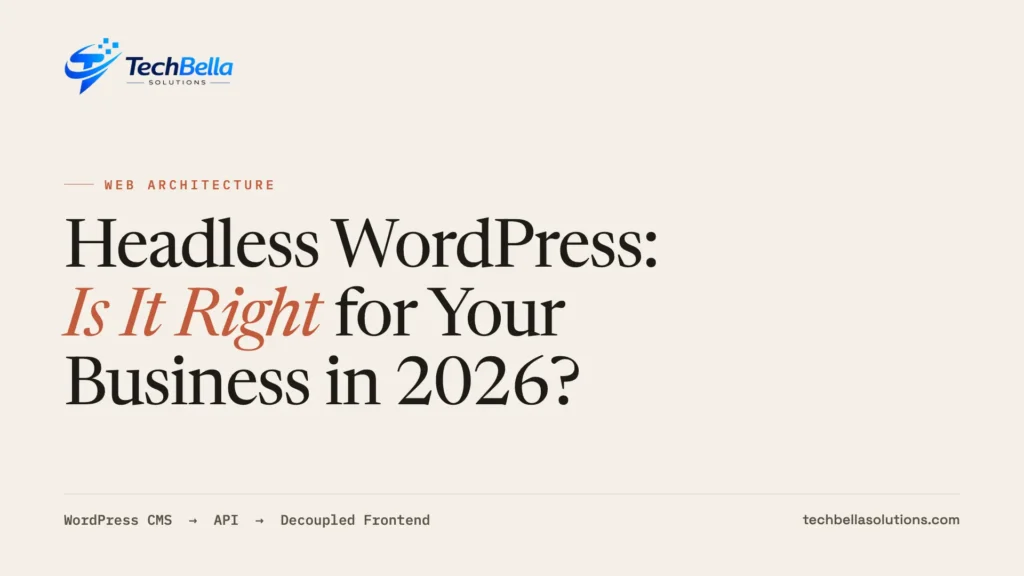
So, is headless WordPress right for your business in 2026?
For some businesses, absolutely. For many others, a well-optimized traditional WordPress website remains the more practical choice.
Let’s look at the advantages, limitations, and situations where each approach makes sense.
What Is Headless WordPress?
In a traditional WordPress website, WordPress manages almost everything:
- Content management
- Database
- Website administration
- Themes
- Frontend page rendering
- Plugins and integrations
When someone visits a page, WordPress processes the request and typically uses a theme to generate the HTML that the visitor receives.
With headless WordPress, the responsibilities are separated.
WordPress continues to manage content through the familiar WordPress dashboard, but the frontend is built separately. The frontend application requests content from WordPress through an API and then displays it to visitors.
The WordPress REST API allows applications to interact with WordPress content using JSON, making it possible for a separate application to retrieve posts, pages, media, taxonomies, and other content.
A simplified architecture looks like this:
WordPress CMS → API → React/Next.js Frontend → Website Visitor
This separation is the defining characteristic of a headless architecture.
How Does Headless WordPress Work?
Imagine a company publishing an article about its latest product.
In a traditional setup:
- The editor creates the article in WordPress.
- WordPress stores the content.
- The WordPress theme renders the page.
- The visitor loads the page.
In a headless setup:
- The editor creates the article in WordPress.
- WordPress stores the content.
- The frontend application requests the content through an API.
- The frontend renders the article.
- The visitor interacts with the separate frontend application.
The WordPress REST API is one option for connecting the two systems. Developers can also use GraphQL-based approaches such as WPGraphQL where appropriate.
This architecture makes WordPress the content source, rather than the complete website application.
The Main Benefits of Headless WordPress
1. Greater Frontend Flexibility
One of the biggest reasons businesses choose headless WordPress is frontend freedom.
Traditional WordPress development generally works around WordPress themes and PHP-based rendering. With a headless architecture, developers can build the frontend using technologies such as React or Next.js.
This can be particularly useful when a business already has frontend engineering expertise or requires a highly customized user experience.
Instead of asking, “Can WordPress do this with a theme or plugin?”, developers can build the frontend experience more directly around the business requirements.
2. Strong Performance Potential
Headless WordPress can provide a higher performance ceiling because the frontend can use modern rendering strategies such as static generation, server-side rendering, caching, and edge delivery.
For example, a content-heavy website could pre-render frequently accessed pages and distribute them through a CDN.
However, it is important to understand that headless does not automatically mean faster.
A poorly developed React or Next.js application can still be slow. Large JavaScript bundles, inefficient API requests, unoptimized images, third-party scripts, and poor caching can create performance problems.
Performance depends on the entire architecture, not simply whether a website is headless.
3. One Content Source, Multiple Experiences
Headless WordPress becomes particularly interesting when content needs to appear in multiple places.
For example, a business might want the same content to power:
- A corporate website
- A mobile application
- A customer portal
- A digital kiosk
- An internal application
- Other digital experiences
Instead of maintaining separate content databases, WordPress can act as the central content management system while different applications consume the available data through APIs.
This is one of the strongest use cases for a headless architecture.
4. More Control Over the User Experience
A traditional WordPress website can provide extensive flexibility, but the frontend still operates within WordPress’s theme and plugin ecosystem.
With headless WordPress, developers have much more control over the frontend architecture.
This can be valuable for businesses building:
- Interactive product experiences
- Custom dashboards
- Web applications
- Personalised interfaces
- High-traffic content platforms
- Complex customer portals
The frontend can be designed specifically around the desired experience instead of adapting the experience to a WordPress theme.
5. Separation Between CMS and Frontend
Separating the CMS from the public frontend can provide architectural benefits.
The frontend does not directly need to render pages through the traditional WordPress theme system. This can reduce dependence on the WordPress frontend layer.
However, this should not be interpreted as “headless WordPress is completely secure.”
WordPress itself still needs to be properly maintained, updated, protected, and monitored. APIs also need to be configured correctly, and authentication must be handled carefully where private information or protected operations are involved.
The Real Costs of Headless WordPress
The benefits sound attractive, but headless WordPress is not a free performance upgrade.
1. You Are Maintaining Two Applications
This is probably the biggest consideration.
With traditional WordPress, you generally have one primary application.
With headless WordPress, you have:
WordPress backend + separate frontend application
Both require development, deployment, monitoring, troubleshooting, updates, and security considerations.
A change that would take minutes in a traditional WordPress theme may require work across both systems in a headless setup.
2. Higher Development Costs
Headless development usually requires WordPress developers who also understand modern frontend technologies.
Depending on the project, the development stack may include:
- WordPress
- PHP
- REST API or GraphQL
- React
- Next.js
- JavaScript/TypeScript
- Hosting and deployment platforms
- CDN and caching infrastructure
- API authentication
- Build and deployment processes
For a small business website, this can be unnecessary complexity.
3. WordPress Plugins May Not Work the Same Way
This is especially important for businesses that rely heavily on WordPress plugins.
Traditional WordPress plugins often expect WordPress to control the frontend.
For example, a plugin may normally:
- Add content to a page
- Inject scripts
- Add frontend forms
- Modify checkout
- Generate schema
- Display widgets
- Add shortcodes
- Modify theme output
In a headless architecture, those frontend assumptions may no longer work as expected.
The data or functionality may still be available through APIs, but the frontend often needs custom development to consume and display it.
That means the “install plugin and configure it” experience can become “integrate the plugin’s functionality into the frontend.”
4. WooCommerce Can Become More Complicated
For WooCommerce businesses, the decision requires even more careful consideration.
WooCommerce provides APIs for programmatic access to store data. Its Store API specifically provides customer-facing functionality for products, carts, checkout, and related functionality, and is designed to be render-target agnostic.
That makes headless WooCommerce possible.
But possible does not necessarily mean simple.
A typical WooCommerce store can depend on numerous extensions for:
- Payment gateways
- Shipping
- Taxes
- Discounts
- Subscriptions
- Product options
- Invoicing
- Customer accounts
- Order management
- Checkout functionality
When the frontend is separated from WordPress, developers need to verify how each important extension works with the chosen headless architecture.
For a UAE ecommerce business that depends on local payment methods, VAT-related workflows, shipping integrations, or custom checkout functionality, this assessment is particularly important — and often points back to a well-built traditional WooCommerce store.
5. Content Preview Can Require Extra Work
Traditional WordPress provides a relatively straightforward editing experience.
Editors can create content and preview how it will appear on the website.
With headless WordPress, the content lives in WordPress while the frontend lives somewhere else.
As a result, developers may need to build custom preview functionality so editors can see unpublished content in the separate frontend.
For businesses with large editorial teams, this should be considered before choosing headless architecture.
Headless WordPress vs Traditional WordPress
| Factor | Traditional WordPress | Headless WordPress |
|---|---|---|
| Development complexity | Lower | Higher |
| Frontend flexibility | High | Very high |
| Plugin compatibility | Usually excellent | Depends on plugin/API support |
| Initial development cost | Lower | Higher |
| Ongoing maintenance | Simpler | More involved |
| Performance potential | High with optimization | Very high with the right architecture |
| Content management | Simple | WordPress remains familiar |
| Preview experience | Usually straightforward | May require custom implementation |
| WooCommerce compatibility | Excellent | Requires careful planning |
| Multi-platform content | Possible | Strong use case |
| Best for | Most businesses | Specialized applications |
When Should Your Business Choose Headless WordPress?
Headless WordPress can be a strong choice when you have a genuine architectural reason for using it.
Consider headless if:
You Have a Dedicated Development Team
If your business already has frontend developers working with React, Next.js, or similar technologies, the additional complexity may be manageable.
Performance Is a Major Business Requirement
If website performance directly affects revenue, user experience, or large-scale traffic handling, a carefully designed headless architecture may provide additional options.
But remember: traditional WordPress can also be extremely fast when properly optimized with quality hosting, caching, CDN delivery, image optimization, and a lean plugin stack.
You Need Multiple Frontends
If your content must power a website, mobile application, customer portal, and other platforms, headless becomes much more compelling.
You Are Building More Than a Traditional Website
Headless can make sense when the website is effectively becoming a web application.
Examples include:
- SaaS platforms
- Large publishing platforms
- Custom marketplaces
- Customer portals
- Data-driven applications
- Highly interactive digital products
When Should You Stick With Traditional WordPress?
For many businesses, traditional WordPress remains the better option.
You probably do not need headless WordPress if:
- You operate a small or medium-sized business website.
- Your website is primarily informational.
- Your marketing team frequently edits pages.
- You depend heavily on WordPress plugins.
- You run a standard WooCommerce store.
- You want to keep development and maintenance costs under control.
- You do not have dedicated frontend developers.
- Your current website already performs well.
There is no business advantage in introducing a second application simply because headless WordPress is technically fashionable.
A Better Middle Ground: Modern WordPress
Before moving to headless, consider whether your existing WordPress website simply needs better optimisation, or a move to a lean block theme.
A modern WordPress setup can include:
- Quality hosting
- A lightweight theme
- Full-page caching
- Object caching where appropriate
- CDN integration
- Optimized images
- WebP or AVIF image formats
- Minimal plugins
- Proper database maintenance
- Optimized JavaScript and CSS
- Regular WordPress and plugin updates
- Performance monitoring
For many UAE businesses, this approach can deliver an excellent balance between performance, cost, flexibility, and maintainability.
You can also explore professional website maintenance and optimization services if your existing WordPress website needs technical improvements.
Is Headless WordPress Better for SEO?
Not automatically.
This is an important misconception.
A headless website can be highly SEO-friendly, but SEO depends on implementation.
The frontend needs to correctly handle important elements such as:
- Page titles
- Meta descriptions
- Canonical URLs
- Structured data
- Internal links
- XML sitemaps
- Robots directives
- Image optimization
- Crawlability
- Server-side or static rendering where appropriate
- Redirects
- Page performance
A technically excellent headless implementation can perform very well in search engines.
But a poorly implemented headless website can create SEO problems just as easily as a poorly built traditional WordPress website.
The architecture is not the SEO strategy — the fundamentals in our WooCommerce SEO strategies guide still apply either way.
Is Headless WordPress Worth It in 2026?
For the right business, yes.
Headless WordPress is no longer simply a technology experiment. WordPress provides APIs specifically designed to allow external applications to interact with WordPress content, while WooCommerce provides APIs that support customer-facing ecommerce experiences.
But that does not mean every business should migrate.
The better question is:
What problem are you trying to solve?
If you need a highly customized frontend, multiple digital experiences, application-style functionality, or a specialized performance architecture, headless WordPress can be an excellent investment.
If you simply want a faster business website or WooCommerce store, you may achieve your goal more efficiently by optimizing a conventional WordPress setup.
Final Verdict
Headless WordPress is a powerful architecture, not an automatic upgrade.
For large organizations, SaaS businesses, publishers, high-traffic platforms, and companies with dedicated development resources, it can provide exceptional frontend flexibility and scalability.
For many small and medium-sized businesses, content websites, and WooCommerce stores, a properly optimized traditional WordPress website is likely to provide a better balance of performance, functionality, cost, and maintenance.
Before making the switch, evaluate your business requirements, plugin dependencies, ecommerce workflows, development resources, performance targets, and long-term maintenance costs.
The right architecture is not the one with the newest technology. It is the one that solves your business requirements without creating unnecessary complexity.
Not sure if headless is the right call?
TechBella runs architecture assessments for WordPress and WooCommerce — plugin and ecommerce dependencies, performance targets, editorial workflow and maintenance cost — then builds the option that actually fits, headless or a properly optimised traditional setup.
Frequently Asked Questions
What is headless WordPress?
Headless WordPress uses WordPress as the backend content management system while a separate frontend application, such as React or Next.js, displays the website to visitors.
Is headless WordPress faster than traditional WordPress?
It can be, but it is not automatically faster. Performance depends on the frontend architecture, rendering strategy, caching, hosting, CDN, JavaScript, images, APIs, and overall implementation.
Is headless WordPress good for WooCommerce?
It can be suitable for complex ecommerce projects, but it requires careful planning. WooCommerce provides APIs for products, carts, checkout, and other customer-facing functionality, but third-party extensions may require additional integration work.
Is headless WordPress better for SEO?
Not necessarily. Both traditional and headless WordPress websites can perform well in search engines. SEO depends primarily on the quality of the technical implementation and content strategy.
Should a small business use headless WordPress?
Usually, not unless there is a specific requirement for it. A well-optimized traditional WordPress website is often simpler and more cost-effective for a small business.
Can WordPress still be used as the admin dashboard in a headless website?
Yes. WordPress can continue to provide the familiar content management interface while the separate frontend retrieves content through an API.
Should I convert my existing WordPress website to headless?
Only if your existing architecture is preventing you from meeting genuine business or technical requirements. If your main problem is website speed, plugin bloat, poor hosting, or inefficient code, optimization may be a better first step.