


























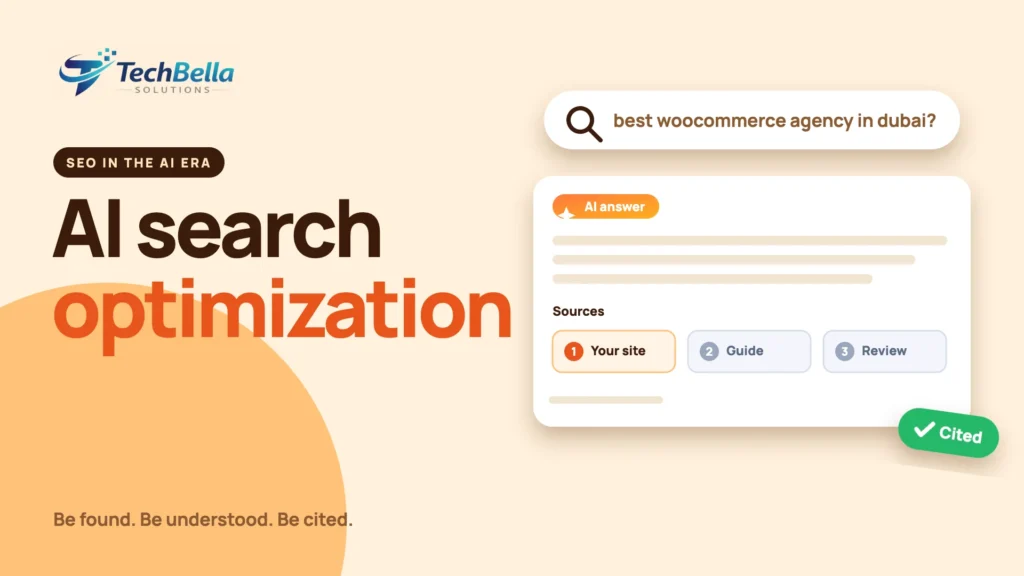
Search no longer ends with ten blue links. Google shows AI Overviews and AI Mode, chat assistants answer questions directly, and your potential customers increasingly read an answer before they ever see a website. That has created a new set of terms (AI search optimization, generative engine optimization, answer engine optimization) and a lot of confident advice, some of it contradictory.
If you run a WordPress site, the practical question is simple: what should you actually do so that your business is found, understood and, ideally, cited when someone asks an AI a question in your field?
This guide covers AI search optimization for WordPress in plain terms. We start with what Google itself says, because that cuts through most of the noise, then move to a practical checklist covering content, technical setup, structured data, crawler access, measurement and the things that are overhyped. We do not promise rankings or citations, because nobody can. We tell you what to do, why it should help and how to check that it worked.
What is AI search optimization?
AI search optimization is the work of making your content easy for AI-powered search features to find, understand and reference. The same idea goes by several names: generative engine optimization (GEO), answer engine optimization (AEO), or simply “AI SEO”. They share a goal: when a person asks a question and an AI system composes an answer, your page should be one of the sources it draws on, and ideally one it links to.
The important point is that this is an extension of good SEO, not a replacement. Systems that generate answers still rely on pages that are crawlable, accurate, clear and trustworthy. That is why most of the checklist below will look familiar. What changes is the emphasis: precise answers, clear structure, original information and visible expertise matter even more.
What Google says about AI Overviews and AI Mode
Google’s own documentation on AI features and your website is refreshingly plain. In summary:
- There are no additional requirements to appear in AI Overviews or AI Mode. A page needs to be indexed and eligible to appear in Search with a snippet.
- Standard SEO best practices still apply: let Google crawl your pages, make content findable with internal links, provide a good page experience, keep important content in text form and keep business information such as Merchant Center and Business Profile data current.
- There is no special structured data you need to add for these features. Structured data should simply match the visible content of the page.
- You do not need new machine-readable files, AI text files or special markup to appear in these features.
- Clicks from AI features are counted in Search Console’s Performance report under the Web search type.
- You have controls if you want to limit what is shown, such as
nosnippet,data-nosnippet,max-snippetandnoindex, and Google-Extended for limiting some AI training and grounding uses.
That last point about extra files matters, because a lot of advice online tells site owners to create special files for AI. Treat claims like that with caution unless they come with evidence from the system you are trying to appear in.
A practical AI search optimization checklist for WordPress
1. Make sure the site can be crawled and indexed
Start with the basics, because everything else depends on them:
- Check that important pages are indexable, with no accidental
noindex, and that your robots.txt is not blocking key content or the CSS and JavaScript files needed to render pages. - Submit an XML sitemap (Rank Math and other SEO plugins generate one) and check Search Console for indexing errors.
- Make sure your host, firewall or CDN is not blocking legitimate crawlers. Over-aggressive bot protection is a common, silent cause of invisibility.
- Fix broken internal links and orphan pages. Google says internal links help make content findable, and the same is true for any crawler.
2. Answer real questions clearly
AI features reward content that answers a question directly. For each important page, ask what question a customer would type or speak, and answer it in the first lines before expanding. A few habits help:
- Use question-style headings where they are natural, such as “How much does a WooCommerce store cost?”, and answer in two or three clear sentences beneath.
- Put the key fact near the top of the section, then give detail.
- Use short paragraphs, lists and tables where they make information easier to scan.
- Include definitions, steps and comparisons, because those are the formats people ask about.
- Add an FAQ section only with real questions, not filler.
3. Publish original information
If your page says what a hundred other pages say, there is little reason for a system to choose yours. Original contributions give you something to be cited for: your own process, test results, pricing logic, screenshots, checklists, case notes, local knowledge or expert opinion. For a business, this can be as simple as explaining how you actually do your work and the trade-offs you see. Google’s guidance on helpful, people-first content is a good test: would a reader feel they learned something from an expert?
4. Show who is behind the content
Trust matters. Make it easy to see who you are:
- A clear About page with your company’s real details.
- Author names and short bios on articles, with relevant experience.
- Contact details, a physical or registered address where relevant and policies for privacy, returns and terms.
- Consistent business information across your site, social profiles and directories.
- Reviews and testimonials from real customers, displayed honestly.
5. Use structured data that matches the page
Structured data helps systems understand what a page is about, and it can make you eligible for rich results in classic search. Google says there is no special markup needed for AI features, so the rule is simply to use the appropriate schema type accurately. On WordPress, an SEO plugin such as Rank Math can output schema for articles, organisation, products, FAQs and more.
For a WooCommerce store, make sure Product markup is accurate, including price, availability and reviews, and that it matches what customers see. Our guide to WooCommerce SEO explains how. Never mark up content that is not visible on the page.
6. Decide your policy on AI crawlers
You may want to be visible to AI systems, or you may want to limit how your content is used for training. Both are legitimate. Robots.txt rules let you allow or disallow specific crawlers by name, and Google-Extended is the control Google documents for limiting some AI uses. Decide as a business, then check the crawler names and rules in each provider’s own documentation, because they change. Blocking a crawler to protect content also means that system cannot read it, so there is a trade-off.
What about llms.txt?
You will see recommendations to add a file called llms.txt, a proposed convention for giving language models a concise guide to a site (llmstxt.org). It is a proposal, not a standard that every system follows. Google’s documentation says you do not need new machine-readable files or AI text files to appear in its AI features, so for Google there is nothing to gain. For other systems, support is uncertain and changes over time.
If you want to create one, it is cheap and harmless, but do not treat it as a ranking tool, and do not let it distract from the work that matters: clear, useful content on pages that can be crawled.
How to measure AI search performance
Measurement is imperfect, so use several signals together:
- Search Console: AI feature clicks are included in the Web search type, so watch overall clicks, impressions and click-through rate for your key pages. Compare queries that look like questions.
- Analytics: look at referrals from AI assistants where they appear, and at branded search and direct traffic, which can rise when people see your name in answers.
- Manual checks: ask the questions your customers ask, in the systems your customers use, and note whether you are mentioned, how you are described and which pages are cited. Record the date, because answers change.
- Leads and sales: ask new customers how they found you. The simplest question often gives the clearest answer.
Be careful with dramatic numbers. Reports of how much AI Overviews reduce clicks vary widely between studies, and the effect depends on the type of query. Do not plan your business around someone else’s headline percentage; measure your own pages.
What to write about
If you are deciding what to publish, think about the questions people ask before they buy: how much something costs and what affects the price, how to choose between options, what can go wrong and how to fix it, how long a project takes and what you need to provide. Pages that answer these honestly tend to serve both readers and AI systems, because they contain the specific, practical detail that generic pages leave out.
Back each page with your own experience, such as how you handle the problem, what you have learned and where the usual advice does not apply. That is the material that is hard to copy and worth citing.
A final note on expectations: results from AI search work are slow and uneven. A page can be cited in one assistant and ignored in another, and the picture changes from month to month. Keep the focus on things you control, such as accuracy, clarity, crawlability and usefulness, and judge progress over quarters rather than days.
A checklist you can copy
- Important pages indexable, in the sitemap and not blocked by robots.txt or a firewall.
- Core Web Vitals reviewed on the top pages.
- Each key page answers its main question near the top.
- Original information, examples or data included.
- Author, About and contact details clear and consistent.
- Schema accurate and matching visible content.
- Internal links connect pillar pages and supporting posts.
- Content reviewed and dated regularly.
- A decision made and documented about AI crawler access.
- Monthly manual checks recorded.
Want your WordPress site ready for AI search?
We audit crawlability, speed, structured data and content structure, then fix what stops your pages from being found and understood.
Frequently Asked Questions
What is AI search optimization?
It is the practice of making your content easy for AI-powered search features and assistants to find, understand and cite. It builds on classic SEO with extra emphasis on clear answers, original information, structured data and visible trust signals. It is also called generative engine optimization or answer engine optimization.
Do I need special optimization to appear in Google AI Overviews?
According to Google’s documentation, there are no additional requirements to appear in AI Overviews or AI Mode beyond being indexed and eligible to show with a snippet. Standard SEO best practices still apply.
Do I need an llms.txt file?
Google says you do not need new machine-readable files or AI text files to appear in its AI features. llms.txt is a proposed convention with uncertain support elsewhere, so treat it as optional and low priority.
Does structured data help with AI search?
Google says there is no special structured data needed for its AI features, but accurate schema that matches visible content helps systems understand your pages and keeps you eligible for classic rich results.