



























Before you buy any plugin that connects WooCommerce to CCAvenue, there is one thing no plugin can do for you: get you a CCAvenue merchant account. A plugin is the bridge between your checkout and the gateway. If there is no approved account on the other side, the bridge leads nowhere. We see this regularly with UAE store owners who buy the technical piece first and then discover that the account question was the real work.
This guide is a practical checklist for a CCAvenue UAE merchant account. It covers what to confirm with CCAvenue before you build or buy anything, what your website needs to show, which details you will need to configure the plugin, and what to do if the answer is “not eligible”. We have no inside line to CCAvenue’s approval team, so we do not promise outcomes. We tell you what to ask and where the published information stops.
Check 1: Is your business eligible?
This is the question that decides everything else, and the public information is not as simple as “CCAvenue works in the UAE”. CCAvenue runs a separate UAE site at ccavenue.ae, operated by its UAE entity. Its Indian site, by contrast, has stated in its FAQ that its payment services are currently offered to websites owned by Indian entities. Those two statements are both true for their own markets, and the consequence is that a UAE business should not assume which route applies to it.
So, ask CCAvenue directly, in writing:
- Is a business registered in the UAE (mainland or free zone) eligible for a UAE merchant account?
- Is a business registered in India that sells to UAE customers eligible for the UAE service, the Indian service, or both?
- Is there anything about your business category that needs extra approval?
Do not rely on a forum post, an agency’s promise or this article for the answer. CCAvenue’s reply, by email or through the sign-up process, is what counts. Our longer guide to CCAvenue for WooCommerce in the UAE explains the eligibility point in more detail.
Check 2: Which documents will you need?
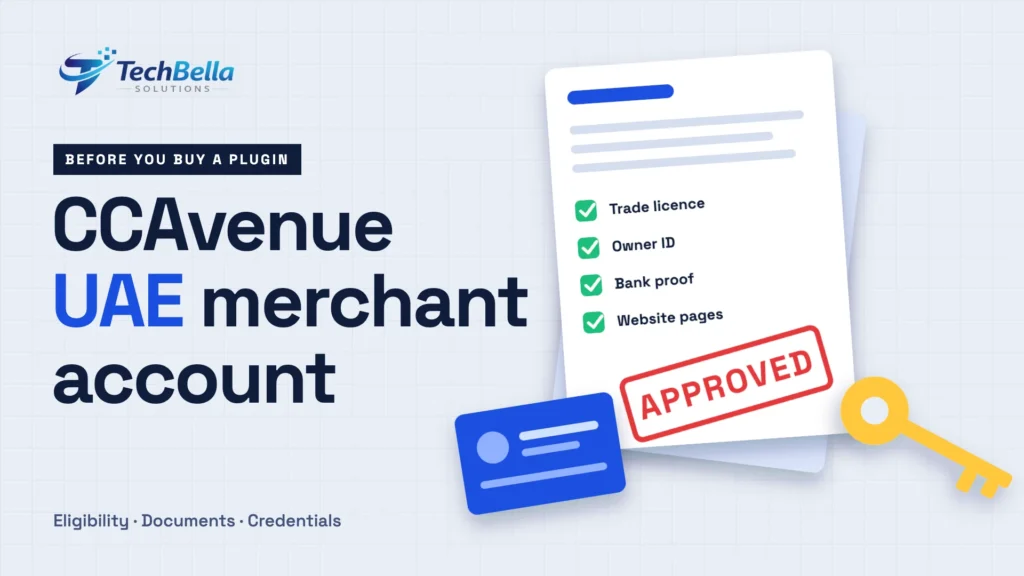
CCAvenue says the documents it asks for depend on the business’s filing status, and its published onboarding page is written for the Indian process. For a UAE merchant, the checklist can differ, so ask for the current list. As a general guide, payment providers in the UAE typically ask UAE-registered businesses for items such as:
- A valid trade licence issued in the UAE.
- Identification for the owners or authorised signatories.
- Company documents that show ownership, such as a memorandum of association where applicable.
- Proof of an active business bank account, often a recent statement.
- Details of the products or services you sell and the website where you sell them.
Treat that as a preparation list, not as CCAvenue’s official requirement. Gather the documents anyway, because having them ready speeds up any application. If you are still setting up the business, Dubai companies should check licence requirements with the Department of Economy and Tourism, and other emirates with their own licensing authority or chosen free zone.
Check 3: Does your website show what the provider requires?
CCAvenue’s onboarding information lists content that must appear on the merchant’s website, app or invoice. Even though that page targets Indian merchants, the same items are sensible for any store, and a provider reviewing a UAE application will look at your site. Make sure your WooCommerce store has:
- A clear business description with what you sell and the prices.
- An About us page that says who runs the business.
- A delivery and shipping policy with expected delivery times.
- A refund and cancellation policy.
- Privacy policy and terms and conditions.
- A contact page with real contact details.
A store that is live with all six pages, real products and working navigation is much easier to approve than a “coming soon” page. If you need help preparing the site, our WooCommerce development team builds and polishes stores for exactly this stage.
Check 4: Which currencies and settlement arrangements apply?
CCAvenue lists many currencies for multi-currency processing, AED among them. But a currency being supported by the platform is not the same as it being enabled on your account. Ask:
- Is AED enabled for my account?
- Which currency will I be settled in, and into which bank account?
- How long does settlement usually take, and what can delay it?
- Are there any conversion charges if the customer pays in a different currency?
Write the answers down. You will need them when you configure the store, and again when you reconcile payments with your accountant. Our guide to accepting AED payments on WooCommerce shows how the store settings should match.
Check 5: Which payment methods will be switched on?
CCAvenue’s UAE site lists credit and debit cards, net banking, an easy payment plan option and some wallets, among others. What matters is what is approved and enabled for you. Ask for the final list in writing, and compare it with what your customers actually use. Also ask whether international cards are enabled, because they are often subject to separate approval, and whether any payment method needs extra setup on your side.
Check 6: What will it cost?
Pricing is set per merchant. Ask for a full written schedule: setup or annual fees, the percentage per transaction for each card type or method, fees on refunds, failed payments and chargebacks, conversion charges and any minimum monthly amount. Then model your own order values. A rate that looks fine at AED 500 average order value can look different at AED 50. For a wider view of how fees compare, see our guide to the best payment gateways for WooCommerce in the UAE.
Check 7: Which credentials will you receive?
Once the account is approved, CCAvenue gives you the details a plugin needs: a Merchant ID, an Access Code and a Working Key. Often there are separate test and live details. Store them safely, never paste the Working Key into emails or screenshots, and never commit it to a code repository. Ask whether the sandbox uses a separate account and how to get test credentials, so you can test the checkout properly before going live.
What to say on your first call with CCAvenue
Preparation shortens the process. Before you speak to anyone, write down in one page: your legal business name and licence number, the products you sell with typical prices, your website address, your expected monthly order volume and average order value, the countries your customers live in, and whether you sell physical goods, digital goods or services. Then ask your questions in the order above: eligibility, documents, currencies, methods, fees and timeline.
Take notes on the date, the name of the person and the answers, and follow up by email so that you have it in writing. If you receive different answers from different people, ask for the most senior, written version.
How long does it take?
Nobody can promise you a number, and be wary of anyone who does. Approval time depends on how complete your documents are, how clear your website is, your business category and how quickly you answer follow-up questions. The most common delays are incomplete documents, a store that is not finished and a mismatch between the business name on the licence and the name on the website.
Build the timeline into your launch plan, and do not announce a launch date until the account is approved and a live test payment has passed.
Mistakes that slow an application down
- A half-finished website. Placeholder text, missing policy pages and a checkout that errors out all raise questions.
- Names that do not match. The trade licence, the bank account and the website should show the same legal business name or a clearly explained trading name.
- Unclear products or prices. The reviewer needs to see what you sell and for how much.
- No contact details. A store with no address, phone number or email looks risky.
- Selling restricted items without saying so. If your category needs extra approval, raise it at the start.
- Buying the plugin and building everything before approval. It is fine to prepare, but do not commit to a launch date.
After the CCAvenue UAE merchant account: connecting WooCommerce
With an approved account and your credentials, the WooCommerce side is short. With TechBella Payment Gateway Pro the steps are:
- Install the plugin and activate your Pro license.
- Open WooCommerce, Settings, Payments and the CCAvenue gateway. Enter the Merchant ID, Access Code and Working Key.
- Choose the UAE region, pick redirect or iFrame checkout and go live when sandbox tests pass.
The UAE region needs an active Pro license; the free plugin works for the India region only. If the license expires, the UAE region stops working while the India region continues. The plugin is built by TechBella Solutions and is not an official CCAvenue product, so you connect it to your own account. You can see the options on the TechBella Payment Gateway Pro page.
Summary checklist
- Written confirmation that your business can open a UAE merchant account.
- The current list of documents, prepared and ready.
- A store with business description, About us, delivery, refund, privacy, terms and contact pages.
- AED enabled, with the settlement currency and bank account confirmed.
- The final list of enabled payment methods, including international cards if you need them.
- A written fee schedule.
- Merchant ID, Access Code and Working Key, plus sandbox credentials.
- A staging site for testing before you go live.
Account approved? Connect it to WooCommerce today
TechBella Payment Gateway Pro links your WooCommerce store to your own CCAvenue merchant account, with a UAE region setting, redirect and iFrame checkout and sandbox testing. It is an independent plugin, not an official CCAvenue product.
Frequently Asked Questions
Do I need a CCAvenue merchant account before buying a CCAvenue plugin?
Yes. A plugin only connects WooCommerce to your own merchant account. It cannot create one. Confirm eligibility and approval with CCAvenue first, or at least run the application in parallel.
Can a UAE company open a CCAvenue merchant account?
CCAvenue operates a UAE site at ccavenue.ae, but eligibility depends on your business and structure, and CCAvenue’s Indian site has stated that its services are offered to websites owned by Indian entities. Ask CCAvenue in writing before you plan around it.
What documents does CCAvenue need for UAE merchants?
CCAvenue says the documents depend on the business’s filing status and gives the current list during sign-up. Typical items for UAE businesses include a trade licence, owner identification, company documents and proof of a business bank account, but ask CCAvenue for its current requirements.
What credentials does the WooCommerce plugin need?
A Merchant ID, an Access Code and a Working Key from your CCAvenue account, plus the right region setting. Keep them private and use separate test credentials in sandbox mode where available.