



























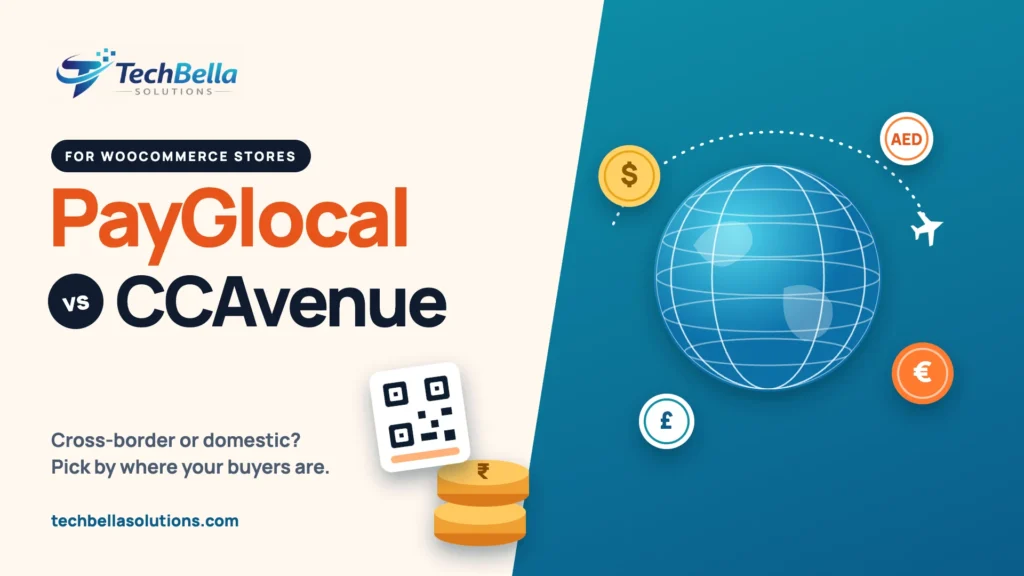
PayGlocal vs CCAvenue is a comparison more Indian store owners are making now that selling abroad has become normal for D2C brands, agencies, course creators and software companies. Both can take payments on a WooCommerce store, but they were built with different customers in mind, and picking the wrong one usually shows up later as low approval rates on international cards, slow reconciliation or a checkout that cannot offer the methods your buyers expect.
We build WooCommerce payment integrations, CCAvenue among them, and “should we move to something built for exports?” is a question we hear often. This guide sets out how the two differ, what each one says about itself, what you should verify in writing before you sign, and how to decide based on where your customers actually are. We have no commercial relationship with either company, and where a point comes from a provider’s own marketing we say so.
PayGlocal vs CCAvenue: the short answer
- If most of your buyers are in India and you want UPI, cards, net banking, wallets and EMI on one checkout, CCAvenue is the more natural starting point.
- If most of your revenue comes from customers abroad and you want to settle in rupees with the cross-border paperwork handled for you, PayGlocal is built for that job.
- If you sell both at scale, you can run the two side by side, but you take on extra reconciliation. Read the section on using both before you commit.
- If you sell in the UAE, CCAvenue’s UAE operation exists but depends on your company’s eligibility. Our UAE guide covers it.
What is PayGlocal?
PayGlocal is an Indian payments company focused on cross-border payments. According to trade press, it received final authorisation from the Reserve Bank of India as a cross-border payment aggregator for both inward and outward flows in November 2025, following earlier approvals for domestic payment aggregation (see Medianama’s report). It positions its international gateway as “built for Indian businesses collecting international payments”, with D2C and e-commerce, travel, edtech, software and insurance companies as typical users (PayGlocal’s international gateway page).
What PayGlocal says it offers, in its own words and numbers:
- Collections from buyers abroad in more than 130 currencies, settled in INR to your Indian bank account.
- More than 40 payment methods, including international cards, Apple Pay, Google Pay, local wallets and bank transfers, plus payment links by email, WhatsApp or SMS.
- Automatic FIRA generation on cross-border settlements, which matters for export accounting.
- Fraud screening and chargeback protection for eligible transactions.
- Integrations with Shopify, WooCommerce and Magento, and an API for custom builds.
All of the above comes from the company’s own pages, so it describes intent and positioning, not an independent test. We have not benchmarked PayGlocal’s approval rates and we are not going to quote numbers we cannot back up.
PayGlocal vs CCAvenue at a glance
The table compares what each provider is built for. It avoids price and success-rate numbers on purpose, because both depend on your business category and volume.
| Area | PayGlocal | CCAvenue |
|---|---|---|
| Core focus | Cross-border collections for Indian businesses | Broad payment acceptance, mostly domestic, with international options |
| Typical customer | Exporters, D2C brands, SaaS, edtech, travel | Merchants selling mainly to Indian buyers, plus some international |
| Domestic Indian methods | Check what your plugin and account enable | Wide range: UPI, cards, net banking, wallets, EMI and others |
| International buyers | Central to the product, with many currencies and local methods | Available through multi-currency and international cards, subject to approval |
| Settlement | INR to your Indian bank account, with FIRA for cross-border payments | INR settlement for domestic payments, schedule per agreement |
| WooCommerce | Plugin and documentation published by PayGlocal | Several plugins available, including our own Pro plugin |
| Pricing visibility | Headline rate advertised on its website, custom pricing at volume | Quoted per merchant after approval |
| UAE | Not the focus | Separate UAE operation, eligibility rules apply |
Start with where your customers are
The most useful question has nothing to do with features. Pull your last three months of orders and split them by the customer’s billing country.
- If more than three quarters are Indian, the domestic method mix (UPI share, card share, net banking share, EMI demand) will drive your results, and CCAvenue’s breadth is the bigger advantage.
- If a large share is from the US, UK, EU or the Gulf, the international card approval rate, currency display and settlement paperwork will drive your results, and a cross-border specialist deserves a serious look.
- If it is a real mix, calculate the revenue on each side. One gateway might be fine until the weaker side grows large enough to justify the extra work.
International payments: what to check
Accepting a foreign card is harder than accepting an Indian one. The issuing bank may treat the transaction as higher risk, currency conversion adds a fee, and the buyer expects a familiar payment method. When you compare PayGlocal vs CCAvenue for international sales, ask each provider these questions and keep the answers:
- Which currencies can I price in, and which currencies will the customer see on the payment page?
- Who does the currency conversion, and what margin is applied?
- Which international card networks and wallets are enabled on my account (not just on the website)?
- What is the typical approval-rate range for my business category, and how is it measured?
- What documents do I receive for each cross-border settlement, and are they accepted by my bank for export reporting?
- What happens to a disputed international transaction, and who pays?
PayGlocal’s site states that it generates FIRA automatically on cross-border settlements and that it offers chargeback cover for eligible chargebacks. The page does not say what makes a chargeback eligible, so ask for the written criteria. CCAvenue says on its site that international cards and certain payment modes are subject to approval and account configuration, so ask exactly what is enabled for you.
Setting it up on WooCommerce
For PayGlocal, you need an approved merchant account first. Its documentation describes a WooCommerce plugin supplied as a ZIP file, with technical requirements such as PHP 7.0 or higher and a compatible WooCommerce version, and credentials including a merchant ID and signing keys. Read the current documentation at PayGlocal’s WooCommerce docs before you plan the project, because plugin versions change.
For CCAvenue, you need a merchant account, the Merchant ID, Access Code and Working Key, and a compatible plugin. Our step-by-step guide covers installation, test mode and go-live, and the errors guide helps when something does not behave. If you want a maintained plugin from us, see the TechBella payment gateway plugin.
For both, test these on a staging site before launch:
- A successful payment with each enabled method.
- A failed payment and a cancelled payment.
- A refund from the WooCommerce order screen.
- The block-based checkout and the classic checkout.
- Order status changes and customer emails.
- A payment from a mobile browser.
A worked example (hypothetical)
Take an imaginary Indian brand that sells handmade stationery on WooCommerce. Last quarter, seven out of ten orders came from India and three from the US and UK. Indian buyers mostly pay by UPI and cards, while the overseas buyers use cards and PayPal-style wallets. The owner is annoyed that some international card payments fail.
Looking at this honestly, the brand has two different problems. For the Indian seven-tenths, a broad domestic gateway with UPI and net banking is exactly right, and switching away would add risk for no gain. For the overseas three-tenths, the failures suggest the international card setup on the current account needs attention, so the owner asks both providers for written answers on international approval rates, conversion margins and paperwork.
The sensible next step is not to replace everything, but to test a cross-border option on the overseas segment, measure the approval rate for a month and then decide.
This is an illustration, not a prediction: your numbers will differ. The method is what matters: split orders by country, find the problem on each side, and test before you switch.
Can you use both?
Yes. Some stores offer CCAvenue for Indian customers and a cross-border gateway for international ones, either as two payment options or by showing the right one based on the billing country. It works, but it is not free: you manage two merchant accounts, two settlement reports, two sets of plugin updates and two support contacts. Do it only when the revenue on each side is large enough to justify the effort.
If you are unsure, start with one gateway, measure for a quarter, and add the second only if the numbers say so.
Our recommendation by type of store
- Indian D2C brand, mostly domestic buyers: start with CCAvenue and enable the methods your customers use. Add a cross-border option only when international orders become a real share.
- Exporter, SaaS or agency billing foreign clients: shortlist PayGlocal and compare it with other cross-border providers on approval rates and settlement paperwork.
- UAE or GCC business: read our guide to the best payment gateways for WooCommerce in the UAE before choosing, because eligibility rules differ.
- Marketplace or subscription store: check recurring payment support before anything else. Not every plugin handles renewals.
A checklist before you sign
- Written confirmation of the payment methods enabled on your account.
- A full rate card, including conversion margin and refund charges.
- The settlement schedule and the conditions that can delay it.
- The dispute process and the chargeback criteria.
- The WooCommerce plugin version, its last update date and its support route.
- Proof that block checkout is supported, if you use it.
- A staging test of success, failure, cancellation and refund.
Choosing a gateway for your WooCommerce store?
We set up, test and maintain payment gateways on WordPress and WooCommerce stores, including CCAvenue, and we can review your checkout before you switch.
Frequently Asked Questions
Is PayGlocal better than CCAvenue?
Neither is better in general. PayGlocal is built for Indian businesses collecting payments from customers abroad, while CCAvenue offers wide domestic payment coverage plus international options. The better choice depends on where your customers are and which payment methods they use.
Is PayGlocal RBI approved?
Trade press reported in November 2025 that PayGlocal received final RBI authorisation as a cross-border payment aggregator for inward and outward payments. Confirm the current status in the RBI’s published lists before you sign.
Does PayGlocal work with WooCommerce?
PayGlocal publishes a WooCommerce plugin and documentation. You need an approved merchant account first, and you should test your checkout on staging before going live.
Can CCAvenue accept international payments?
CCAvenue supports multi-currency processing and international cards, but availability depends on approval and configuration of your merchant account. Ask exactly what is enabled for you.