


























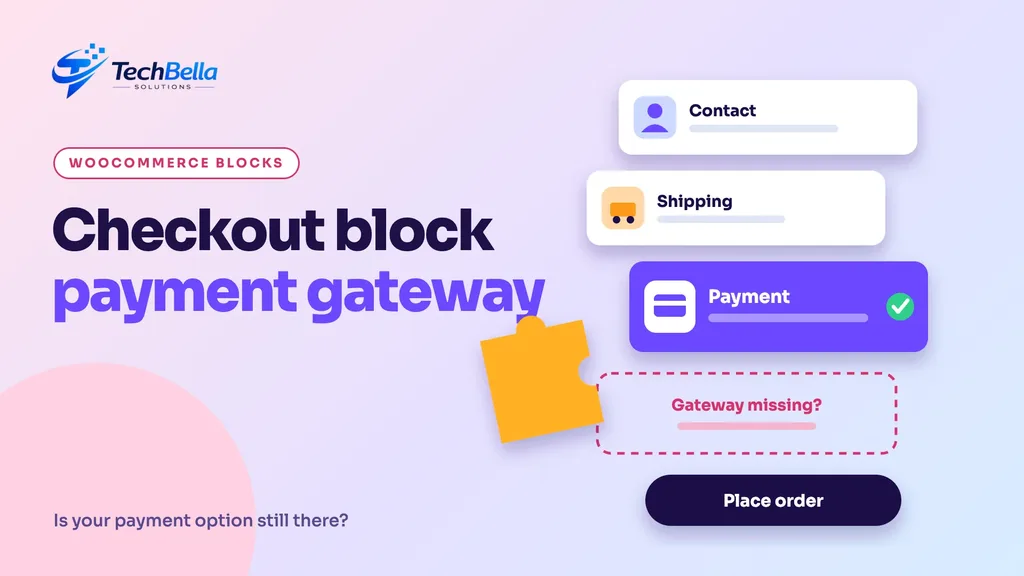
A WooCommerce store can look perfectly healthy and still lose sales for a quiet reason: the payment method customers want is missing from the checkout. It happens most often after a store moves to the newer block-based checkout. The page loads, the cart works, and yet the card option has vanished, because the payment gateway plugin was built for the old checkout and never told the new one it exists.
If you run a UAE store and take payments through a gateway such as CCAvenue, this is worth understanding before it costs you orders.
This guide explains what the checkout block is, why a checkout block payment gateway needs its own support, how to check whether your gateway has it, and how to test and migrate safely. It also covers what the TechBella Payment Gateway plugin supports, according to our product page: the free version works with the classic checkout, and the Pro version adds support for the WooCommerce Blocks checkout.
What is the WooCommerce checkout block?
WooCommerce has two ways to build checkout and cart pages. The classic version uses a shortcode, [woocommerce_checkout], that has been the standard for years. The block version builds the same pages from blocks in the WordPress editor, so you can rearrange sections, change wording and design the page without code. Both collect the same information and create the same orders. The difference is under the hood: block checkout runs on a newer React-based front end and a different integration system.
WooCommerce made the block-based Cart and Checkout the default for new installations from version 8.3 onwards, and stores that updated kept their existing checkout. You can read the official explanation in WooCommerce’s documentation on customising the cart and checkout and in the developer team’s FAQ on Cart and Checkout blocks by default. The practical result is that a growing share of new UAE stores start on the block checkout, and older stores meet it the first time someone clicks “create default pages” or rebuilds the checkout page.
Why a checkout block payment gateway needs its own support
In the classic checkout, a gateway plugin adds its fields and button by printing HTML through a familiar PHP hook. The block checkout does not run that code to draw the page. Instead, each gateway has to register its payment method separately for blocks, with a small JavaScript component that tells the block checkout what to show and how to submit it.
WooCommerce’s guidance is explicit that payment gateways are assessed on their own, and that a gateway without block support may simply not appear as a payment option on the block checkout.
That is the trap. Nothing breaks visibly. There is no error on the screen. The checkout just offers fewer options than before, or none at all, and the first sign is a drop in orders or a customer email asking how to pay.
How to check whether your gateway supports the checkout block
Run these checks on a staging copy of your store, not on the live site:
- Read the plugin’s documentation or product page for the words “WooCommerce Blocks”, “Checkout block” or “block-based checkout”. If a plugin never mentions it, assume it does not support it until proven otherwise.
- Open the Checkout page in the editor. WooCommerce shows a notice there when an active extension has not declared compatibility with the Cart and Checkout blocks.
- Create a draft page with the Checkout block, or switch a staging checkout page to the block version, and see whether the gateway shows as a payment option.
- Place a test order with the gateway in sandbox mode and confirm that it reaches the provider and returns correctly.
- Test on a phone. Most UAE shoppers browse on mobile, and block checkout behaves differently across screen sizes.
If the gateway is missing, you have two choices: switch back to the classic checkout shortcode, or use a plugin that supports blocks.
What TechBella Payment Gateway supports
The product page for TechBella Payment Gateway Pro lists these specifics, and we repeat them here without embellishment:
- The free version supports the classic WooCommerce checkout.
- Block checkout support (the WooCommerce Blocks, React-based checkout) is part of the Pro version.
- The UAE (Middle East) region is Pro only; the free version supports the India region.
- Both versions support redirect and iFrame checkout, sandbox mode, automatic order status updates, debug logging and are HPOS compatible.
So a store on the block checkout that takes payments through CCAvenue in the UAE needs the Pro version for both reasons: the region and the block support. A store that stays on the classic checkout and sells in India can start with the free plugin. If your store is already on the block checkout and you use a gateway without block support, you will see the symptom described above.
Classic or block checkout: which should a UAE store use?
Neither is “wrong”. Choose based on your situation:
| Question | Classic checkout | Block checkout |
|---|---|---|
| Page building | Shortcode, styled by your theme | Blocks you can edit in the editor |
| Gateway support | Almost every gateway works | Gateway must register for blocks |
| Customisation | Often needs code or extra plugins | More options inside the editor |
| Future direction | Still supported | The default for new WooCommerce installs |
| Best for | Stores with older plugins that have not been updated | New stores and stores that want editor-based design |
If your gateway and every checkout-related plugin you rely on supports blocks, the block checkout is a sensible choice. If one important plugin does not, stay on the classic checkout until it does, or replace that plugin. Do not switch a live store on a hunch.
How to migrate to the checkout block safely
- Back up the site and the database.
- Clone to staging. Never test a checkout change on the live store.
- List every plugin that touches checkout: gateways, subscriptions, shipping, fraud checks, address fields, custom fields, analytics.
- Check each one for block support. Replace or postpone any that lack it.
- Create the block checkout page on staging, assign it as the checkout page and test every flow: guest, logged-in customer, coupon, shipping options, each payment method.
- Test payments in sandbox mode for success, failure and cancellation.
- Test on iOS and Android browsers, plus a desktop.
- Schedule the change for a quiet time, deploy, run one real low-value order and keep the old page ready to restore.
What UAE customers notice at checkout
Most of your customers will be on a phone, often on a mobile network, and they will decide in a few seconds whether to continue.
A few details that matter on a block checkout: fields for the UAE should be easy to fill, including an emirate selector and a phone field that accepts local numbers; the payment options should be visible without scrolling too far; error messages should be clear; and the page should load quickly. If you sell in both Arabic and English, check both layouts.
Our guide to speeding up a WooCommerce store covers the technical side of keeping the checkout light.
Mistakes we see when stores move to blocks
- Switching the live page first. Always test on a copy.
- Assuming “the gateway works” because the old checkout worked. The two systems are independent.
- Ignoring other checkout plugins. Custom fields, delivery date pickers and upsell widgets may also lack block support.
- Skipping mobile tests. Desktop success does not guarantee mobile success.
- Not keeping a rollback. Know how to restore the previous checkout page in a minute.
- Forgetting caching. Make sure the cart and checkout pages are excluded from page caching.
Why block support matters for payment plugin choice
A payment plugin is a business-critical piece of software, so how its maker handles WooCommerce changes matters. WooCommerce is moving towards blocks, and any plugin that does not keep up will eventually limit what your store can do. That is one reason we built block support into the Pro version, together with HPOS compatibility.
When you evaluate any gateway plugin, ask three questions: does it support the block checkout today, how does the vendor respond to new WooCommerce releases, and what does the license include if you keep your store on the latest version? You can see our answers on the TechBella Payment Gateway Pro page, and you will still need your own CCAvenue merchant account. Our guide to the CCAvenue UAE merchant account explains what to confirm first.
One last practical point: document what you decided and why. Note which plugins you checked, which checkout you chose, the date you switched and where the backup is. When WooCommerce or a plugin releases a major update, that note tells you what to retest, and it helps anyone who takes over the store later understand why the checkout is set up the way it is.
A checkout block checklist
- Gateway documentation mentions WooCommerce Blocks or block checkout support.
- Staging copy of the store created and backed up.
- Every checkout-related plugin checked for compatibility.
- Block checkout page tested with each payment method in sandbox mode.
- AED, VAT, address and phone fields verified for UAE customers.
- Mobile tests on iOS and Android.
- One real low-value order placed after the switch.
- Rollback plan ready: the old checkout page and a fresh backup.
Keep your payment option on the block checkout
TechBella Payment Gateway Pro supports the WooCommerce Blocks checkout, UAE and India regions, redirect and iFrame flows, sandbox testing and HPOS. It is an independent plugin that connects to your own CCAvenue merchant account.
Frequently Asked Questions
What is the WooCommerce checkout block?
It is a version of the checkout page built from WordPress blocks instead of the classic shortcode. It has been the default for new WooCommerce installations since version 8.3, and it needs payment gateways to register themselves separately for blocks.
Why did my payment method disappear from checkout?
A common reason is that the checkout was switched to the block version and the gateway plugin does not support blocks. Without block support, the payment method may not appear at all. Check the plugin’s documentation and test on staging.
Does the free TechBella payment gateway plugin support the checkout block?
According to the product page, the free version supports the classic WooCommerce checkout. Support for the WooCommerce Blocks checkout is available in the Pro version.
Can I keep the classic checkout instead?
Yes. The classic shortcode checkout remains available. If a plugin you depend on does not support blocks yet, staying on the classic checkout is a reasonable choice until it does.