


























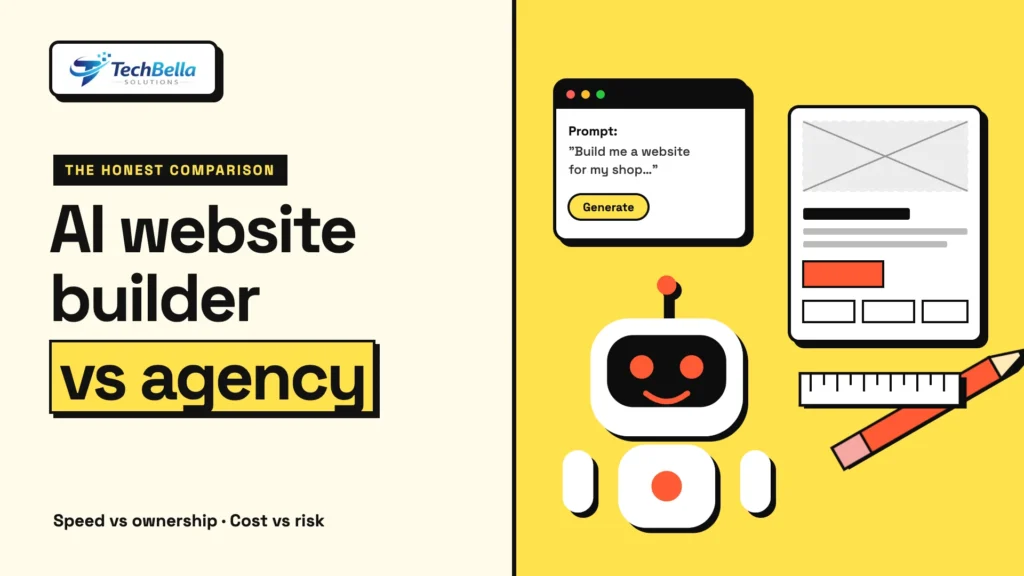
Type a few sentences into a website builder, wait a minute, and an AI hands you a finished-looking website. It is a striking demo, and it has made many business owners ask a fair question: why pay an agency when a tool can generate a site for a fraction of the cost? Others go a step further and describe what they want to an AI coding assistant, which writes the site’s code for them, a style of working sometimes called “vibe coding”.
Both options are real, and for some projects they are the right choice. For others they lead to a site that looks fine on launch day and causes problems for years. This guide compares an AI website builder with a web design agency honestly: what the tools do well, where they struggle, what you actually get from an agency, and how to choose based on your own situation.
We are a web agency, so we have a stake in the answer, and we try to be fair about when you do not need us.
AI website builder vs web design agency: the short answer
- Choose an AI website builder if you need a simple, low-risk site quickly: a small brochure site, a landing page, a portfolio, a temporary campaign or a first version to test an idea. Your budget is small and your needs are standard.
- Choose an agency if the website is central to your business: a store that takes payments, a site that must rank in search, integrations with other systems, custom features, strict performance, accessibility or security needs, or a brand that has to stand out.
- Combine them where it makes sense. Many teams use AI tools for drafts and speed, with experienced people designing, building and reviewing the final site.
The rest of this guide explains why, so you can judge your own case.
What AI website builders do well
Credit where it is due. Modern AI builders are good at:
- Speed. A first draft in minutes beats a blank page.
- Cost. Subscriptions are inexpensive compared with a custom build.
- Standard layouts. Hero sections, service lists, contact forms and galleries are produced competently.
- Basic copy and images. You get usable starting text and imagery.
- Easy edits. Most let you change text and swap images without technical knowledge.
- Low barrier to experiment. You can try an idea cheaply and throw it away.
For many small businesses, that is enough to get online.
Where AI builders struggle
The limits tend to appear after launch, when your needs grow.
Originality and brand
AI draws on patterns it has seen, which is why many generated sites look alike. If your brand depends on looking and sounding distinct, a template-driven result can feel generic.
Accuracy and substance
A generated page can read well and say nothing specific about your business. It may invent details such as years in business, awards or service areas. Everything must be checked by a person.
SEO and structure
A site that looks right is not necessarily one that search engines understand. Heading structure, internal links, metadata, schema, page speed and clean URLs affect visibility, and many builders give you limited control over them. Our guide to AI search optimization for WordPress shows what a well-built site needs to be found.
Performance
Builders can output heavy pages with large scripts, which hurts Core Web Vitals. You often cannot fix this yourself because you cannot change the underlying code. See our guide to WordPress speed optimization for what a lean build looks like.
Ownership and lock-in
On many hosted builders, your site lives on the vendor’s platform. If you leave, you may not be able to take the site with you, only your content. Check the export options and the terms, so you are not trapped by price rises or policy changes.
Integrations and ecommerce
Payments, shipping rules, tax, subscriptions, CRM connections and custom workflows quickly go beyond what a generator can handle. A store needs reliable checkout and tax handling, as we explain in our guides to WooCommerce VAT in the UAE and accepting AED payments. Getting those wrong costs real money.
Accessibility and compliance
Accessible design (contrast, keyboard navigation, screen reader support, alt text, as set out in the Web Content Accessibility Guidelines) and legal pages such as privacy and cookies need care. Generated sites often skip them, and a business is responsible for its own site.
Security and maintenance
A live site needs updates, backups, monitoring and a plan when something breaks. Hosted builders handle some of this for you; a self-hosted site needs someone to do it. Either way, someone has to be responsible.
The risks of “vibe coding” a business site
When people ask an AI assistant to write the whole site’s code, the speed is impressive, and so are the risks, especially for anything that handles customer data or payments:
- Code that works but is insecure. AI-generated code can contain vulnerabilities, such as weak input handling or exposed keys. Someone who understands security must review it.
- No one understands the code. If the person who commissioned it cannot read it, fixing or extending it later becomes hard.
- Invisible dependencies. Generated projects may pull in many libraries without a plan for updating them.
- Inconsistent quality. One part can be solid and another fragile, and you cannot tell which without review.
- No accountability. When something fails at midnight, a prompt history is not a support plan.
Used by an experienced developer who reviews everything, AI coding assistants are a genuine productivity gain. Used as a substitute for expertise on a site that matters, they transfer risk to the business owner.
What a web design agency gives you
A good agency offers more than a finished website. In practice, you are paying for:
- Discovery: questions about your customers, goals and competition, so the site is built to achieve something.
- Design and brand: a look and message that fit your business and are not shared with a thousand others.
- Structure and SEO: pages, content and technical setup planned to be found and understood.
- Custom features and integrations: payments, bookings, quotes, memberships and connections to the systems you use.
- Performance and accessibility testing: measured, not assumed.
- Security and maintenance: hardening, updates, backups and a person to call.
- Ownership: the code, content and accounts handed over to you, with documentation.
- Accountability: someone responsible for the result.
Agencies also use AI, and a good one will tell you where. Our guide to how to evaluate a web design company lists the questions to ask about their AI workflow, and how AI is changing WordPress website building explains where AI helps and where people must stay in control.
Cost: look at the whole picture
A builder’s subscription looks cheap, and an agency quote looks large. A fair comparison over three years includes:
| Cost area | AI website builder | Web design agency |
|---|---|---|
| Build | Low, mostly your own time | Higher, paid once |
| Ongoing fees | Subscription, often rising with features | Hosting plus optional maintenance |
| Extra features | Paid add-ons, with limits | Built to your needs |
| Your time | Significant, for prompts, edits and checks | Lower, mostly feedback and approvals |
| Fixing problems | Your responsibility, or the vendor’s limits | Handled by the team, if maintained |
| Cost of a bad result | Lost leads, weak SEO, rebuild | Lower, if the brief and process are sound |
The right choice is the one that minimises your total cost and risk, not the one with the lowest invoice this month.
A decision guide
Answer these honestly:
- Does the site take payments or handle personal data?
- Is search traffic an important source of customers?
- Do you need integrations or custom features now, or in the next year?
- Does your brand need to look and sound distinct?
- Do you need accessibility or industry compliance?
- Does anyone on your team have time to manage, update and secure the site?
- Would a day of downtime or a data leak seriously harm the business?
If you answered yes to several, an agency or an experienced developer is likely the better investment. If you answered no to most, an AI builder may serve you well. Either way, plan what happens when you outgrow it.
When an AI builder is genuinely the right call
It is worth being concrete, because we do not think every business needs an agency. An AI builder is a sensible choice when the site is small and its purpose is simple, for example a local service business that needs a page with contact details and opening hours, a freelancer’s portfolio, an event page that will be taken down in a month, or a test page to see whether an idea attracts interest.
In those cases the cost of a mistake is low, the content rarely changes and speed matters more than uniqueness. The advice is the same even then: read every sentence the tool wrote, replace invented claims with true ones, use your own photos where you can, and write down where your domain and content live so you can move later.
A review checklist for any AI-built site
If you do build with AI, treat the output as a draft and run it through a checklist before launch:
- Every fact, number, address and claim checked against reality.
- Page titles, descriptions and headings written for real search queries, one main heading per page.
- Images compressed and given descriptive alt text.
- The site tested on a phone and checked for speed.
- Forms tested, with a clear confirmation and a real inbox receiving the messages.
- Privacy policy, terms and cookie notice present and accurate for your business.
- Contact details visible, consistent and correct.
- Analytics and Search Console connected.
- A backup or export plan written down.
- A named person responsible for updates and security.
Not sure whether you need a custom build?
Tell us what your site must do and we will give you an honest view of whether a builder, a template or a custom WordPress build fits your goals and budget.
Frequently Asked Questions
Can an AI website builder replace a web design agency?
For simple, low-risk sites such as a small brochure site or landing page, often yes. For stores, sites that depend on search traffic, custom integrations, accessibility or strict security needs, an agency or experienced developer is usually the safer choice.
What are the main limits of AI website builders?
Common limits include generic design, content that needs fact-checking, limited SEO and performance control, platform lock-in, difficulty with payments and custom integrations, and unclear responsibility for security and maintenance.
Is vibe coding safe for a business website?
It carries risks, especially for sites that handle customer data or payments. Generated code can be insecure or hard to maintain, so it needs review by someone who understands security and the platform.
Do agencies use AI too?
Many do, for research, drafts, code suggestions and testing. A good agency tells you where it uses AI, who reviews the output, and how your data is handled.