



























“Should we go headless?” is one of the most common questions Shopify merchants ask developers, and one of the most expensive to answer wrongly. A headless storefront can deliver a faster, more tailored experience and open the door to custom features a theme cannot match. It can also double your build cost, slow down your marketing team and leave you maintaining a codebase you did not need. The answer depends on your goals, your team and your budget, not on what is fashionable.
This guide compares Shopify Hydrogen and the traditional Liquid theme approach in plain language. We explain what Hydrogen is, what you gain and give up, what Shopify itself says about when headless makes sense, how to estimate cost and risk and how to decide. We rely on Shopify’s developer documentation for the technical facts, and we are candid about the fact that for most stores a well-built Liquid theme is still the right answer.
What is Shopify Hydrogen?
According to Shopify’s documentation, Hydrogen is Shopify’s headless storefront toolkit. It adds Shopify-specific commerce logic to a web framework you already use, rather than replacing that framework. A few facts from the documentation:
- It works with frameworks that run server code, such as Next.js, React Router, Nuxt, Astro and SvelteKit. The two starter templates are built on React Router and Next.js.
- It includes a typed Storefront API client, plus a Customer Account API client for account features.
- The React Router template deploys to Oxygen, Shopify’s hosting platform. The Next.js template deploys to Vercel.
- Features include a cart with optimistic updates, product and collection helpers (variant selection, filtering, sorting, pagination), predictive search, caching, first-party analytics with consent handling, Shop Pay buttons and Markets localisation.
- SEO is not built in. You add meta tags, social tags and structured data yourself.
- It ships no component library, so you own the UI, routing, data loading, images and account pages.
- Checkout stays on Shopify. Hydrogen hands the customer off to Shopify’s checkout.
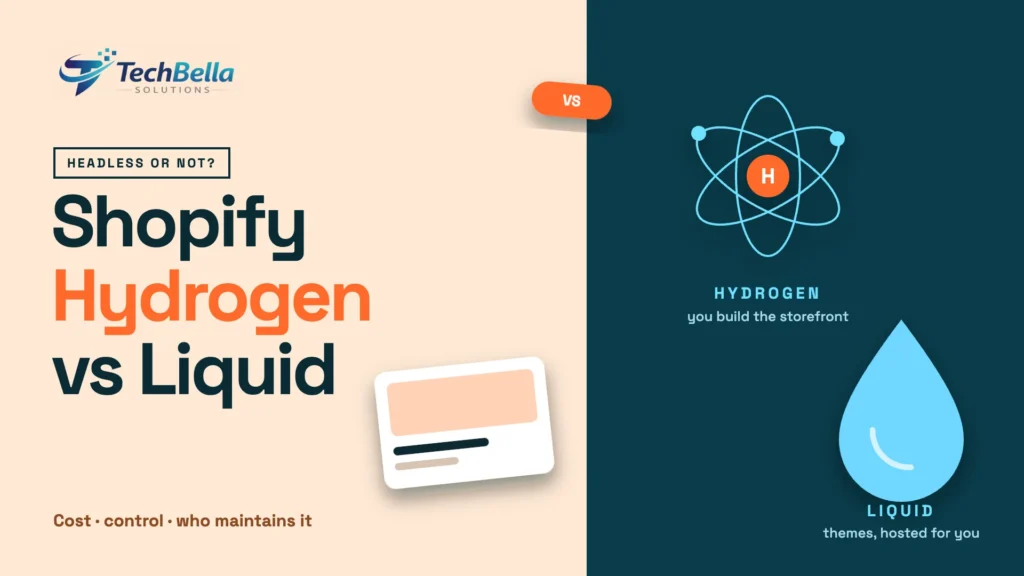
The key idea: with Hydrogen, Shopify remains the commerce engine, while you build and host the storefront.
What is a Liquid theme?
A Liquid theme is the traditional way to build a Shopify storefront. Liquid is Shopify’s templating language, and a theme combines Liquid templates, sections, blocks, CSS and JavaScript. Shopify hosts it, merchants can edit sections and settings in the theme editor and a large ecosystem of apps is designed to work with themes. Most Shopify stores, including many large ones, run on themes.
Hydrogen vs Liquid at a glance
| Question | Liquid theme | Hydrogen (headless) |
|---|---|---|
| Who builds the front end | Theme developers using Liquid, HTML, CSS and JavaScript | Developers using a JavaScript framework such as React Router or Next.js |
| Hosting | Shopify | Oxygen, Vercel or another host |
| Merchant editing | Theme editor with sections and blocks | You build the editing workflow, or connect a CMS |
| Apps | Broad app compatibility | Apps that rely on theme injection may not work without extra work |
| Speed to launch | Faster | Slower |
| Build and run cost | Lower | Higher, with ongoing developer maintenance |
| Design freedom | Wide, within theme structure | Very wide |
| SEO | Mostly handled by the theme | You implement meta tags, structured data and rendering strategy |
| Checkout | Shopify | Shopify |
| Best for | Most stores | Stores with unusual experience, integration or multi-channel needs |
What Shopify says about when to go headless
Shopify’s own overview of headless commerce is refreshingly cautious. It states that a headless storefront costs more to build and run than a theme, that you need developers to maintain it after launch and that you handle some routing yourself, such as redirects and cart permalinks. Shopify suggests building headless when:
- Existing web or mobile tools cannot support the storefront experience you need, or cannot support it easily.
- Your web front-end stack does not use Liquid.
- You want to add Shopify commerce to infrastructure you already have.
- You sell on channels Shopify does not support out of the box.
- You use, or plan to use, a content management system.
If none of those apply, Shopify points merchants to themes, sales channels and apps, which are simpler to run. You can read the full discussion in Shopify’s headless overview and in the Hydrogen documentation.
Reasons that justify Hydrogen
In our experience, these are the situations where the extra cost can pay off:
- A highly custom shopping experience. Product configurators, complex bundles, guided selling or interactive experiences that do not fit a theme’s structure.
- A brand with strong editorial or content needs. If your site blends rich content with commerce, a headless build connected to a content system can give your editors more flexibility.
- Multiple storefronts from one backend. Several brands, regions or channels that share products, inventory and customers.
- An existing front-end platform. If your business already runs a front-end system and you want Shopify as the commerce engine behind it.
- App-like performance targets. Teams with strong front-end skills and measurable speed goals that a theme cannot reach.
- Non-web channels. Mobile apps, kiosks or other surfaces that use the Storefront API.
Reasons that do not justify Hydrogen
These are common but weak reasons, and they often lead to regret:
- “Headless is faster.” A good Liquid theme can be very fast. A poorly built headless store can be slower. Speed comes from engineering discipline, not architecture alone. Our guide to Shopify speed optimisation shows what a lean theme can do.
- “Everyone is doing it.” Trends are not requirements.
- “We want a unique design.” Many themes can be customised extensively, and sections and blocks give a lot of flexibility.
- “It will help SEO.” SEO is not automatic in Hydrogen, and you take on more responsibility for it.
- “We want to avoid app fees.” You may replace app features with custom development that costs more.
The hidden costs of going headless
Merchants often underestimate these:
- Build cost. A custom storefront is a software project, with design, development, testing and launch work.
- Ongoing engineering. Dependencies, framework upgrades, hosting, monitoring and bug fixes need a team. Shopify says you need developers to maintain the storefront after launch.
- Merchant tooling. Marketers lose some of the convenience of the theme editor unless you build or buy a replacement.
- App compatibility. Apps that inject scripts or sections into themes may not work in a headless build, so you may need to integrate each one by hand or replace it.
- SEO and analytics setup. Meta tags, structured data, redirects, sitemaps, rendering strategy and consent handling all need attention.
- Risk of mistakes. A migration done badly can cost more in lost traffic and orders than a slow site ever did.
Examples by type of business
Abstract advice is easier to apply with examples. Here is how the decision tends to play out.
A fashion brand with strong editorial content. The brand publishes lookbooks, stories and campaigns that are as important as the product pages, and wants full control of layout. A headless build connected to a content system can make sense, provided the team can maintain it. If content needs are moderate, a theme with custom sections may be enough.
A single-brand store with a standard catalogue. Products, collections, a blog and a few landing pages. A well-built Liquid theme will almost certainly do the job at lower cost and with easier editing.
A multi-brand or multi-region retailer. Several storefronts with different designs sharing one catalogue and inventory. Headless is more attractive here, since you can serve different front ends from one backend.
A merchant with an existing web platform. If the business already runs a front-end system with its own content and users, adding Shopify commerce through the Storefront API can fit better than replacing everything with a theme.
A store with a unique product configurator. If the core experience is an interactive builder that must feel like an app, a custom front end can justify its cost. Prototype it first to see whether a theme section could do the job.
Skills and team you will need
A Liquid theme project needs a developer who knows Liquid, HTML, CSS and JavaScript, plus a designer. A Hydrogen project needs more: engineers who are comfortable with a modern JavaScript framework, server-side rendering, data fetching and caching, hosting and deployment, performance and SEO implementation. After launch, you also need someone on call for bugs, dependency updates and hosting issues. If you do not have those people in house, plan for an agency or a retainer, and factor it into the business case.
Talking about cost honestly
Without quoting numbers that depend on your scope, the pattern is consistent. A theme project is typically a fixed build with modest running costs. A headless project has a larger build, plus ongoing costs for engineering time, hosting and monitoring, and the risk of rework if requirements change. Ask any agency for a breakdown that separates build, hosting, third-party services and annual maintenance, and compare the three-year total. If the revenue case depends on a small conversion gain, check that the expected gain really covers the extra cost.
A decision framework
Answer these questions honestly:
- What specific experience do we need that a theme cannot provide, and what is it worth in revenue?
- Can we describe that need in a page of concrete requirements?
- Do we have, or can we hire, the engineers to maintain the storefront for years?
- Who will edit content and merchandising day to day, and with what tools?
- Which of our apps are essential, and how will each work in a headless build?
- What is our budget for build and for annual maintenance?
- What will we measure to know it worked, and what is our rollback plan?
If you cannot answer the first two questions with confidence, start with a theme.
Not sure whether to go headless?
We review your requirements, apps and budget and tell you honestly whether an improved Liquid theme or a Hydrogen build is the better investment.
Frequently Asked Questions
What is Shopify Hydrogen?
Shopify describes Hydrogen as its headless storefront toolkit. It adds Shopify commerce logic to a framework you already use, such as React Router or Next.js, with a typed Storefront API client, cart, product helpers, analytics and more. You build and host the storefront, and checkout stays on Shopify.
Is Hydrogen better than a Liquid theme?
Not in general. Shopify says headless costs more to build and run than a theme, and recommends it when a theme cannot support the experience you need. For most stores a well-built Liquid theme is simpler and more cost-effective.
Is headless Shopify faster?
It can be, but it is not automatic. A well-optimised Liquid theme can be very fast, and a poorly built headless storefront can be slow. Performance depends on engineering quality and measurement.
Does Hydrogen include SEO?
According to Shopify’s documentation, SEO is not built in. You add meta tags, social tags and structured data using your framework’s tools, so plan SEO as part of the build.