



























If you are searching for a CCAvenue WooCommerce plugin for a UAE store, you will find several options: the free plugin on WordPress.org, paid plugins from different developers, and copies on sites you should not trust. They look similar from the outside, and the differences only show up when a customer cannot pay. This guide compares the free and Pro versions of the TechBella Payment Gateway plugin, explains who each one is for, and sets out what to check before you buy any CCAvenue plugin for WooCommerce in the UAE.
We build this plugin, so we have a clear interest. To keep the comparison fair, everything we say about the plugin comes from its product page, and we mark clearly what it does not do. If the Pro plugin is not right for your store, we would rather you find that out now.
CCAvenue WooCommerce plugin for the UAE: the short answer
- If you sell in India only, you can start with the free plugin on WordPress.org. It supports the India region and the classic WooCommerce checkout.
- If you sell in the UAE (Dubai, Abu Dhabi, Sharjah and the rest), you need TechBella Payment Gateway Pro, because UAE region support is available only in Pro.
- If your store uses the WooCommerce Blocks checkout, you need Pro as well, because block support is a Pro feature.
- Either way, you need your own CCAvenue merchant account. The plugin is an independent product from TechBella Solutions, not an official CCAvenue plugin, and it cannot create an account for you. Our CCAvenue UAE merchant account checklist explains what to confirm first.
What the free plugin does
The free TechBella plugin connects WooCommerce to a standard CCAvenue merchant account in India. According to the product page, it includes redirect and iFrame checkout, a sandbox testing mode, automatic order status updates, HPOS compatibility and debug logging for payment requests. It supports the classic checkout. It does not include the UAE region, WooCommerce Blocks support or the compatibility updates that come with a Pro license.
For an Indian store on the classic checkout, that is a complete working setup. For a UAE store, it is the wrong tool.
What Pro adds
Pro includes everything in the free plugin, plus three things that matter to UAE stores:
- CCAvenue UAE (Middle East) region support. You choose the UAE region in the gateway settings next to your Merchant ID, Access Code and Working Key. This is the reason a Dubai or UAE store needs Pro.
- WooCommerce Blocks checkout support. The newer block-based checkout needs gateways to register separately. Pro does, so your payment option appears on the block checkout. We explain why that matters in our guide to the checkout block payment gateway.
- Updates to stay compatible with the latest WooCommerce releases. Pro licenses receive updates that keep the plugin working as WooCommerce changes, and the product page says new features will be added in future updates at no extra cost to active licenses.
Free vs Pro at a glance
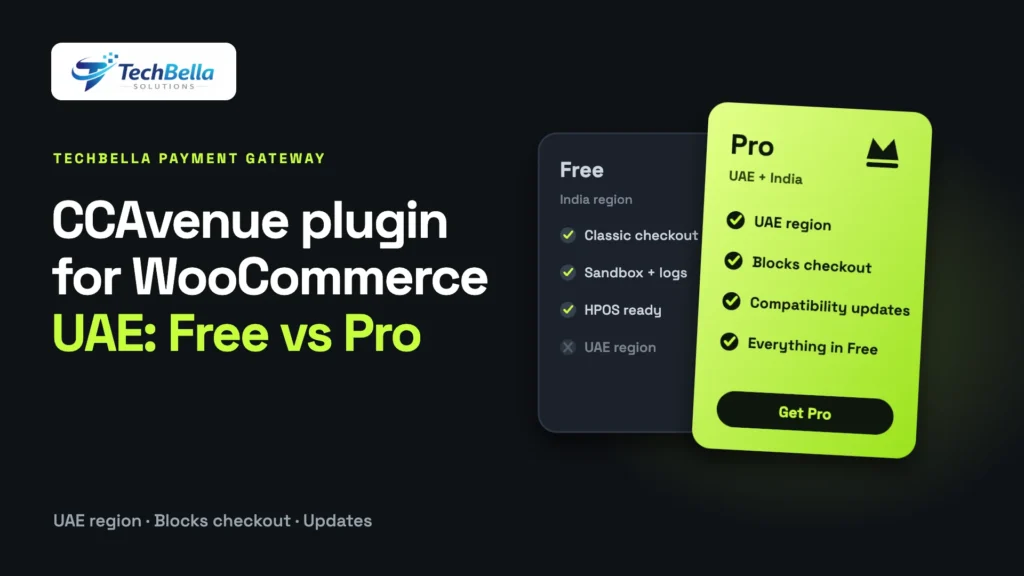
| Feature | Free | Pro |
|---|---|---|
| Standard CCAvenue (India region) | Yes | Yes |
| Redirect and iFrame checkout | Yes | Yes |
| Sandbox testing mode | Yes | Yes |
| Automatic order status updates | Yes | Yes |
| HPOS compatible | Yes | Yes |
| Detailed transaction logs for debugging | Yes | Yes |
| WooCommerce Blocks checkout support | No | Yes |
| CCAvenue UAE (Middle East) region | No | Yes |
| Updates to stay compatible with new WooCommerce releases | No | Yes |
What happens if your Pro license expires?
The product page is clear about this, and it is worth knowing before you buy. If your Pro license expires, UAE region support stops working. The India region continues to work normally, because it is also supported by the free version. So a UAE store whose license lapses will stop being able to take UAE payments through the plugin until it is renewed. Put the renewal date in your calendar, and think of the license as part of your running costs, like hosting.
Who should buy Pro?
Pro is a good fit if:
- You run a WooCommerce store in Dubai, Abu Dhabi, Sharjah or elsewhere in the UAE and have, or are about to have, a CCAvenue UAE merchant account.
- Your store uses the block checkout, or you plan to move to it.
- You want a plugin that is kept current with WooCommerce releases rather than a one-off download.
- You manage several client stores, and want a plugin you can install and configure the same way each time. Check the license options on the product page for the number of sites each plan covers.
Pro is not the right choice if:
- You do not have a CCAvenue merchant account and have not confirmed that you can get one. Settle that first.
- You sell only in India on the classic checkout. The free plugin may be enough.
- You need payment methods or features that CCAvenue does not provide, such as a different provider’s wallets. A different gateway might suit you better. Our guide to the best payment gateways for WooCommerce in the UAE compares the alternatives.
Setup in three steps
The product page describes the installation as three steps:
- Install the plugin and activate your Pro license.
- Enter your CCAvenue Merchant ID, Access Code and Working Key in the gateway settings.
- Select the region (India or UAE) and go live. The UAE region needs an active Pro license.
Before going live, switch on sandbox mode and test a successful, a failed and a cancelled payment. The plugin’s debug log records the request and response, which makes it much easier to see why a test failed. Our guide to CCAvenue integration errors lists the usual causes. For the full walkthrough of a UAE setup, see our CCAvenue payment gateway guide for WooCommerce UAE.
Three store types, three decisions
Real stores differ, so here is how the decision usually plays out.
A Dubai fashion boutique on the block checkout. The owner has a CCAvenue UAE merchant account, sells in AED and uses the block-based checkout that came with a new WooCommerce install. Pro is the answer on both counts: the UAE region and block support. They set up on staging, test with sandbox credentials and go live after one small real order.
An Indian electronics seller on the classic checkout. The store sells in India with an Indian CCAvenue account and has no plans to change its checkout. The free plugin does the job. If they later open a UAE store or move to the block checkout, they can upgrade.
An agency managing five client stores. Some clients are in the UAE and others in India. The agency wants one plugin and one way to configure it. Pro covers both regions; the agency should check the license options on the product page for the number of sites each plan covers, and keep a renewal calendar for every client.
The first week after launch
The first week is when small issues appear. Watch the order list daily. Every paid order in the CCAvenue dashboard should be paid in WooCommerce, and failed or cancelled payments should show a clear status. If something looks wrong, switch on the plugin’s debug log and read the request and response for the affected order.
Keep your Working Key private while you share log excerpts, and read our guide to CCAvenue integration errors for the most common causes. Check settlements against your bank statement at the end of the week, and add the license renewal date to your calendar now, not later.
How to think about cost
A plugin license is a small part of what a payment setup costs you. The bigger numbers are the gateway’s transaction fees, the time you spend fixing checkout problems and the sales you lose when payments fail. A reliable integration that is kept current can save more than it costs, and a cheap one that breaks at a bad moment can cost far more.
When you compare options, ask what each costs per year, what it covers, and what you lose if you skip it. We list current license options on the product page rather than quoting prices in an article that could go out of date.
What the plugin does not do
To be clear, so there are no surprises:
- It is not an official CCAvenue plugin, and TechBella is not affiliated with or endorsed by CCAvenue.
- It does not create or approve a CCAvenue merchant account.
- It does not calculate VAT or produce tax invoices; that comes from WooCommerce’s tax settings and your invoicing setup. See our guide to WooCommerce VAT in the UAE.
- It does not change which payment methods CCAvenue enables for you. That is decided on your merchant account.
Ready to buy? How to do it well
- Confirm your CCAvenue UAE merchant account status.
- Pick the license that covers the number of sites you need, from the product page.
- Install the plugin on a staging site first and enter sandbox credentials.
- Test success, failure and cancellation, on desktop and mobile.
- Move to your live site, enter live credentials and place one small real order.
- Add your license renewal date to your calendar.
If you have a question before buying, contact us and we will tell you plainly whether the plugin suits your store. You can also compare it with our other WooCommerce plugins.
Take UAE payments on WooCommerce with TechBella Payment Gateway Pro
Connect your own CCAvenue merchant account with a UAE region setting, WooCommerce Blocks support, redirect and iFrame checkout, sandbox testing, debug logs and HPOS compatibility. Independent plugin, not an official CCAvenue product.
Frequently Asked Questions
Which CCAvenue WooCommerce plugin do I need for the UAE?
You need TechBella Payment Gateway Pro, because UAE region support is available only in Pro. The free version supports the India region only. You also need your own CCAvenue merchant account.
Is the TechBella plugin an official CCAvenue plugin?
No. It is an independent third-party WooCommerce integration built by TechBella Solutions. TechBella is not affiliated with, endorsed by or partnered with CCAvenue.
What details do I need to configure the plugin?
Your CCAvenue Merchant ID, Access Code and Working Key, the region you want (India or UAE) and your preferred checkout mode, redirect or iFrame. Use sandbox mode first.
Does the Pro plugin support the WooCommerce Blocks checkout?
Yes. Block checkout support is part of the Pro version. The free version supports the classic checkout.