



























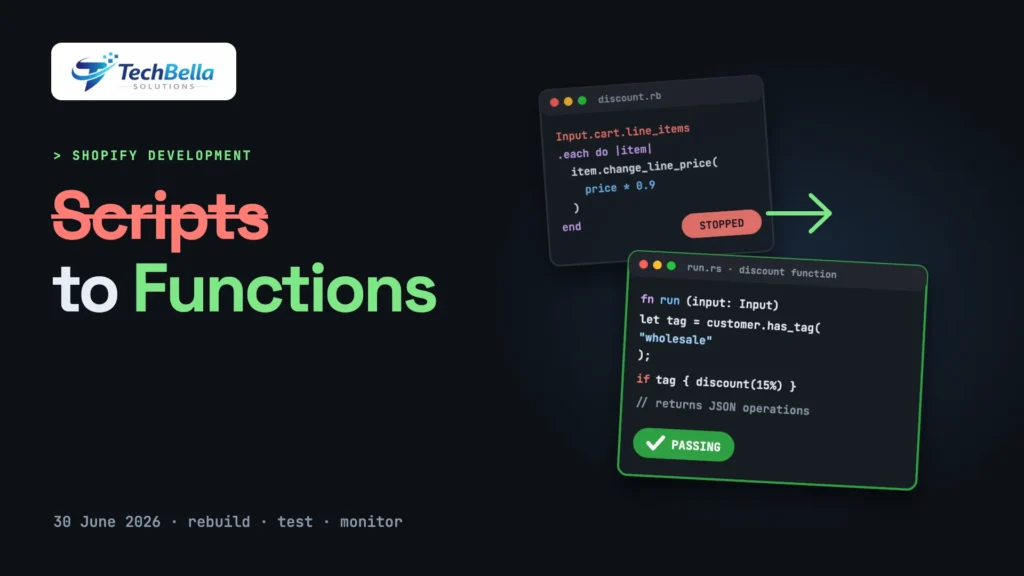
If your Shopify Plus store ever used a Ruby script to give a wholesale discount, hide a payment method or rename a shipping rate, there is a date you cannot ignore. Shopify announced on 9 April 2026 that editing and publishing Shopify Scripts would stop on 15 April 2026, and that all Scripts would cease to execute entirely on 30 June 2026. That date has passed.
Any logic that still lived in a Script no longer runs, which means a discount may have quietly stopped applying or a payment rule may have stopped working.
This guide is for store owners and developers who need to understand the Shopify Scripts to Functions migration. We explain what Functions are, how Scripts map onto them, how to audit what you had, how to rebuild it, how to test it and the traps that catch teams out. We rely on Shopify’s own documentation and changelog for the dates and the technical facts, and we flag where the picture is still unclear, since this area keeps changing.
What changed with Shopify Scripts
Shopify Scripts were small Ruby programs that ran on Shopify Plus stores to customise discounts, shipping and payments at checkout. They were popular because they let a merchant express a rule such as “10% off for customers tagged wholesale” or “hide cash-on-delivery for orders above a value” without building an app.
Shopify’s changelog, published on 9 April 2026, sets out two dates:
- 15 April 2026: editing and publishing new Shopify Scripts was no longer possible.
- 30 June 2026: all Shopify Scripts ceased to execute entirely.
Shopify names Shopify Functions as the successor, and says it has been adding new capabilities for discounts, shipping and payments to let merchants rebuild Scripts-based logic. It also recommends the Scripts customizations report, which helps identify which existing customisations can move to Functions or to public apps. The full notice is on Shopify’s developer changelog.
What are Shopify Functions?
Shopify’s documentation describes Functions as a way for developers to customise Shopify’s backend logic, which Shopify runs at the right moments in the customer journey. A few facts matter for planning:
- They are code that Shopify runs for you. A function receives a JSON input, shaped by a GraphQL query you write, and returns a JSON output describing what to do. Functions are never called directly by a URL.
- They compile to WebAssembly. You can use any language that compiles to a WebAssembly module meeting Shopify’s requirements. Shopify provides templates and client libraries for Rust and JavaScript, and it strongly recommends Rust as the most performant choice to avoid failures with large carts.
- They live inside apps. A function is part of an app’s extensions. Merchants install the app and configure the function.
- The documented function APIs include discounts, payment customisation (for example hiding payment options), delivery customisation (for example renaming delivery options), cart and checkout validation, order routing and product bundles. Check the current API reference for the full list, because it grows.
- Plan rules apply. Stores on any plan can use public App Store apps that contain functions. Custom apps that contain Function APIs require Shopify Plus, and some capabilities are Plus-only.
In other words, Functions are more structured than Scripts: instead of one Ruby file doing everything, you build separate, typed functions for discounts, delivery and payments, and package them in an app.
How the Shopify Scripts to Functions mapping works
The mapping is not one to one, but a rough guide helps when you audit:
| What your Script did | Likely replacement |
|---|---|
| Line item discounts (percentage, fixed, tiered, wholesale) | A discount function, or a public discount app |
| Shipping rate changes, renaming or hiding delivery options | A delivery customisation function |
| Hiding, reordering or renaming payment methods | A payment customisation function |
| Blocking checkout under some conditions | Cart and checkout validation function |
| Splitting or merging products at checkout | Bundle or cart transform capabilities, where available |
| Anything that depended on the old checkout page code | Checkout UI extensions, covered in our checkout extensibility guide |
Third-party guides note that some uses, such as certain subscription or recurring-order pricing logic, may have no direct Function equivalent yet. Treat that as something to verify against current Shopify documentation for your specific case.
The Shopify Scripts to Functions move is also a chance to simplify. Many stores carried rules that no one remembered adding: a discount for a campaign that ended years ago, a payment rule for a provider they no longer use. Before you rebuild everything, ask of each Script whether the rule still earns its place. Rebuilding only what the business still needs makes the project smaller, cheaper and easier to test.
Step 1: Find out what is broken or missing now
Because the cut-off has passed, start with diagnosis, not planning:
- List every Script that was published, with its purpose, who requested it and what business rule it enforced. If the Script editor is no longer available to you, use your theme and app history, your old exports, version control, support tickets and the Scripts customizations report.
- Check your recent orders for signs of the missing logic: discounts that did not apply, shipping options that appeared when they should not have, payment methods that should have been hidden.
- Estimate the cost of each gap. A missing VIP discount might annoy a few customers. A missing rule that blocked a risky payment method might cost real money.
- Rank the gaps by risk and by how many orders they affect.
Step 2: Set up the project
A typical custom build looks like this:
- Create an app with Shopify CLI in your Partner or developer dashboard.
- Generate a function extension for the right API, such as a discount or delivery customisation. The CLI scaffolds the files for Rust or JavaScript.
- Write the input query. This GraphQL query decides which data your function receives: cart lines, customer tags, product tags, metafields, delivery options and so on. Request only what you need, because more data means more work for every run.
- Write the function logic. Read the input, apply your rule, return the operations. Keep it deterministic and free of side effects.
- Add configuration. Many rules need settings, such as a percentage or a tag name. Store them in a metafield or a settings UI in your app, so a merchant can change them without redeploying.
- Deploy and activate. Deploy the app, install it on the store and enable the function, for example by creating a discount that uses it.
Keep the code in version control, and write down the rule beside it.
Step 3: Test like checkout is your revenue (it is)
Functions run in the middle of checkout, so mistakes are expensive. Test on a development store or a staging store before touching production:
- Unit tests for the logic, using sample inputs that mirror real carts.
- Edge cases: empty carts, a single item, very large carts, mixed currencies, gift cards, bundles, subscriptions, discount codes combined with automatic discounts.
- Customer states: logged-out, logged-in, tagged customers and customers without tags.
- Markets and currencies: if you sell internationally, test each market, including rounding in different currencies.
- Failure behaviour: know what happens if the function errors. Decide whether a failure should block checkout or fall back to normal behaviour, and test it.
- Performance: run with large carts to see that the function stays well within limits.
- Interaction with other apps: several discount or payment apps can conflict, so test them together.
Roll out gradually, if you can, and watch orders closely for the first few days.
A worked example: wholesale pricing
Take a rule many Plus stores had: “customers tagged wholesale get 15% off products in the Tools collection, but not on items already on sale”. In a Script, that was a loop over line items with a few conditions. As a function, you split it into three parts.
First, the input query asks Shopify for only the data you need: each cart line’s product, whether it belongs to the Tools collection, whether it is on sale and the customer’s tags. Second, the logic checks whether the customer has the wholesale tag and, for each qualifying line, returns a discount operation of 15%. Third, the configuration stores the tag name, the percentage and the collection in settings, so a merchant can change them later without a developer.
Notice how much of the work is in defining the rule precisely. “Already on sale” needs a definition: compare-at price higher than price, or a specific tag? Does the discount stack with a discount code? Does it apply to bundles? Answer those questions in writing before anyone opens an editor.
A four-week migration plan
A realistic schedule for a store with a handful of former Scripts:
Week 1: audit and decisions. Inventory Scripts, check orders for broken behaviour, decide app versus custom for each rule and confirm plan eligibility.
Week 2: build. Create the app, write the first functions and set up configuration. Install any replacement apps on a development store.
Week 3: test. Run unit tests and manual tests across customer types, markets and discount combinations. Fix edge cases.
Week 4: launch and watch. Release to production, monitor orders daily, compare discount totals with expectations and keep a rollback plan ready.
If the cut-off has already passed and revenue is at stake, compress the plan: fix the highest-risk rule first, then work down the list.
Common mistakes when moving from Scripts to Functions
- Treating it as a copy-paste job. Functions are structured differently. Rebuild the rule, do not translate line by line.
- Forgetting stacking and combinations. Discount rules interact with codes, other automatic discounts and shipping discounts. Define which combine.
- Hard-coding values. Hard-coded tags, percentages and collection IDs make later changes painful.
- Skipping documentation. A year from now nobody will remember why the rule exists.
- Underestimating Plus requirements. Custom Function APIs need Plus; check before you commit.
- Not monitoring after launch. A function can work in tests and behave differently with real customers.
Need help rebuilding Shopify Scripts as Functions?
We audit what your Scripts did, check whether an app covers it and build and test custom Shopify Functions and checkout extensions where it does not.
Frequently Asked Questions
When did Shopify Scripts stop working?
According to Shopify’s changelog, editing and publishing Scripts ended on 15 April 2026, and all Shopify Scripts ceased to execute on 30 June 2026.
What replaces Shopify Scripts?
Shopify Functions. Shopify says it has been adding capabilities for discounts, shipping and payments so merchants can rebuild Scripts-based logic as custom functionality, and it recommends the Scripts customizations report to see what can move to Functions or public apps.
Which languages can I use for Shopify Functions?
Any language that compiles to a WebAssembly module meeting Shopify’s requirements. Shopify provides templates and libraries for Rust and JavaScript, and recommends Rust for performance with large carts.
Do I need Shopify Plus to use Functions?
Stores on any plan can use public apps that contain functions. Custom apps that contain Shopify Function APIs require Shopify Plus, and some capabilities are Plus-only.