



























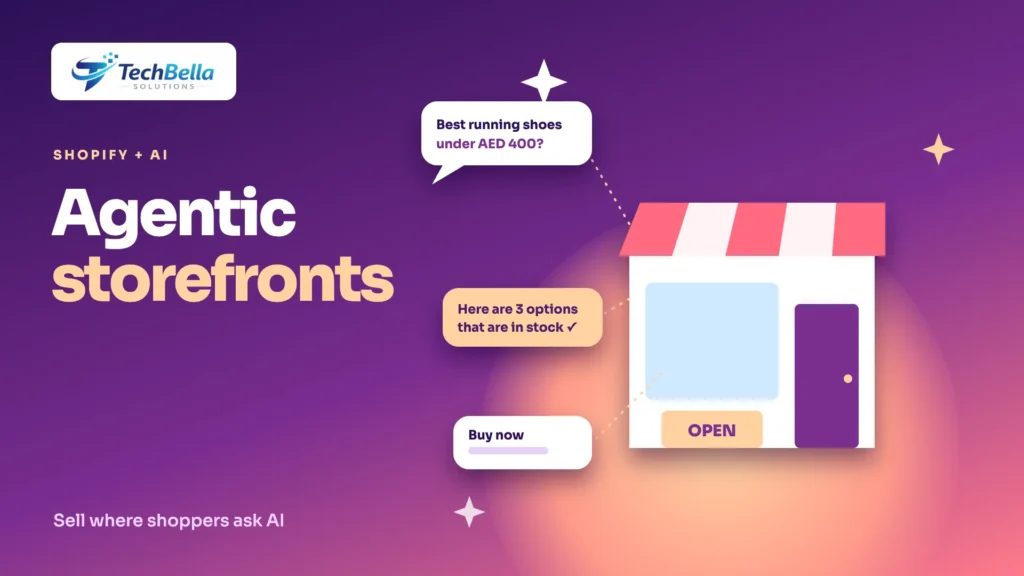
Shopify stores used to compete for attention in search results and on social feeds. Now there is another place customers can find products: inside an AI conversation. Ask an assistant for “a running shoe for flat feet under 400 dirhams” and it can list products, compare them and, in some cases, help complete the purchase. Shopify’s answer to this shift is a set of features it calls Agentic Storefronts, built on an open standard called the Universal Commerce Protocol.
This guide explains what Shopify has said about Agentic Storefronts and UCP, what it means in practice for a merchant or developer, which parts are firm and which are still rolling out, and what you can do now to be a good candidate for AI-driven discovery. We use Shopify’s own announcement as our main source and flag where details come from secondary coverage or may have changed since.
What are Agentic Storefronts and the Universal Commerce Protocol?
In a newsroom post dated 11 January 2026, Shopify described the Universal Commerce Protocol (UCP) as “an open standard for AI agents to connect and transact with any merchant”. According to that announcement:
- UCP was co-developed by Shopify and Google, and was already endorsed by more than 20 retailers and platforms.
- It works with any payment processor, including Shopify Payments.
- It supports several ways of communicating, including REST, the Model Context Protocol (MCP), the Agent Payments Protocol (AP2) and Agent2Agent (A2A).
Agentic Storefronts is the product layer that puts this to work for merchants. Shopify says the integrations with Google, Microsoft Copilot and ChatGPT are managed centrally from the Shopify admin through Agentic Storefronts, so a merchant sets up product data once and it can appear across those channels. You can read the announcement in Shopify’s newsroom.
A third piece is the Shopify Catalog, which Shopify describes as a large collection of products where specialised language models categorise, enrich and standardise product data so that AI channels can use it.
Which AI channels are involved?
Shopify’s announcement names:
- ChatGPT, as an existing integration.
- Microsoft Copilot, where merchants can sell through an embedded checkout called Copilot Checkout.
- Google AI Mode and the Gemini app, where native shopping was described in January as “rolling out soon”, letting merchants sell in an embedded experience managed from the Shopify admin.
Some later articles describe wider coverage, including other assistants, and say the features are switched on by default for many stores. Because that comes from secondary sources and rollouts change quickly, the safe approach is to check your own Shopify admin and Shopify’s current documentation to see what is available to your store, in your country and on your plan. Availability can differ by region, and your market may not be covered yet.
What this means for merchants
The practical message is not “install this and sales appear”. It is that the quality of your product data now determines whether AI systems can recommend you. AI channels read your catalogue the way a very literal buyer would: titles, descriptions, attributes, prices, stock, images, shipping and returns. If those are vague, inconsistent or thin, you are a weaker candidate than a competitor whose data is clear.
That means the best preparation is work you should be doing anyway:
- Complete and accurate product information.
- Correct prices, currencies and stock.
- Clear shipping, returns and contact policies.
- Reviews that are real and visible.
- A fast, reliable store and checkout.
We cover the same principles for WooCommerce stores in our guide to agentic commerce, and the ideas carry across platforms.
Product data checklist for AI discovery
Titles
A title should say what the product is, including the brand and the key attribute a buyer would search for. “Men’s waterproof hiking jacket, black, size M” is more useful than “Storm jacket”.
Descriptions
Answer the questions a buyer would ask: materials, dimensions, compatibility, care, what is in the box, who it is for and who it is not for. Avoid filler. Specific, factual descriptions are easier for both people and machines to trust.
Variants and options
Use real variant options for size, colour and material instead of putting them in the title or description only. Keep variant names consistent across products, and make sure each variant has the right price, stock and image.
Identifiers and categories
Fill in brand, GTIN or other product identifiers where you have them, and choose accurate product categories. Identifiers help systems match your product to the right item and avoid confusion with similar ones.
Metafields and attributes
Store structured details, such as material, size guide, certifications or compatibility, in metafields or attributes, not only in free text. Structured data is easier to use reliably.
Images
Use clear images from several angles, with descriptive alt text. Show the product in use as well as on a plain background.
Price and availability
Keep price and stock accurate everywhere, including feeds and channels. A mismatch between the price on your product page and the price in a channel is a trust problem for any system or buyer.
Policies and shipping
State delivery areas, times, costs and returns clearly. Agents compare these across merchants.
Before and after: one product, two listings
A short example shows how much the data matters. Imagine a store selling running shoes. In the weak version, the title is “Runner X”, the description says “Comfortable and stylish for every day”, the size and colour appear only inside the description, no brand or identifier is filled in and the product page price differs from the price in an old feed. An AI assistant asked for “lightweight running shoes for wide feet under AED 400” has almost nothing to match against.
In the strong version, the title is “Runner X lightweight road running shoes, wide fit, black, men’s”, the description lists weight, cushioning, drop, upper material and who it suits, sizes and colours are real variant options, brand and identifier fields are complete, and the price and stock are the same everywhere. The same shoe is now easy to understand, compare and trust, for a person as much as for a machine.
A simple risk register
| Risk | What could happen | What to do |
|---|---|---|
| Wrong product data | An assistant describes your product incorrectly | Audit data monthly and fix the source, not the symptom |
| Price mismatch | Shoppers see different prices in different places | Keep one source of truth and check feeds |
| Stock errors | Orders for items you cannot ship | Sync inventory frequently and set sensible safety stock |
| Policy confusion | Disputes about returns or delivery | Write plain, specific policies and keep them current |
| Data sharing | Customer or product data goes where you did not expect | Review channel settings and update your privacy notice |
| Weak checkout | Customers drop out after being sent to your store | Test every payment method and device regularly |
| Over-reliance on one channel | A rule change cuts off your traffic | Keep SEO, email and direct channels healthy |
What developers should know
If you build for Shopify, several technical points deserve attention:
- The Storefront API and MCP. Shopify’s announcement names MCP as one of the ways UCP can communicate. Coverage of the platform also refers to MCP servers for store-level and catalog-level access. If you build custom experiences or tools that talk to AI systems, follow Shopify’s developer documentation for the current endpoints, authentication and limits, because they are evolving.
- Structured data on the storefront. Your theme should output accurate product structured data that matches the page. See our AI search optimization guide, and Google’s product structured data documentation, for the principles.
- Checkout reliability. If AI channels send customers to checkout, your checkout has to work: extensions, functions and payment methods all need testing. Our guide to Shopify checkout extensibility covers the moving parts.
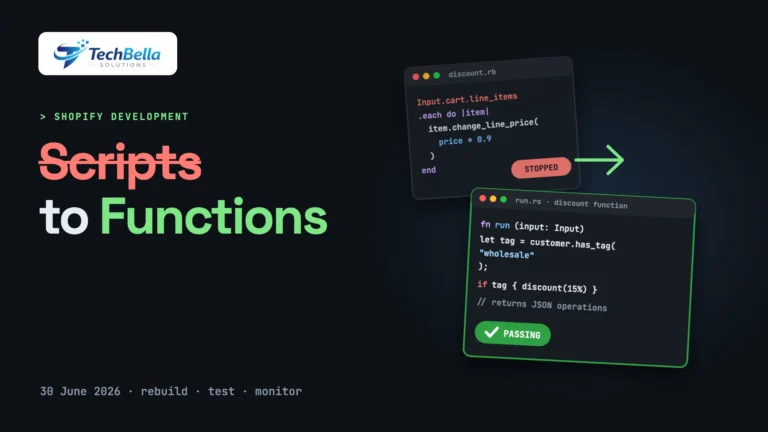
- Custom logic. If your discounts, delivery or payment rules are implemented with Functions, check how they interact with any new channel, and test orders that arrive through each one.
- Headless storefronts. If you use a headless build, confirm which agentic features depend on how the store is hosted and configured. Our comparison of Hydrogen and Liquid covers the trade-offs.
Risks and open questions
A realistic view includes the uncertainties:
- Rollout and eligibility. Some features are still rolling out, and availability varies by country, plan and product category. Do not plan revenue around a channel before you can confirm it works for your store.
- Fees and terms. Check any fees, commissions or data-sharing terms that apply to AI channels.
- Control over presentation. An AI assistant decides how to describe your product. Monitor what it says, and correct your source data when it is wrong.
- Attribution. AI-driven sales may be harder to attribute. Set up tracking and review referral data regularly.
- Customer data and privacy. Understand what data is shared with each channel and update your privacy notices where needed.
- Returns and support. Orders from AI channels still need clear returns and support routes. Make sure your team knows how to identify the source of an order.
- Dependence on platforms. Standards change. Keep your product data portable and your own website strong, so you are not dependent on a single channel.
A checklist you can copy
- Product titles include brand and key attributes.
- Descriptions answer buyer questions with specific facts.
- Variants, options and categories are consistent and accurate.
- Identifiers (brand, GTIN) filled in where available.
- Structured details stored in metafields or attributes.
- Images clear, varied and described.
- Price and stock consistent across the store and channels.
- Shipping, returns and contact policies clear.
- Checkout tested on mobile with every payment method.
- AI channel settings reviewed in the Shopify admin.
- Orders by source tracked and reviewed monthly.
Get your Shopify catalogue ready for AI channels
We clean up titles, variants, metafields and structured data, test checkout and review your Shopify AI channel settings so your products are easy to find and trust.
Frequently Asked Questions
What is the Universal Commerce Protocol?
Shopify describes UCP as an open standard for AI agents to connect and transact with any merchant. It was co-developed by Shopify and Google, was endorsed by more than 20 retailers and platforms at announcement and supports communication methods such as REST, MCP, AP2 and A2A.
What are Shopify Agentic Storefronts?
They are the Shopify admin features, announced in January 2026, that let merchants manage integrations with AI channels such as ChatGPT, Microsoft Copilot and Google’s AI experiences from one place, using product data set up once.
Is Agentic Storefronts available in every country?
Not necessarily. Rollouts change, and availability can differ by region, plan and product category. Check your own Shopify admin and Shopify’s current documentation for what is available to your store.
How do I get my products recommended by AI assistants?
Improve your product data: clear titles, specific descriptions, accurate variants, identifiers, categories, images, price and stock, plus clear shipping and returns policies and a reliable checkout. No one can guarantee recommendations.