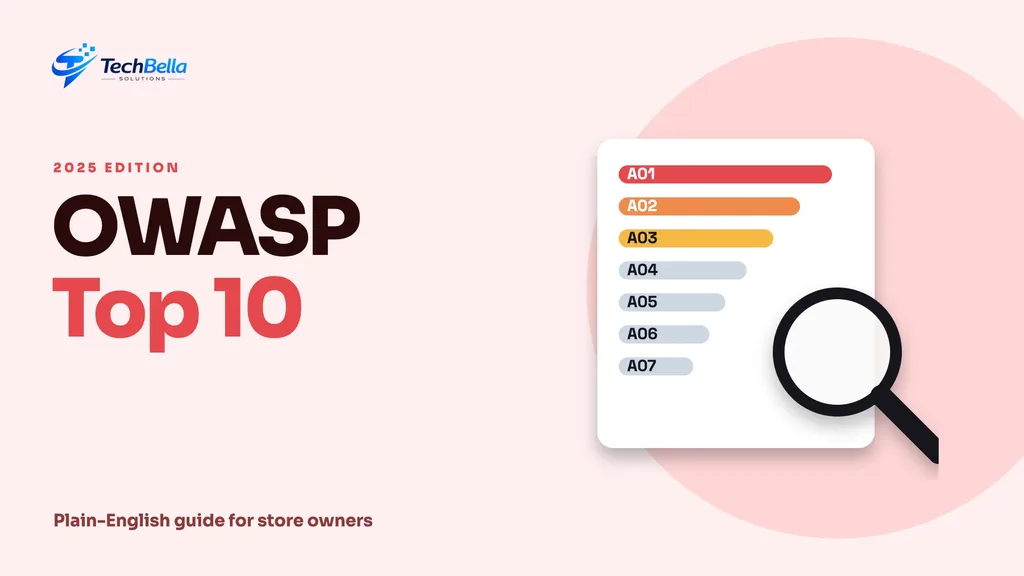
When a developer says a site is “secure”, it helps to know what that is measured against. For web applications, the most widely used reference is the OWASP Top 10, a ranked list of the most critical web application security risks. The 2025 edition is the current one, and it speaks directly to the kinds of problems that affect WordPress, WooCommerce and custom web apps.
This OWASP Top 10 guide translates the 2025 list into plain English for store owners and project managers, then turns it into questions you can ask your developers and agencies. We use OWASP’s own list for the category names. The explanations and WordPress examples are ours, so use them as a conversation starter, not a certification.
| Top OWASP 2025 risks | Where it shows up in a store |
|---|---|
| A01 Broken Access Control | A plugin lets a visitor change settings or read other orders |
| A03 Software Supply Chain Failures | An abandoned or compromised plugin or package |
| A07 Authentication Failures | Weak admin passwords and no two-factor login |
| A09 Security Logging and Alerting Failures | A new admin user nobody notices |
What the OWASP Top 10 is
OWASP, the Open Worldwide Application Security Project, is a non-profit community that publishes free security guidance. Its Top 10:2025 lists ten categories of risk, ranked by their significance, based on data and security trends. It is an awareness document, not a law or a checklist that guarantees safety, but auditors, developers and tools refer to it constantly.
The ten categories in plain English
| OWASP 2025 category | In plain English |
|---|---|
| A01 Broken Access Control | Users can do or see things they should not, such as another customer’s order |
| A02 Security Misconfiguration | Insecure settings, default passwords, open admin tools or verbose errors |
| A03 Software Supply Chain Failures | A weakness arrives through a plugin, library or build tool you depend on |
| A04 Cryptographic Failures | Sensitive data is not properly protected in transit or at rest |
| A05 Injection | Untrusted input is run as code or a database command |
| A06 Insecure Design | The feature was designed without thinking about abuse |
| A07 Authentication Failures | Weak logins, password handling or session management |
| A08 Software or Data Integrity Failures | Code or data is trusted without checking it has not been tampered with |
| A09 Security Logging and Alerting Failures | Attacks happen and nobody notices |
| A10 Mishandling of Exceptional Conditions | Errors and unexpected situations are handled badly and open a door |
The category names above come from OWASP’s page. We did not find a summary of what changed from 2021 on that page, so read OWASP’s introduction for the detailed differences.
Why a risk list is better than a feature list
When people buy a website, they usually compare features: pages, plugins, design and price. Security rarely appears on that list because it is invisible when it works. The OWASP Top 10 gives you a vocabulary for asking about it. Instead of “is it secure?”, which no honest developer can answer with a single word, you can ask about specific risks, and listen to how the answer is given.
A confident, practical answer names the control, who checks it and when. A vague answer, or one that only repeats the category name, suggests the risk has not been considered. That difference helps you judge a team in a short conversation.
What each category looks like on a WordPress or WooCommerce site
- Broken access control is also the category Patchstack found most exploited in WordPress plugins, as we describe in our plugin security guide. Examples include a plugin that lets any visitor change settings.
- Security misconfiguration covers things like directory listing, exposed backups, debug mode left on in production and test accounts left active.
- Supply chain failures are the story of plugins, themes and packages. A single compromised or abandoned plugin can put the whole site at risk.
- Cryptographic failures include missing HTTPS or expired certificates, which is why we cover SSL certificate validity.
- Injection covers SQL and script injection through forms, search and custom code.
- Authentication failures include weak admin passwords, no two-factor login and exposed login pages.
- Logging failures mean nobody sees a new admin user, changed files or repeated login attempts.
Questions to ask your developer or agency
- How do you control who can see or change what in custom code?
- Which settings do you harden before launch, and who checks them?
- How do you choose, update and remove plugins and packages?
- How is sensitive data protected, and how do you manage secrets and keys?
- How do you validate and escape input in forms and custom queries?
- Do admin accounts use two-factor login?
- What do you log, and who is alerted when something odd happens?
- How are errors handled, and what does a user see when something fails?
Simple examples of each risk in a store
Plain examples make the categories easier to remember:
- Access control: a customer changes a number in a web address and sees another customer’s invoice.
- Misconfiguration: a backup file left in a public folder can be downloaded by anyone who guesses the name.
- Supply chain: an old plugin that the author abandoned is taken over by someone else and updated with harmful code.
- Cryptographic failure: a form sends details over plain HTTP, or an expired certificate pushes customers to ignore warnings.
- Injection: a search box passes text straight to the database, so crafted input changes what the query does.
- Authentication: the admin login allows unlimited password attempts with no second factor.
- Logging: repeated failed logins happen for weeks and nobody is alerted.
These are illustrative examples, not statistics, and real incidents are often a mix of several. They show why layered habits beat any single tool.
A five-step review you can run
Step 1: Map your risks
List what your site holds: customer data, orders, payment settings, admin accounts and integrations. The more sensitive the data, the more care each category deserves.
Step 2: Check the basics
Confirm HTTPS works everywhere, admin users are limited, passwords are strong and unused plugins are gone.
Step 3: Review custom code
Custom plugins, theme functions and integrations deserve a code review for access control, input handling and error handling. Our AI coding tools guide explains why human review matters even more when code is generated.
Step 4: Add monitoring
Set alerts for new admin users, file changes and failed logins. Keep logs somewhere an attacker cannot easily erase.
Step 5: Fix, retest and repeat
Record findings, fix the most serious first and retest. Repeat every year, and after major changes.
How the Top 10 relates to your other guides
The list pairs well with the other checks in this series. Updating PHP and plugins reduces supply chain and misconfiguration risk, as in our guides on the PHP vulnerability and WordPress backup strategy. Strong logins and two-factor authentication address authentication failures. Careful input handling in custom code addresses injection. Monitoring and alerts address logging failures.
No single step covers all ten categories. That is the reason the list exists: it nudges you to look at the whole picture instead of fixing only the problem that made the news last week.
Where we can help
We apply these categories when we build and review sites. Ask about our website maintenance and full stack development services.
What to ask for in a security review
If you commission a review from an agency or specialist, agree the scope in writing. Ask what will be tested, whether it covers custom code, plugins and the server, and whether testing happens on staging or production. Ask how findings are rated, how they are reported and who fixes them. Request a short summary in plain language alongside the technical detail, with the most serious items first.
A review is a snapshot. Plan a repeat after major changes and at least once a year, and track fixes to completion. Findings that sit in a report for months protect nobody.
Turning the list into a yearly routine
Put the ten categories on a yearly calendar. Each quarter, pick two or three, review what you do about them and fix the weakest area. By the end of the year you have covered the whole list without a disruptive project. Keep the notes short: category, what you checked, what you changed and who is responsible.
This steady rhythm suits small teams. It also gives you evidence of effort if a customer, partner or insurer asks about your security practices, which is increasingly common for businesses that handle personal data.
Where non-technical owners can add the most value
You do not need to read code to improve security. You can insist on two-factor login, keep an access list, ask for staging and test records, refuse to share passwords in chat and request a short written report after every security update. You can also set the tone: a business that asks about risks regularly gets better answers than one that asks once a year. Those habits cost almost nothing and address several categories on the list at once.
Want a security review against the OWASP Top 10?
We can review your WordPress, WooCommerce or custom web app for the common risks and give you a clear, prioritised list of fixes.
Frequently Asked Questions
What is the OWASP Top 10?
It is a ranked list of the ten most critical web application security risks, published by OWASP. The 2025 edition is the current version and includes categories such as Broken Access Control and Software Supply Chain Failures.
Does following the OWASP Top 10 make my site secure?
No. It is an awareness guide that helps you focus on common risks. You still need regular updates, testing, monitoring and good operating habits.
Is the OWASP Top 10 relevant to WordPress?
Yes. Categories such as broken access control, supply chain failures and injection map directly to plugin and theme risks, even though the list is not specific to WordPress.