PHP 8.5 shipped on 20 November 2025, and it is now the newest PHP branch with the longest support window. After the emergency security fixes of October 2026, many site owners are asking which PHP version to move to. This PHP 8.5 features guide explains what is new, what was deprecated and how to decide whether 8.5 is right for your site now or whether 8.3 or 8.4 is the safer step.
We use the official php.net release page for the facts. The new features matter mostly to developers, but the deprecations and support dates matter to everyone who owns a PHP website. We avoid performance promises, since results vary by application.
| PHP 8.5 headline feature | What it does |
|---|---|
| URI extension | Built-in URL parsing and editing (RFC 3986 and WHATWG) |
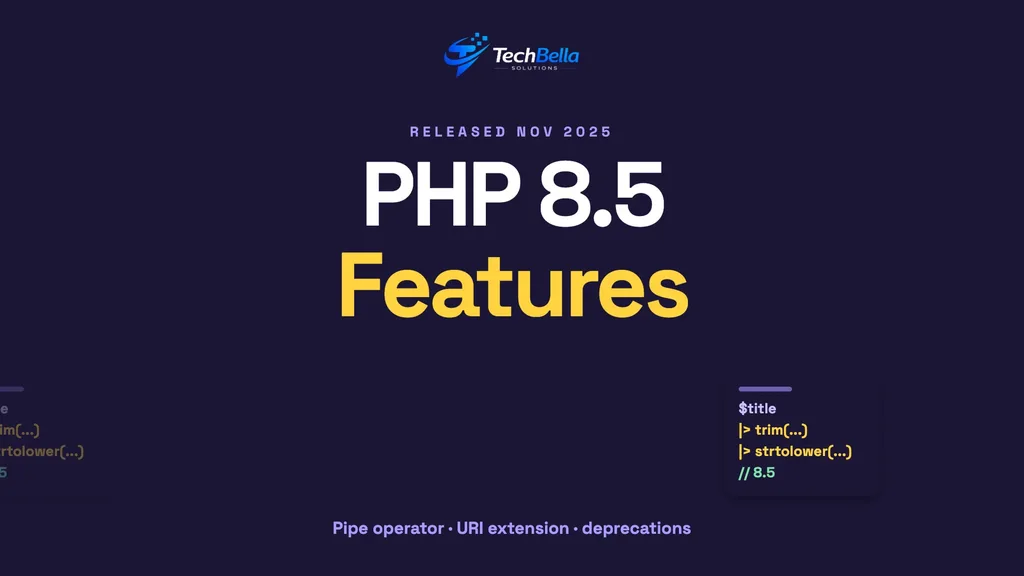
| Pipe operator |> | Chains function calls left to right |
| Clone with | Copies an object while changing properties |
| #[\NoDiscard] | Warns when an important return value is ignored |
| array_first() and array_last() | Return the first or last array value |
PHP 8.5 features at a glance
The PHP 8.5 release page calls it a major update with these headline features:
- URI extension. A built-in, always-available extension for parsing and modifying URLs following the RFC 3986 and WHATWG URL standards.
- Pipe operator (
|>). Chains function calls left to right without temporary variables. - Clone with.
clone()accepts an array of property updates, which simplifies “with-er” methods for read-only classes. #[\NoDiscard]attribute. Warns when a function’s return value is ignored, so important results are not dropped by mistake.- Closures and first-class callables in constant expressions.
- Persistent cURL share handles, which let connections be reused across requests.
array_first()andarray_last(). Simple helpers to get the first or last array value.
Other additions include a backtrace for fatal errors such as exceeding the maximum execution time, attributes on constants, and a Closure::getCurrent() method for recursive anonymous functions.
A short, plain-English tour of the new features
If you do not write PHP, the feature list can read like another language. Here is what the main items mean in everyday terms:
- URI extension. PHP gets a reliable built-in way to read and change web addresses, so developers no longer write fragile code for it.
- Pipe operator. Instead of wrapping one function inside another inside another, code can read in the order it happens, step by step.
- Clone with. Making a modified copy of an object becomes a one-line job.
- NoDiscard. The language can warn when someone ignores an important result, such as a failed payment call.
- Array helpers. Getting the first or last item of a list no longer needs a custom function.
None of this changes what visitors see. It makes code shorter, clearer and easier to check, which over time means fewer bugs and cheaper changes.
What was deprecated or changed
The same page lists changes that can affect older code:
- The backtick operator, an alias for
shell_exec(), is deprecated. - Non-canonical casts such as
(boolean),(integer)and(double)are deprecated in favour of(bool),(int)and(float). - The
disable_classesINI setting is removed. nullas an array offset is deprecated.__sleep()and__wakeup()are soft-deprecated in favour of__serialize()and__unserialize().- Casting
NANor an out-of-range float to an integer now emits a warning. - Destructuring a non-array value with
[]orlist()now emits a warning.
None of these usually breaks a site on its own, but warnings in logs can hide real problems, so developers should read the PHP 8.5 migration guide.
Support dates: where 8.5 fits
According to the php.net supported versions page:
| PHP branch | Active support until | Security support until |
|---|---|---|
| 8.5 | 31 Dec 2027 | 31 Dec 2029 |
| 8.4 | 31 Dec 2026 | 31 Dec 2028 |
| 8.3 | 31 Dec 2025 (ended) | 31 Dec 2027 |
| 8.2 | 31 Dec 2024 (ended) | 31 Dec 2026 |
PHP 8.5 offers the longest runway. That is a good reason to choose it for new builds. For an existing WordPress or WooCommerce site, the deciding factor is compatibility, not novelty.
Should your site move to PHP 8.5 now?
WordPress’s own requirements page recommends PHP 8.3 or greater, and WooCommerce also recommends 8.3 or newer. Neither statement says 8.5 is the best choice today, so treat 8.3 and 8.4 as the established options and 8.5 as one to test.
A practical rule: if your site runs 8.1 or older, move to 8.3 or 8.4 first. If you are on 8.2, move soon, since its security support ends on 31 December 2026. If you are already on 8.3 or 8.4 and want the longest support, test 8.5 on staging.
Reading deprecation warnings without panic
Deprecation notices are PHP telling you that a habit will stop working in a future version. They are not errors, and they do not break a page today. They do appear in logs in large numbers, and on a staging site you should read them.
Group them by source. Notices from your own theme or custom plugin can be fixed by your developer. Notices from a third-party plugin should be reported to the vendor, with the plugin version and the message. If a plugin is not maintained and fills the log with warnings, that is a hint to replace it. Do not turn off error reporting to hide the noise on production, since you would lose the early warning. Instead, log errors to a file and review the file regularly.
Five steps to test PHP 8.5 safely
Step 1: Clone your site to staging
Use a copy with the same PHP extensions and settings as production.
Step 2: Switch the PHP version on staging
Most hosts let you change it in the control panel. Turn on error logging so deprecations and warnings are recorded.
Step 3: Run through key journeys
Test the home page, search, product pages, cart, checkout, login and the admin dashboard. Test plugin settings pages too, since they often use older code.
Step 4: Read the logs
Look for deprecation notices and warnings from plugins and themes. Ask vendors about any that appear, and replace plugins that are not maintained.
Step 5: Switch production in a quiet window
Take a backup, switch the PHP version, watch logs and be ready to switch back. Our PHP vulnerability guide explains why running a patched, supported version matters.
What developers will like
The pipe operator and clone-with are tools for cleaner code, and array_first() and array_last() remove a common helper function. The URI extension replaces fragile hand-written URL parsing, which is a common source of bugs and security issues. The #[\NoDiscard] attribute is useful for APIs where ignoring a result is a mistake, such as a payment call that can fail.
But new syntax is no reason to rush. Code that your team cannot read or your plugins cannot run is not an improvement. Adopt new features gradually, with tests.
Why support dates should drive your upgrade calendar
The most useful line in the support table is the security support end date for the branch you run. Put that date in your calendar, then work backwards: allow time to test plugins, a staging round and a quiet release window. For PHP 8.2, the end of 2026 is close. For 8.3 it is the end of 2027, and for 8.4 the end of 2028.
A yearly habit works well. Each autumn, check which branch you run and whether a newer one is established in WordPress, WooCommerce or your framework. If you are two years from the end date, you are comfortable. If you are within six months, treat it as a project with an owner and a date. Doing this every year keeps upgrades small and avoids the rush that follows a security announcement.
For custom PHP applications
If you maintain a Laravel, custom PHP or CMS application, check your framework’s supported PHP versions before upgrading, then run your test suite on 8.5 in CI. Our Laravel and WordPress development teams handle PHP upgrades as part of website maintenance.
A quick decision guide
If you are unsure which version to choose, this short guide helps:
- Running PHP 8.1 or older: move to 8.3 or 8.4 now. Do not wait for 8.5.
- Running PHP 8.2: plan the move this quarter, since security support ends on 31 December 2026.
- Running PHP 8.3 or 8.4 and happy: stay put, apply patch releases and test 8.5 on staging at your own pace.
- Building a new custom application: consider 8.5 from the start, with a framework that supports it.
Whichever branch you choose, keep it on the latest patch release. The October 2026 security fixes show that the patch number matters as much as the branch number.
What business owners should do this month
If this guide feels technical, here is the short action list. Find out your PHP version from Site Health or your host. Write down its security support end date. Ask your developer or host whether your plugins and theme are tested on PHP 8.3 or newer. If anything on that list is unknown, schedule a short audit before the end of the year.
The newest version is not the goal. A supported, patched, tested version is. PHP 8.5 is a good long-term target, and 8.3 or 8.4 is a sensible place to be in the meantime.
Testing tools for PHP upgrades
Developers can check code before switching versions. Static analysis tools and automated compatibility checkers scan for deprecated or removed features, and a good test suite shows whether behaviour changed. For WordPress, look at the error log on staging while you click through key pages. Combine these tools with a manual run through checkout, and you will find most problems before customers do.
Not sure which PHP version to run?
We can test your site on newer PHP versions in staging, fix compatibility problems and move you to a supported release.
Frequently Asked Questions
When was PHP 8.5 released?
PHP 8.5 was released on 20 November 2025, according to the official release page. It has active support until 31 December 2027 and security support until 31 December 2029.
Should I upgrade my WordPress site to PHP 8.5?
Test it on staging first. WordPress and WooCommerce recommend PHP 8.3 or greater, so 8.3 and 8.4 are established choices. Move to 8.5 once your plugins and theme run cleanly on it.
Is PHP 8.2 still safe to use?
PHP 8.2 receives security fixes only until 31 December 2026. It is a short-term stop, so plan a move to 8.3 or newer.