


























Every WordPress release brings a headline feature, and for the 7.x series it is artificial intelligence. If you manage a business website, you have probably seen posts claiming that WordPress now “has AI built in”, with very little explanation of what that means in practice. Does WordPress write your content now? Can an AI assistant edit your site by itself? Do you need to change anything?
The honest answer is more modest and more useful than the hype: WordPress 7.0 added plumbing that lets plugins and tools work with AI models in a consistent way. What your site actually does with it depends on the plugins you install and the choices you make.
This guide explains the WordPress 7 AI features in plain language: what the AI Client, the Abilities API and the Connectors screen are, how they relate to MCP, what the optional official AI plugin does, and the practical decisions site owners and agencies need to make, from security to cost to content quality. We rely on WordPress.org’s own announcement wherever we can, and we flag what is still developer-level detail or changing quickly.
WordPress 7 AI features in one minute
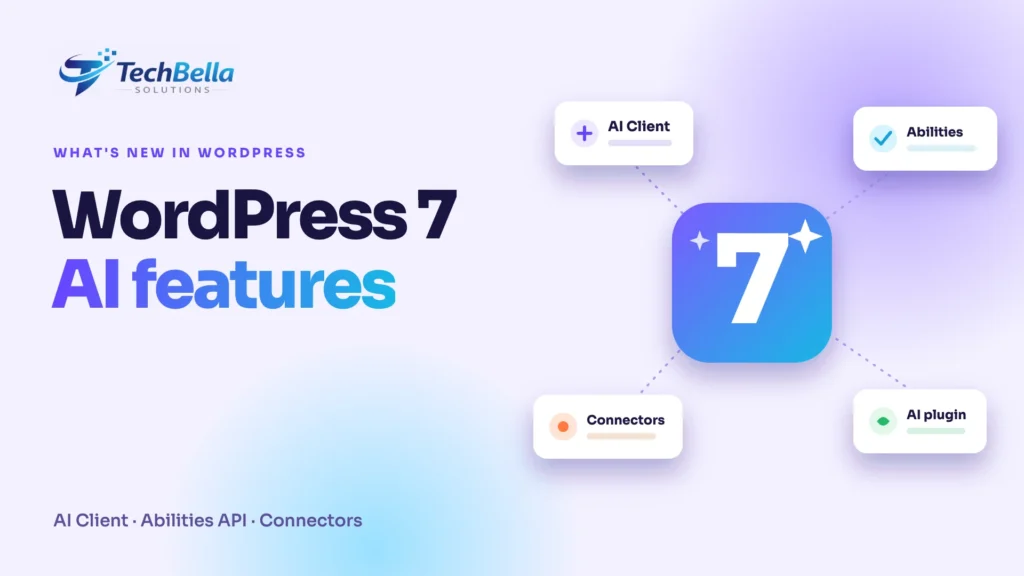
WordPress 7.0, named “Armstrong”, was announced on WordPress.org on 20 May 2026. According to the official release post, the AI-related changes include:
- An AI Client in core, which lets WordPress communicate with generative AI models.
- The Abilities API working together with it, which adds new options for workflow automation and creation tools.
- A Client-Side Abilities package, a JavaScript counterpart with a built-in interface and the new command palette.
- A Connectors screen, a central place in the dashboard to authenticate external connections, with three starting presets and the option to add your own.
- An optional official AI plugin, separate from core, which adds features such as image generation and editing, title and excerpt suggestions and alt-text suggestions.
Alongside those, the release brought a redesigned admin with a command palette (opened with Cmd or Ctrl plus K) and a visual revision browser. None of this turns your website into an AI writer on its own. It gives plugin developers, and you, a standard way to connect to AI services.
What is the AI Client?
Before WordPress 7.0, every plugin that wanted to use an AI model had to build its own connection: its own settings screen, its own way of storing a key, its own code for talking to each provider. A site with three AI plugins could have three separate setups. The AI Client is a common interface inside WordPress for sending prompts to AI models and receiving responses. A plugin asks WordPress to do it, and WordPress uses whichever provider you have connected.
For site owners, the practical effects are simple. You configure your provider once, in one place. Plugins that use the AI Client share that setup. And, as with any shared system, how well it works depends on the quality of each plugin that uses it.
What is the Abilities API?
The Abilities API is a registry of things a site can do. A plugin can register an “ability”, such as “create a draft post”, “list orders” or “update a product price”, along with a description of the inputs it needs and the permission required to run it. Once registered, other code, including AI tools, can discover the ability and use it in a controlled way.
Think of it as a menu with permissions printed on it. Without such a registry, an AI tool that wanted to edit your site would have to guess how, or use broad access that can do far more than intended. With it, the site says exactly what is available and who can use it. The AI Client and Abilities API are designed to work together, which is why the release notes mention them in the same breath.
Where does MCP fit in?
You will also see “MCP” in WordPress AI conversations. MCP stands for Model Context Protocol, an open standard that lets AI assistants connect to tools and data sources in a uniform way. A MCP adapter exists for WordPress that exposes the abilities registered on a site to MCP-compatible AI clients, so that an assistant can, for example, list products or update an order, subject to the permissions you set.
WooCommerce’s documentation describes its own MCP support in these terms and labels it a developer preview, so APIs and integration patterns may change (WooCommerce MCP docs). The WordPress.org 7.0 announcement we cite above does not mention the adapter, so treat it as a related project rather than part of the core release notes, and check its repository for current status.
Practical questions for site owners
Should we connect an AI provider at all?
Only if there is a clear use. Good candidates are routine tasks where a human reviews the result: draft alt text for a large media library, summarise long posts into excerpts, suggest title variants, or help support staff find an answer. Poor candidates are anything customer-facing and unreviewed, anything involving personal data you have no right to share, and anything where a wrong answer has legal or financial consequences.
Who should have access?
Treat the Connectors screen like the payment settings: administrators only. The key that connects your site to a provider is a credential, and anyone who can use it can run up a bill or send content to a service. Keep the number of administrators small and review the list regularly. Our guide to WordPress security best practices covers the habits that matter here.
What will it cost?
The provider charges for usage, usually by the amount of text processed. Costs are small for occasional tasks and can grow quickly with automated or high-volume use. Before enabling anything automated, decide on a monthly budget, set a spending cap with the provider if one is available and check what the plugin does when a limit is reached. Never assume that a feature inside WordPress comes with built-in cost controls.
What happens to our data?
Anything you send to a provider is processed outside your own server, under that provider’s terms. Read them: what is stored, for how long, whether it is used for training and where it is processed. If you handle customer data, keep it out of prompts unless your legal basis and the provider’s terms allow it. Data protection rules such as India’s DPDP Act, the UAE’s PDPL and the GDPR can all apply, depending on where you and your customers are, and your legal adviser is the right person to confirm.
Will it change how our team edits content?
Probably a little. The command palette makes common actions faster, the visual revisions make it easier to roll back a change and optional AI suggestions can speed up routine writing. The important rule is the same as with any tool: the person who publishes is responsible for what is published. We explain the same principle from the agency side in our guide to evaluating a web design company on its AI workflow.
What agencies and developers should do now
If you build or maintain WordPress sites, the 7.x series changes what you should consider in a project:
- Audit plugins that already include AI features. Many sites have one or two. Find out which provider each uses, where the key is stored and what data it sends.
- Prefer plugins that use the shared AI Client rather than their own hard-coded connections, where that is available, so settings live in one place.
- Register abilities carefully. If a custom plugin exposes an ability, write precise permission checks. An ability that can delete data should require a capability that only trusted roles have.
- Use dedicated users for automation. Do not connect an AI tool using the main administrator account.
- Log and review. Know what an automated tool changed and when.
- Test on staging. AI-related plugins are changing quickly, and an update can alter behaviour.
Security checklist for AI features on WordPress
- Connectors screen limited to administrators.
- Provider keys treated as secrets and never pasted into tickets or screenshots.
- A spending limit or budget alert set with each provider.
- A dedicated, low-privilege user for any automated tool.
- Application passwords reviewed and revoked when no longer used.
- HTTPS everywhere.
- A written rule on what data may and may not be sent to an AI service.
- Human review before AI-generated content is published.
- Backups and staging in place before enabling a new AI plugin.
What this means for SEO and content
AI features make it easy to produce more content, which is exactly why quality matters more. Google’s guidance says it focuses on whether content is helpful, not on how it was made, and that there are no extra technical requirements to appear in its AI features beyond standard SEO.
In other words, AI can help you draft, but original information, accuracy and a real point of view are what make a page worth ranking or citing. For a closer look at how search is changing, see our guide to AI search optimization for WordPress, and for the bigger picture on how AI is changing site building, our overview of AI website development.
Should you upgrade to WordPress 7 now?
Do what you would do for any major release. Back up the site, clone it to staging, update there, and check your theme, your page builder and your key plugins, especially anything that touches checkout or custom code. Check each plugin’s compatibility notes, and make sure your host runs a supported PHP version for the release.
Once staging passes, schedule the live update for a quiet period and watch your logs and key forms for a few days afterwards. If your site is business-critical, a maintenance partner can handle this routine for you. See our website maintenance and support page.
Planning a WordPress 7 upgrade or an AI-ready site?
We update WordPress sites on staging first, check plugins and checkout, and help you decide where AI tools are worth connecting and where they are not.
Frequently Asked Questions
What are the main WordPress 7 AI features?
According to WordPress.org’s release announcement, WordPress 7.0 added an AI Client in core, the Abilities API working with it, a Client-Side Abilities package, a Connectors screen for authenticating external connections and an optional official AI plugin that adds image tools and title, excerpt and alt-text suggestions.
Does WordPress 7 write content automatically?
No. Core provides the plumbing for plugins to connect to AI models. Content is only generated if you install a plugin that does it and connect a provider, and a person should review the result before it is published.
Do I have to use the AI features?
No. The official AI plugin is optional and separate from core, and a site that connects no provider sends nothing to an AI service.
What is the Abilities API?
It is a registry where plugins declare things a site can do, along with the inputs and permissions needed. AI tools and other code can discover and use these abilities in a controlled way.