



























Headless commerce is one of the most discussed ideas in web development: keep WooCommerce for products, orders and payments, and build a separate, custom storefront on a modern framework like Next.js. Done well, it can give designers freedom and developers a modern workflow. Done for the wrong reasons, it multiplies cost and risk.
This headless WooCommerce guide explains what the approach means, what WooCommerce’s own Store API offers, when it makes sense and when a normal theme is the better choice. It builds on our earlier guide to headless WordPress for business and uses WooCommerce’s official developer documentation as the source for the API facts.
| Question | Headless is more likely to fit when… |
|---|---|
| Design | A theme genuinely cannot deliver the front end you need |
| Team | You can maintain a custom application for years |
| Plugins | Few front-end plugins need to be rebuilt |
| Payments | A prototype has already proved checkout with your gateway |
What headless WooCommerce means
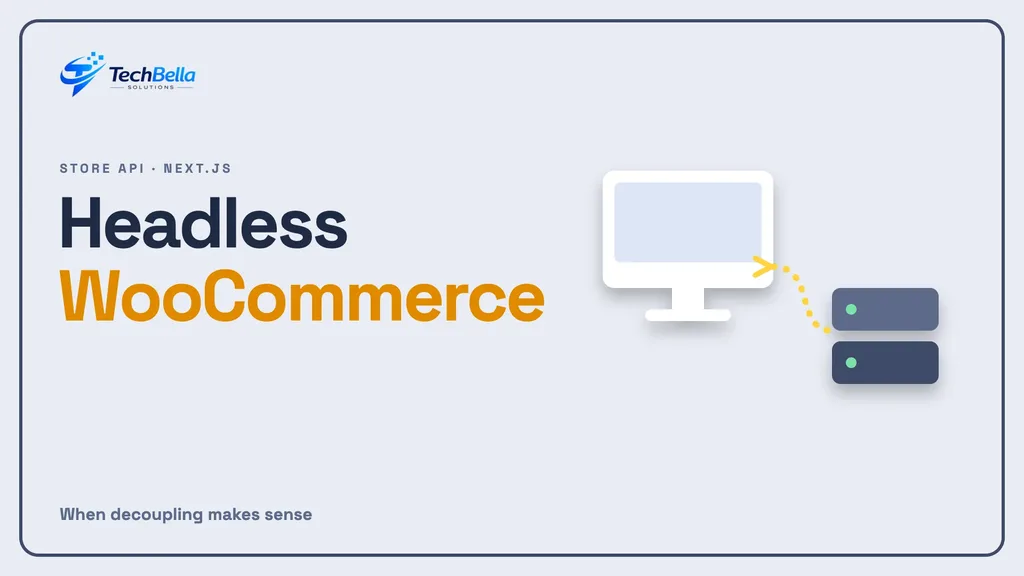
In a standard WooCommerce store, WordPress renders every page: themes, product pages, cart and checkout. In a headless setup, WooCommerce still manages the data and business logic, but a separate application renders the storefront and talks to WooCommerce through an API. That application might use Next.js, Remix or another framework.
What the Store API provides
WooCommerce’s Store API documentation describes public REST endpoints for customer-facing cart, checkout and product features. The key facts:
- It is unauthenticated: it does not require API keys or tokens for access, and customer sessions are cookie-based, so the data returned reflects the current customer.
- Write endpoints need a nonce, for example when updating the current customer’s address.
- It does not expose sensitive store data or other customers’ information, and cannot look up other customers’ orders.
- It cannot write store settings. For administrative tasks you need the authenticated WooCommerce REST API.
- It is described as render-target agnostic: it makes no assumptions about where content is displayed.
In short, the Store API suits storefront features such as listings, search, cart updates, shipping rates and checkout, and the REST API suits back-office integration.
Why teams choose headless
- Design freedom: a custom front end is not limited by a theme.
- Developer workflow: React and TypeScript tooling, component libraries and modern deployment.
- Performance control: you decide what loads, how pages are cached and which scripts run. Framework features such as the caching model in recent Next.js releases can help, as long as the team uses them well.
- One back end, several front ends: the same WooCommerce data can feed a website and an app.
Why many stores should not
- Plugin compatibility. Many WooCommerce plugins add features to the theme front end, such as filters, reviews, wishlists and checkout fields. In a headless build, each needs a rebuild or an API-based alternative.
- Checkout complexity. Payment gateways and block checkout are designed around WooCommerce’s own pages. Test them early. Our checkout block guide explains the risks.
- Higher cost and upkeep. You maintain two applications, two deployments and two sets of updates, including Node.js and framework versions, as we describe in our Node.js LTS guide.
- Slower content changes. Editors lose the visual preview and some block features they know.
- SEO and analytics need care. Metadata, sitemaps, redirects and structured data must be built, not inherited.
How a headless store is put together
A typical headless WooCommerce storefront has four parts. The WooCommerce back end holds products, customers, orders and payments. The API layer exposes the data, usually through the Store API for customer-facing actions and the REST API for administration. The front-end application, for example a Next.js project, fetches data and renders pages. The hosting and delivery layer serves the storefront, often through a content delivery network.
Each part has its own updates, monitoring and failure modes. If the front end cannot reach the API, shoppers see an error even though WooCommerce is fine. That is why headless projects need good logging and a clear owner for each layer, from the first day.
What it costs in practice
A headless build is a software project, not a theme change. You pay for design and front-end development, for integrating the API, for rebuilding features that plugins used to provide, for testing checkout and for hosting a second application. You then pay each month for updates and monitoring of both parts. The savings can come from faster iteration and better performance, but only if the team can use them. That is why we recommend a small prototype before any commitment.
It also pays to think about who edits content. Marketing teams used to WordPress previews and page builders may find a headless setup less friendly unless you invest in editing tools. Make sure the people who will use the system every day are part of the decision.
What stays the same, and what changes for your team
Some things do not change. WooCommerce still manages stock, taxes, shipping rules and orders. Your payment provider contract and your accounting process stay the same. Many back-office plugins, such as those for invoices and order exports, continue to work because they run in the admin.
What changes is everything customers see. Product templates, filters, search, wishlists, reviews, cookie banners and tracking scripts must be built or replaced on the front end. Editors may lose live previews. Developers must manage two code bases. When you list what changes, you get a much more honest estimate of effort than from a high-level price for a new look.
A decision test
Ask five questions:
- Do we need a front end that a theme genuinely cannot deliver?
- Do we have a team that can maintain a custom application for years?
- Which of our current plugins would we have to rebuild?
- Have we proved checkout and payments in a prototype?
- Would speed work on the existing theme get us most of the benefit?
If you cannot answer yes to the first, second and fourth questions, or if many plugins would need rebuilding, stay with a well-built theme and optimise it, using the steps in our WooCommerce speed guide and our INP guide.
SEO and content in a headless build
Search engines still need server-rendered pages, correct titles and descriptions, canonical URLs, structured data, sitemaps and redirects from the old site. In a theme these come from plugins. In a headless build someone must create them, and test that they appear in the final HTML.
Plan the URL structure early, and keep existing addresses wherever possible. Map every old URL that has traffic or links, and test redirects before launch. Check page speed and rendering with the same tools you use today. Migrations that neglect this work can lose traffic that took years to earn, so give SEO a named owner in the project plan.
A cautious path if you proceed
Step 1: Build a narrow prototype
Pick product listing, a product page, cart and checkout, and connect them to a staging store. The aim is to find blockers cheaply.
Step 2: Prove payments
Run test orders with your real gateway, including refunds, failed payments and 3-D Secure style flows where relevant. Do not proceed until this works.
Step 3: Plan content, SEO and redirects
Define how titles, descriptions, sitemaps and redirects are produced, and test them before launch.
Step 4: Launch gradually
Move a small section first, such as one category, and compare conversion, speed and errors against the existing site.
Step 5: Document ownership
Write down who maintains each part, how updates are tested and how the team will handle security releases for WordPress, WooCommerce and the front end.
Where we can help
We build both standard WooCommerce stores and custom front ends, and we will tell you honestly which fits. See our WooCommerce development and React development services.
A hybrid alternative
Headless WooCommerce is not all or nothing. Some stores keep the WooCommerce theme for cart, checkout and account pages, where plugin compatibility matters most, and use a custom front end only for marketing and category pages. Others keep a theme and improve only the slowest templates. A hybrid approach lets you capture some benefits with far less risk, and it can be extended later if the results justify it. Ask your team to price the hybrid and the full headless option side by side.
Staffing and ownership questions
Before committing to headless WooCommerce, ask who will own the project in a year. A custom storefront needs developers who understand React, TypeScript, the Store API and WooCommerce itself, plus someone who watches hosting and security notices. If those people are contractors, agree how knowledge will pass to your own team and where the code lives.
Documentation and handover are not optional here. A headless store without a clear owner tends to drift: dependencies go stale, builds fail and nobody remembers why a decision was made. Treat the people question as seriously as the technology question.
Testing checkout before anything else
If you remember one thing from this guide, make it this: prove checkout first. A beautiful product page is pointless if payments fail. Test a full order with your real gateway, including declines, refunds, taxes, shipping options and confirmation emails, and test on phones. Many headless projects discover late that a payment plugin expects WooCommerce’s own checkout page. Finding that on day three of a prototype costs little. Finding it on day ninety costs a lot.
Weighing headless against a theme?
We will review your plugins, checkout and goals, and build a small prototype if headless looks worthwhile.
Frequently Asked Questions
What is headless WooCommerce?
It means WooCommerce manages products, orders and payments while a separate application, often built with Next.js, renders the storefront and talks to WooCommerce through an API.
Does the WooCommerce Store API need API keys?
According to WooCommerce’s documentation, the Store API is unauthenticated and does not need keys. Write actions use a nonce, and administrative tasks use the authenticated REST API.
Is headless faster than a normal WooCommerce theme?
Not automatically. It gives you more control over performance, but a well-optimised theme can be fast too. Measure real-user results before deciding.