



























Before you buy a hosting plan, hire a developer or plan an upgrade, you need one list: what does WooCommerce actually require today? The answer changes as versions move, and an out-of-date server is the quiet cause of many slow, insecure and unstable stores.
This WooCommerce server requirements guide sets out the official requirements as published on the WooCommerce documentation page, explains what each one means in plain words and shows how to check your own server. It also connects the requirements to the PHP security fixes of 2026, because choosing a supported PHP version is both a compatibility choice and a security choice.
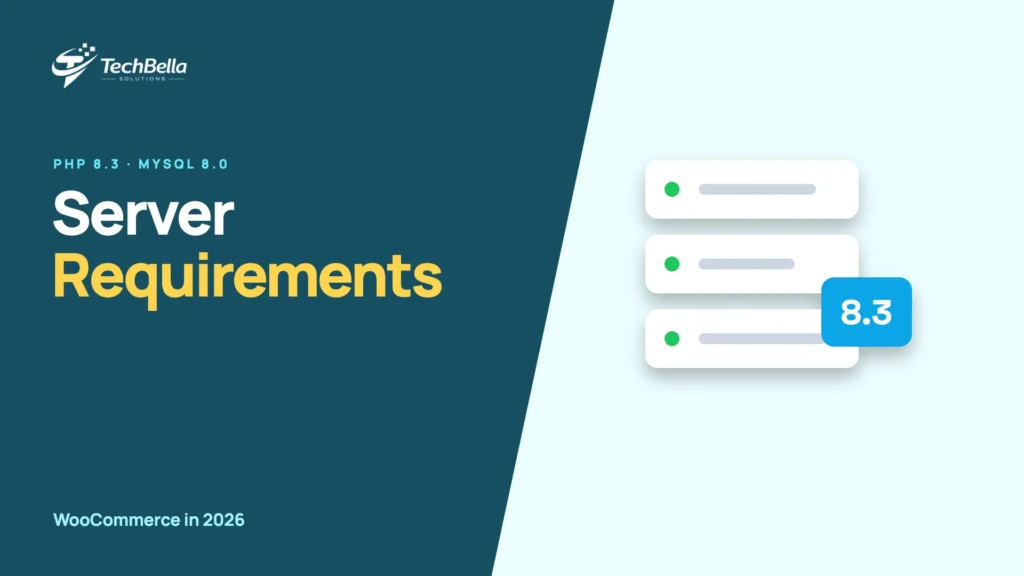
| Item | Current WooCommerce requirement |
|---|---|
| WordPress | 6.9 or greater |
| PHP | 8.3 or greater, tested up to 8.4 |
| Database | MySQL 8.0 or MariaDB 10.6 or greater |
| HTTPS and memory | HTTPS support and a 256 MB WordPress memory limit |
The official requirements
The WooCommerce server requirements page covers WooCommerce 10.8 and later. It lists the following.
| Requirement | What WooCommerce lists |
|---|---|
| WordPress | 6.9 or greater |
| PHP | 8.3 or greater, tested up to 8.4 |
| Database | MySQL 8.0 or greater, or MariaDB 10.6 or greater |
| Security | HTTPS support |
| Memory | WordPress memory limit of 256 MB or greater |
| Web server | Apache or Nginx recommended, any server that supports PHP and MySQL works |
The page also notes that WooCommerce can still run on PHP 7.4 or later and MySQL 5.6 or later, but it labels those end of life with security risks. In short, if your host still runs those versions, treat it as a warning, not a feature.
What each requirement means for you
WordPress 6.9 or greater
WooCommerce depends on features in the WordPress core, so the store needs a recent WordPress. If your site is far behind, upgrade WordPress on staging first and check your theme and plugins.
PHP 8.3 or greater
PHP is the language your site runs on. A newer version is faster and receives security fixes. The 2026 PHP security flaws were fixed only in supported branches, as we explain in our PHP vulnerability guide, and our PHP 8.5 guide lists which branches are still supported. WooCommerce says it is tested up to PHP 8.4, so a store on 8.3 or 8.4 is within the stated range.
MySQL 8.0 or MariaDB 10.6
The database holds products, orders and customers. Ask your host which one you run, and which version. Older versions are slower and lose support.
HTTPS
Customers will not trust a checkout without a padlock, and browsers warn about it. Certificates are also getting shorter-lived, which makes automatic renewal important. See our SSL certificate guide.
256 MB of memory
A store with many plugins and products can run out of memory during checkout or imports, which causes errors that are hard to diagnose. Ask your host whether the PHP memory limit and the WordPress memory limit are both high enough.
How to check your own server
You do not need server access for the first look. In the WordPress admin, open Tools, then Site Health, then the Info tab. It shows the WordPress version, the PHP version, the database server and the memory limit. Copy those four values into a note. If any is below the table above, you have a task.
Beyond the minimum: what a busy store needs
The official list is a floor, not a recommendation for your traffic. Busy stores benefit from an object cache, a database that is not shared with dozens of other sites and enough PHP workers to handle simultaneous checkouts. Our WooCommerce speed guide explains caching rules that are safe for carts and checkout. Our HPOS guide explains a database change that helps order handling on larger stores.
Questions to ask a hosting provider
- Which PHP version do we run, and can we choose a version per site?
- Which database server and version do we run?
- What are the memory limit and the maximum execution time?
- How often are backups taken, and can we test a restore?
- Do you provide a staging copy, and how do we push changes live?
- How do you handle security updates for the server itself?
Write the answers down, because they help in every future incident.
How to upgrade without breaking the store
- Take a full backup, and check that you can restore it.
- Create a staging copy on the same hosting.
- Upgrade PHP on staging and test the checkout, emails and your payment plugin.
- Update WordPress, WooCommerce and plugins on staging and test again.
- Fix errors, replace abandoned plugins and repeat.
- Schedule the live change for a quiet hour and keep the backup ready.
Our backup strategy guide and WooCommerce 11 guide fit well here.
Payment plugins and server versions
Payment plugins depend on the same stack. A gateway plugin must support your PHP and WooCommerce versions, and the checkout must work with your theme. Our plugin, TechBella Payment Gateway Pro, is updated to stay compatible with new WooCommerce releases, and you should still test any payment plugin on staging after a server change. See our maintenance checklist for the full routine.
Signs your server is the problem
- Checkout works for some customers and fails for others at busy times.
- You see memory or time-out errors in logs.
- Admin pages take several seconds to load.
- Your host cannot tell you the PHP version.
- Updates fail or cause white screens.
If you recognise two or more, ask for a server review before you change plugins.
Getting help
Our WordPress development and website maintenance teams can review your server details, test an upgrade on staging and plan the change with a rollback.
Why the PHP version matters beyond compatibility
A PHP version has a life cycle. It gets a period of active support, then a period of security fixes only, then no fixes at all. After the last date, a newly found flaw stays open, and attackers know it. The October 2026 PHP security flaws, which we describe in our PHP vulnerability guide, were fixed only in the supported branches.
If your store runs a branch that has reached its end, no fix will come, and moving up becomes urgent rather than optional. WooCommerce asks for PHP 8.3 or greater, which is a sensible place to be for most stores today.
Shared hosting, VPS or managed hosting
Where your store runs affects how easily you can meet the requirements. On shared hosting, you usually choose the PHP version from a control panel, but memory and processes are limited and shared with other sites. On a virtual private server, you control more, and you also carry more responsibility for updates and security. Managed WordPress and WooCommerce hosting takes care of many details, such as versions, caching and backups, at a higher price.
There is no single right answer. Choose the level of control and support you can actually use, and ask the questions in the list above before you commit.
Sizing for your traffic
A small catalogue with a few orders a day runs comfortably on modest hosting. A store with thousands of products, many plugins and busy sales needs more: more memory, more PHP workers, a faster database and caching that respects carts and checkout. Ask your developer to look at your slowest pages and your peak traffic, rather than buying a bigger plan by guesswork. Our WooCommerce speed guide explains where time is usually lost, and our White Friday guide explains how to prepare a server for a sale.
Extensions and settings people forget
The official page also lists optional pieces. cURL or fsockopen helps the store talk to other services, including payment gateways. The multibyte string extension matters for stores with non-English text, including Arabic, so check it if you sell in the UAE. Pretty permalinks are needed for some features, and certain global database settings can cause problems. If a plugin reports a missing extension, ask your host to enable it instead of searching for a workaround.
Keep a short note of your server settings, so a new developer can understand the setup in minutes.
Keeping the requirements in your calendar
Requirements change as WooCommerce and WordPress move forward. Put a quarterly reminder in a shared calendar to compare your versions with the official page, to check PHP support dates and to review hosting. If you do this four times a year, upgrades stay small, and you avoid the stressful all-at-once jump after years of delay. Our PHP 8.5 guide lists the dates to track, and our Laravel 13 upgrade guide shows the same habit for a framework.
Reading Site Health with a developer
Site Health in the WordPress admin does more than list versions. The Status tab flags issues such as an outdated PHP version, a missing extension, an inactive scheduled task or a database that needs attention. Copy what it flags into a note, rank the items by risk and decide which ones you or your host can fix this month. Share a screenshot of the Info tab with your developer instead of describing your setup from memory. A five-minute look at this screen often saves an hour of back-and-forth.
WooCommerce server requirements: a quick summary
The WooCommerce server requirements today are WordPress 6.9 or greater, PHP 8.3 or greater, MySQL 8.0 or MariaDB 10.6, HTTPS and a 256 MB memory limit. Check your own values in Site Health, ask your host the questions in this guide and upgrade on staging. Keeping to the WooCommerce server requirements also keeps you on a PHP branch that receives security fixes.
Not sure your server is ready?
We review PHP, database and memory settings, test an upgrade on staging and plan the change with a rollback.
Frequently Asked Questions
What PHP version does WooCommerce need?
The WooCommerce documentation lists PHP 8.3 or greater, tested up to PHP 8.4. Older versions may still run but are described as end of life with security risks.
What database does WooCommerce need?
MySQL 8.0 or greater, or MariaDB 10.6 or greater, according to the official page.
How do I find my PHP version?
In the WordPress admin go to Tools, then Site Health, then Info. The server section shows the PHP version and database details.
Is the official minimum enough for a busy store?
It is a floor. Busy stores usually also need enough PHP workers, an object cache and a database that is not overloaded. Ask your host about each.