




























Cumulative Layout Shift (CLS) measures how much a page jumps while it loads. A slider that appears late can push the product title and the Add to cart button down, and the effect is strongest on phones.
Turn on Reserve Gallery Space
- Go to TechBella Gallery and then Gallery Settings.
- Open Tools and Custom CSS.
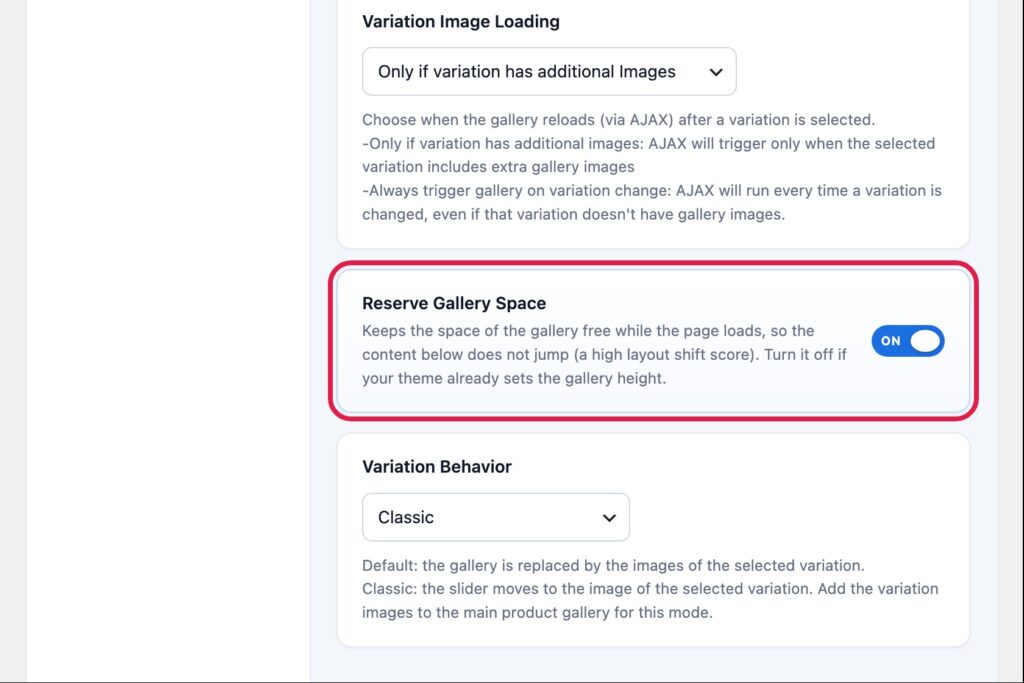
- Switch Reserve Gallery Space on and save.
This option is on by default. It keeps room for the main image and the thumbnail strip while the slider starts, using the shape of your main image and the number of thumbnails you set for desktop, tablet and phone.
If the page still jumps
- Use images with the same shape for every product, so the reserved room matches the real gallery.
- Set Main Image Size to a size that your images already have. See “How to Fix Blurry Product Images in the Gallery”.
- Clear your cache plugin and test again. An old cached page can still hold the old gallery.
- Check the theme. Some themes set their own gallery height, and then you can turn Reserve Gallery Space off.
Fix a height with Custom CSS
If your theme needs a fixed height, add a rule in the Custom CSS box of the same section. The class of the gallery is techbella-wrapper.
.techbella-wrapper { min-height: 420px; }Test the result with a page speed tool, on a phone size, before and after the change.