




























Image zoom lets customers see the fine details of a product.
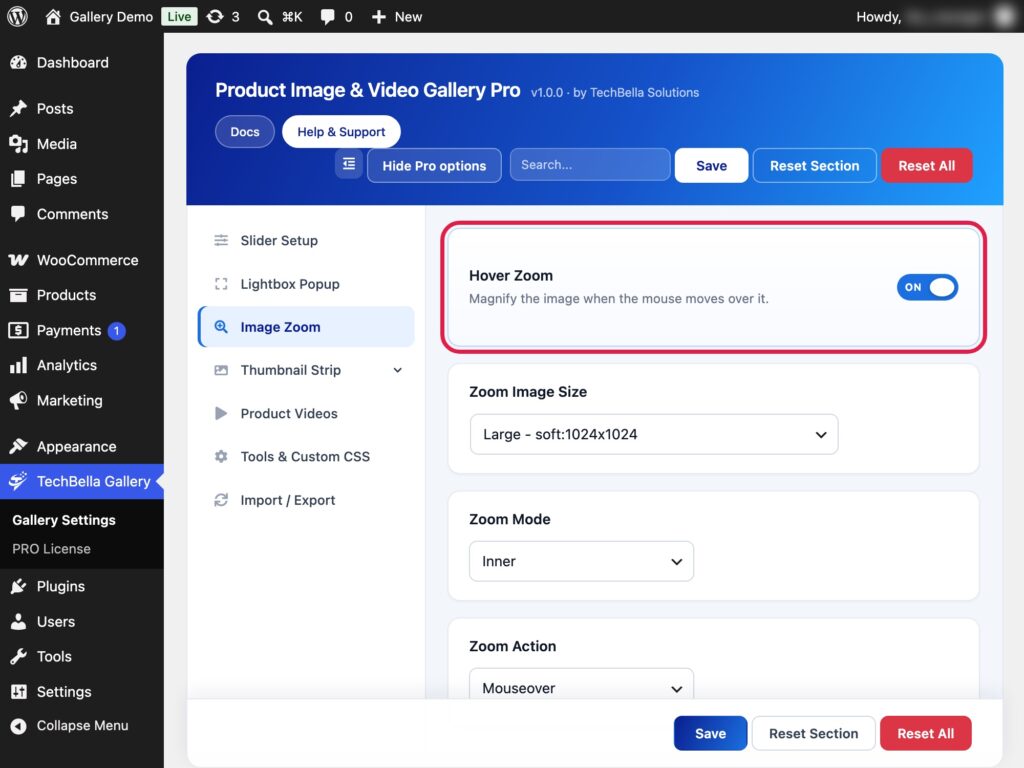
Turn zoom on or off
- Go to TechBella Gallery and then Gallery Settings.
- Open Image Zoom.
- Switch Hover Zoom on or off and save.
Pro options
When zoom is on, Pro adds three more settings.
- Zoom Image Size. Pick the image size used for the zoomed view.
- Zoom Mode. Choose Inner to zoom inside the image or Lens (Magnifier) to move a round magnifier over it.
- Zoom Action. Choose what starts the zoom: Mouseover, Click, Grab or Toggle.

Tips
- Turning Hover Zoom off also removes the zoom button and click-to-zoom inside the lightbox.
- Upload images that are large enough for zoom to show real detail.
- Zoom works best with the lightbox on, so customers can use either one.